template_1.texRead-only preview
\documentclass{article}
% code (choose any one environment)
\usepackage{algorithm}% float wrapper for algorithms
%\usepackage{algorithmic}% first algorithm typesetting environment
\usepackage{algorithmicx}% second algorithm typesetting environment
\usepackage{algpseudocode}% layout for algorithmicx
%\usepackage{algorithm2e}% third algorithm typesetting environment
%-------------------------
\floatname{algorithm}{Algorithm}
\renewcommand{\algorithmicrequire}{\textbf{Input:}}
\renewcommand{\algorithmicensure}{\textbf{Output:}}
\algdef{SE}[DOWHILE]{Do}{doWhile}{\algorithmicdo}[1]{\algorithmicwhile\ #1}%use do...while loop
%-------------------------
\usepackage{listings}% insert programming code within the document. Many languages are supported and the output can be customized
%------------------------------------------------
% math
\usepackage{amsmath}% contains the advanced math extensions
\usepackage{amssymb}% adds new symbols in to be used in math mode
\usepackage{cancel}% commands for striking out mathematical expressions
\usepackage{eucal, latexsym, mathrsfs}% other mathematical symbols
\usepackage{showidx}% It prints out all index entries in the left margin of the text. This is quite useful for proofreading a document and verifying the index
\usepackage{theorem}% change the style of newly defined theorems
%------------------------------------------------
% front and coding
\usepackage{amsfonts}% access to a limited selection of features from the AMSFonts package
\usepackage[english]{babel} % provide the internationalization
\usepackage{bm}% use of bold greek letters in math mode
%\usepackage{bbm}% blackboard variants of Computer Modern fonts
%\usepackage{color}% add colors to text
%\usepackage{fontenc}% choose the font encoding of the output text
\usepackage[utf8]{inputenc} % choose the encoding of the input text
%\usepackage{mathptmx}% Sets the default font of the entire document (including math formulae) to Times New Roman
\usepackage{MnSymbol}% a symbol font family, designed to be used in conjunction with Adobe Minion Pro
\usepackage{relsize}% set the font size relative to the current font size
\usepackage{times}% select Adobe Times Roman (or equivalent) as default font
\usepackage{xcolor}% adds support for colored text
%------------------------------------------------
% format
\usepackage{array}% extends the possibility to handle tables
\usepackage{cases}% produce multi-case equations with a separate equation number for each case
\usepackage{changepage}% easily change the margins of pages
\usepackage{multicol}% provides the multicols environment which typesets text into multiple columns
\usepackage{enumitem}% support for arbitrarily-deep nested lists (useful for outlines)
\usepackage{fancyhdr} % change header and footer of any page of the document
\usepackage[a4paper, top=2.5cm, bottom=2.5cm, left=2.2cm, right=2.2cm]{geometry} % for easy management of document margins and the document page size
\usepackage{graphicx}% insert graphic files within a document
\usepackage{indentfirst}% the beginning of any chapter/section is indented by the usual paragraph indentation
\usepackage{setspace}% change line spacing
%------------------------------------------------
% graph
\usepackage{microtype}% provides an improvement to LaTeX's default typographic extensions, improvements in such areas as character protrusion and font expansion, interword spacing and additional kerning, and hyphenatable letter-spacing
\usepackage{tikz}%
\usepackage{verbatim}
%----------------
\usetikzlibrary{arrows}
\usetikzlibrary{shapes}
\usetikzlibrary{positioning}
\usetikzlibrary{fit}
\usetikzlibrary{backgrounds}
\usetikzlibrary{petri}
\usetikzlibrary{decorations.pathmorphing}
\usetikzlibrary{calc}
%----------------
%------------------------------------------------
% symbol
\usepackage{textcomp}% Provides extra symbols, e.g. arrows like \textrightarrow, various currencies (\texteuro,...), things like \textcelsius and many others.
%------------------------------------------------
% others
\usepackage{comment}% selectively in/exclude pieces of text
\usepackage{natbib}% Gives additional citation options and styles. Often used for journal submission.
\usepackage{showkeys}% a useful package related to referencing
\usepackage[colorinlistoftodos]{todonotes}% to insert to–do items
% URL
\usepackage[colorlinks,linkcolor=blue]{hyperref}% manage links within the document or to any URL when compiling in PDF, already provides commands \url{}
%------------------------------------------------
\title{Homework title}
\author{author's name}
\date{\today}
\begin{document}
\maketitle
%*******************************************
\section*{Probelm title}
\subsection*{subproblem 1}
Problem.
\subsection*{Solution}
Solution.
\subsection*{Proof.}
Proof.
$ \blacksquare $
%---------------------------
\subsection*{subproblem 2}
Problem.
\subsection*{Solution}
Solution.
\subsection*{Proof.}
Proof.
$ \blacksquare $
%---------------------------
\subsection*{subproblem 3}
\subsubsection*{subsubprolem 1}
Problem.
\subsubsection*{Solution}
Solution.
\subsubsection*{subsubprolem 2}
Problem.
\subsubsection*{Solution}
Solution.
\subsection*{Proof.}
Proof.
$ \blacksquare $
%-----------------------------------------------------------------------------
\section*{Probelm title}
\subsection*{subproblem 1}
Problem.
\subsection*{Solution}
Solution.
\subsection*{Proof.}
Proof.
$ \blacksquare $
%---------------------------
\subsection*{subproblem 2}
Problem.
\subsection*{Solution}
Solution.
\subsection*{Proof.}
Proof.
$ \blacksquare $
%---------------------------
\subsection*{subproblem 3}
\subsubsection*{subsubprolem 1}
Problem.
\subsubsection*{Solution}
Solution.
\subsubsection*{subsubprolem 2}
Problem.
\subsubsection*{Solution}
Solution.
\subsection*{Proof.}
Proof.
$ \blacksquare $
%*******************************************
\end{document}
Preview
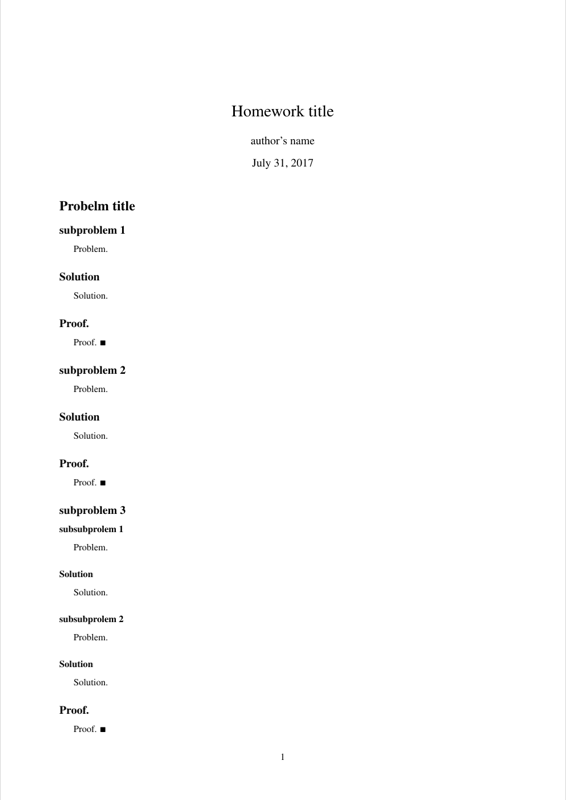

PDF Preview
Create an account to compile and preview