Research faster, publish sooner. Meet Bibby, your intelligent writing friend and agentic editor that instantly perfects your diagrams, research, syntax, formulas, and citations.
Used by 12,500+ researchers across 550+ Universities worldwide
Citations, syntax, and submit. I'll show you.
01
Find the literature
Deep research across 200M papers, asked in your own words
do scaling laws still hold under sparse attention?
Scaling Laws for Neural Language ModelsKaplan et al. · 2020
Training Compute-Optimal Large ModelsHoffmann et al. · 2022
Efficient Transformers: A SurveyTay et al. · 2022
Sparse is Enough in Scaling TransformersJaszczur et al. · 2021
Knowledge base · 2 of 4 addedindexed for citation & recall
312 papers screened · 4 worth reading · vector-indexed for the writing agent
02
Cite without leaving the line
BibTeX written for you: key, entry and DOI check
…as first proposed by \cite{
Vaswani et al. (2017)Attention Is All You Need · NeurIPSTab
Bahdanau et al. (2015)Neural MT by Jointly Learning to Align · ICLR
Sutskever et al. (2014)Sequence to Sequence Learning · NeurIPS
Key inserted, entry appended to refs.bib, DOI verified against Crossref
03
Start in the right format
Venue templates you can type straight into
Margins, fonts, bibliography style and page limits already set
04
Write it together
A real LaTeX editor: maths and figures typeset as you type
main.texrefs.bibfigures/compiled 1.4s
% Section 3, drafted with Bibby
\section{Scaling behaviour}
Loss follows a power law in model
size and data, as in \cite{kaplan2020}:
\begin{equation}
L(N,D)=\frac{A}{N^{\alpha}}
+\frac{B}{D^{\beta}}+L_{\infty}
\end{equation}
\begin{figure}[t]
\includegraphics{loss_curve}
\caption{Validation loss.}
\end{figure}
3 Scaling behaviour
Loss follows a power law in model size and data, as in Kaplan et al. [4]:
L(N,D) = ANα + BDβ + L∞(1)
Figure 1: Validation loss against training compute, dense vs. sparse attention.
Compiles as you type · everyone edits at once, no merge conflicts
05
Hand it to the agent
One instruction, a full pass over the draft
You
clean up section 3 and check we're safe to submit
Grammar & tense41 edits, all shown as tracked changes
Architectures, mechanisms and multi-panel results, drawn the way reviewers expect them. Editable vector, with a caption, ready to drop into your paper.
BTransformer encoder-decoder, N layers, residuals and layer norm, classic paper style70 editable elements
Figure 1 | Transformer encoder-decoder architecture. The encoder (left) and decoder (right) each stack N identical layers of multi-head attention and position-wise feed-forward sublayers, with residual connections and layer normalization. Decoder self-attention is masked so each position attends only to earlier positions.
Example figures. Data values are illustrative.
ICON LIBRARY
Icons drawn for science, not for slide decks.
One stroke weight and one visual language across every field, so a neuroscience figure and an ML figure sit together in the same paper.
Cell
DNA
Mitochondrion
Virus
Bacterium
Protein
Neuron
Brain
Synapse
Electrode
Mouse
Eye
Flask
Beaker
Test tube
Molecule
Pipette
Petri dish
Neural net
Transformer
GPU
Dataset
Loss curve
Attention
Atom
Wave
Magnet
Laser
Lens
Pendulum
The workspace
Ten tools, one continuous draft.
Research, write, cite, illustrate, annotate, collaborate and ship, all without leaving the document or losing your place in it.
AI WRITING
Your AI research friend.
Not another clunky editor. Bibby drafts the equations, tightens the argument and explains the errors in plain English.
Drafts complex equations from natural language
Suggests improvements to your arguments in real time
Auto-generates citations in any format
Explains LaTeX errors in plain English and fixes them
bibby assistant
Find 2024 to 2025 papers on retrieval-augmented generation for scientific QA. Summarize retrieval strategies and reported exact-match gains.
B
Thought
Hybrid dense+sparse retrieval with multi-hop reranking leads reported EM gains; domain adaptation on scientific corpora consistently beats general web indexes.
RESEARCH PAPER
Multi-hop RAG for scientific question answering
ACL 2024
View →
PREPRINT
Domain-adapted retrievers for arXiv corpora
arXiv 2025
View →
RESEARCH PAPER
Exact-match gains under sparse-dense fusion
NeurIPS 2024
View →
DATASET
SciQA-Bench release and leaderboard notes
Hugging Face
View →
Exporting summary to Word...
Ask anything about your research...Auto
ALPHAFOLD VIEWER
Structures, beside your draft.
Open any predicted structure, rotate it, colour by confidence, drop the figure into your paper.
MODEL CONFIDENCE (pLDDT)
Very high · over 90
Confident · 70 to 90
Low · 50 to 70
Very low · under 50
LIVE COLLABORATION
Everyone writes. Nothing conflicts.
Your PI in Rich Text, you in code, a co-author in Lisbon. Same file, same second.
4 Discussion
The toroidal code emerges without supervision. Border cells may correct drift near the walls, a prediction we test in Section 5. Together these suggest path integration is learned, not built in.
Arjun · Delhi
Lena · Lisbon
Maya · Boston
Social reading · paperclub
Annotate research papers together.
paperclub turns any paper into a shared reading room. Highlight what matters, leave a comment where you got stuck, and see exactly what everyone else marked up, so you learn the paper the way experienced readers already do.
Any PDF or arXiv link · nothing to install · your notes, your library
arXiv:2404.10102Neuro · Vision
Predictive coding in visual cortex
A. Rao, M. Chen, and L. Okafor
We show that feedback connections carry a prediction of upcoming sensory input, and that the residual (the part the brain fails to predict) is what actually propagates forward.
Under this account, attention reweights the precision of prediction errors rather than amplifying the signal itself. The distinction matters: it predicts sharper tuning without higher firing rates, which we confirm in layer 2/3.
The remaining gap between model and cortex, we argue, is a matter of timescale, not architecture.
RARavi2d
Is “residual” here just the classic prediction error, or something narrower?
MJMaya5h
This is the crux of the paper. 14 people highlighted this exact line.
▲ 14 readers agree
TLTheo1d
See fig 3b: the tuning result is stronger than the abstract lets on.
4,200+ papers being read right nowHighlight · comment · reply · resolveWorks on any PDF or arXiv linkReading groups & lab shelves
Instant originality check
Spot AI-like writing in seconds, no login.
Paste plain text or LaTeX and get a calibrated AI-likelihood / plagiarism-style originality score with signal breakdown and sentence heatmap. Runs in your browser: nothing is uploaded.
Furthermore, a robust framework for data collection is essential. Moreover, researchers must delve into the multifaceted nature of their datasets…
Burstiness
Phrasing
Surprisal
Strict mode · higher sensitivity
9 signals · one calibrated score
No login requiredClient-side: text never leaves your deviceLaTeX stripped before scoringUse to revise, never to accuse
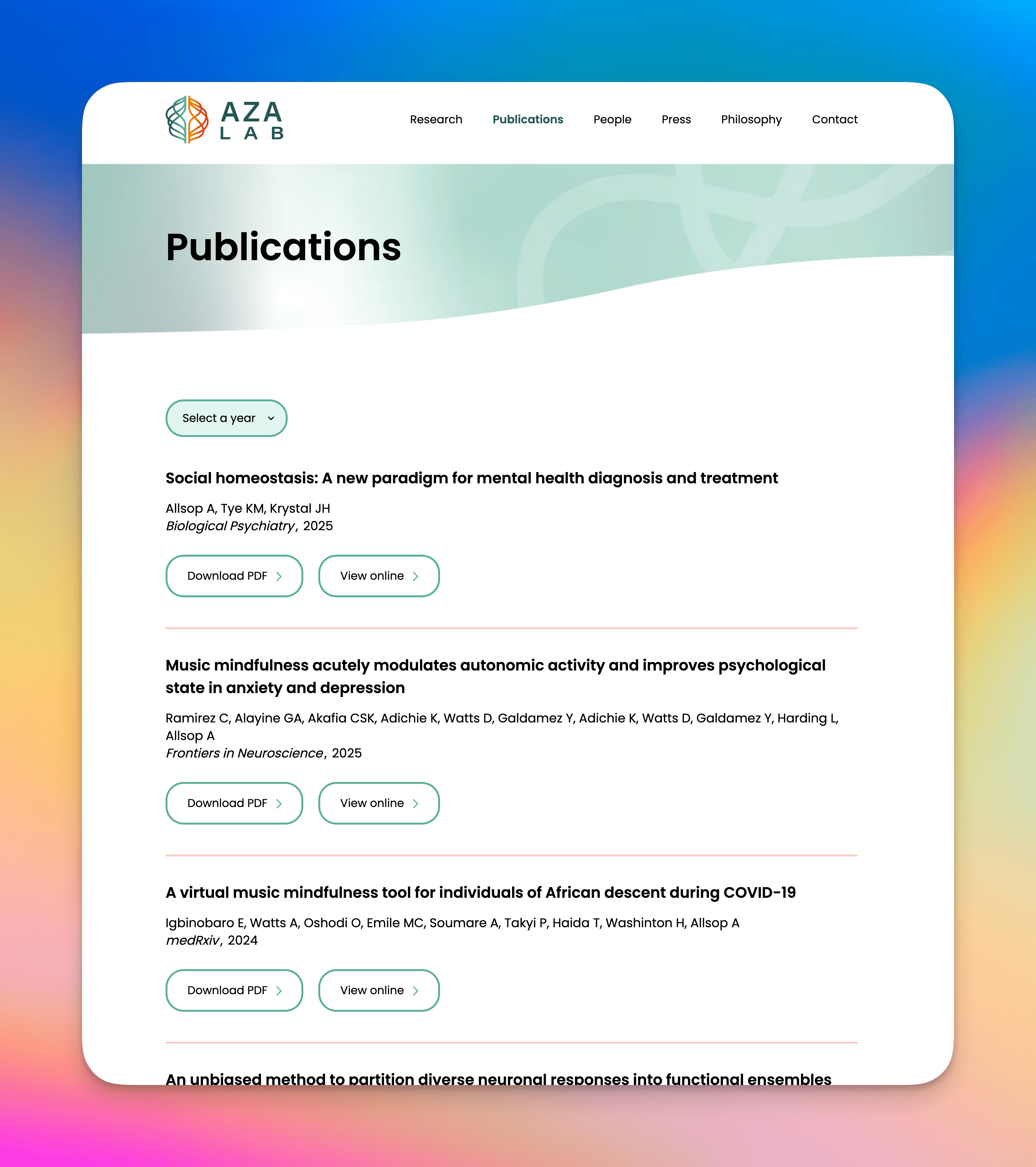
Example lab site · publications
Academic Websites
Generate Academic Websites
Your lab deserves a web presence that matches your research. Bibby builds a clean academic site in minutes, with team, publications, and research areas included and the copy polished to a faculty-ready tone.
Structured layouts for people, research themes, and lab updates
AI copy in a faculty-ready academic tone
Single-file HTML export you can host anywhere instantly
THEMATIC ANALYSIS
Interviews in. Defensible themes out.
Time pressure
11 excerpts
Tool switching
9 excerpts
Trust in AI
7 excerpts
23 interview transcripts
P3 · I lose an hour a day just fixing formatting.
P7 · Four tools open just to write one section.
P1 · I don't trust AI citations until I check them.
P5 · Deadlines always land in the same week.
P9 · Copying between Zotero and my editor breaks it.
P2 · I need to see where every claim came from.
LAB SEARCH
Find the group doing exactly your work.
labs studying grid cell coding
Computational Neuroscience Unit
Zurich · 14 matching papers
Systems Neuroscience Lab
London · 11 matching papers
Neuroengineering Group
Bengaluru · 8 matching papers
CONFERENCE DEADLINES
Never miss a submission again.
every venue you follow
CVPR 2027
Abstract registration · Pacific time
05
DAYS
06
HRS
14
MIN
ICML 2027
Full paper deadline
42d
Nature Neuroscience
Revision due
19d
Bibby nudges you at 14 days, 7 days and 24 hours.
Toroidal topology of population activity in grid cells
Gardner et al. · Nature 2022
PAPERCLUB
Read papers with your lab.
AK2 min ago
Is the torus visible without the speed filter?
MRjust now
Fig 2c answers it. Holds at low speeds too.
+15
Neuro reading group · Thursday 5pm
POSTER GENERATOR
A0 poster, in ninety seconds.
Bibby pulls your abstract, methods, figures and results, then lays them out at print resolution.
A0 portrait3 columnsLab paletteQR to paper
Grid cells as a learned code
A. Author, B. Author · Department of Neuroscience
Introduction
Methods
Results
PRESENTATION GENERATOR
Your paper, now a 12 minute talk.
with speaker notes
Grid cells as a learned code
Title
Motivation
Model
Results
Ablations
Limitations
Takeaways
Questions?
∫ e-x² dx = √π
from the lab notebook
IMAGE TO LATEX
Snap it. Typeset it.
\int_{-\infty}^{\infty} e^{-x^2}\,dx = \sqrt{\pi}
∫−∞∞ e−x² dx = √π
PhotoScreenshotPDF pageTextbook
RESEARCH DASHBOARD
See where your time actually goes.
Words written this week
4,812
across 3 manuscripts
Papers read
37
14 saved to library
Collaborators active
7
Writing hours by day
Mon
Tue
Wed
Thu
Fri
Sat
Sun
WRITING STREAK
12 days
Everything in the editor, in one search bar.
Press ⌘K in Bibby and type what you want to do. Try it here.
50 of 50
Continue writingWriting
Rewrite selectionWriting
ExpandWriting
TightenWriting
Change toneWriting
Generate abstractWriting
Generate titleWriting
Draft limitationsWriting
Draft related workWriting
Methods from notesWriting
Plain-language summaryWriting
Cover letter to editorWriting
Response to reviewersWriting
Citation searchCitations
Find supporting evidenceCitations
Verify a citation existsCitations
Format bibliographyCitations
Import from ZoteroCitations
Import from MendeleyCitations
Import EndNote or RISCitations
Import BibTeXCitations
Summarize PDFReading
Explain selectionReading
Explain the mathsReading
Jargon breakdownReading
Extract tablesReading
Explain a figureReading
Annotate PDFReading
Diagram from descriptionFigures
Methodology diagramFigures
Architecture diagramFigures
Restyle a diagramFigures
Icon search, 6,000+Figures
Chart from dataFigures
TikZ from a sketchFigures
ProofreadChecking
Originality checkChecking
AI paper reviewerChecking
Notation consistencyChecking
Reference checkChecking
Journal fitChecking
Fix a compile errorLaTeX
Word to LaTeXLaTeX
LaTeX to WordLaTeX
Switch templateLaTeX
Make Beamer slidesLaTeX
Comment on a selectionCollaboration
Track changesCollaboration
Share a linkCollaboration
Set collaborator rolesCollaboration
Bibby is the most accurate AI for LaTeX error detection
I lead Prism and Overleaf on every row.
On LaTeXBench-500, Bibby beats OpenAI Prism and Overleaf across every error category. Same documents, same questions, same scoring. NotebookLM and other general-purpose notebook AIs don't offer native LaTeX compile or one-click error repair.
The things researchers ask us most, answered plainly.
Overleaf, Prism, and whether the free plan compiles.
What's the difference between the Free and Pro plans?
Free includes LaTeX editing and limited collaboration. Pro adds unlimited AI assistance (grammar, paraphrasing, content generation), unlimited collaborators, drawing and voice-to-text modes, and priority support.
Can Bibby AI write my thesis for me? Is Bibby free?
Bibby AI is an AI co-author, not an autonomous PhD-writing machine. It helps you draft, cite, compile, and review; you stay the author. Yes, Bibby is free to start at trybibby.com. You can write a thesis on Free. Free includes 2 projects and 30 compiles. Pro adds unlimited AI, compiles, and collaborators.
How does the AI citation search work?
Citation search queries Semantic Scholar, arXiv, Crossref, OpenAlex, PubMed, and related indexes. Search by title, author, or keywords, then insert a BibTeX cite into the document.
Can the AI help me draft or rewrite sections?
Yes. Ask the assistant to outline a section, draft from your notes, or rephrase a paragraph. It stays in the editor next to the LaTeX.
Do I need to know LaTeX to use Bibby?
No. You can write in plain language and let Bibby turn it into LaTeX, or edit the source yourself if you already know it.
Can I collaborate with others in real-time?
Yes! With our Pro plan, you can invite colleagues to work on your document simultaneously. Changes are synced in real-time, and you can see who's editing what. The collaboration feature includes commenting, suggesting edits, and version history to track all changes.
Does Bibby support journal-specific formatting?
Yes. Bibby includes templates for hundreds of academic journals across various disciplines. Simply select your target journal, and Bibby will automatically format your paper according to their specific requirements, including citation style, margins, font, and layout.
Is my research data secure with Bibby?
Documents are encrypted with AES-256 in transit and at rest. We do not sell or share your files, or use them for anything except running the product. Data security.
Can Bibby see my research documents or data?
Staff cannot read your project contents as part of normal operations. Encryption keys are scoped to your account.
Do you use my research data to train AI models or send it to external AI services?
We never use your documents to train Bibby's models or third-party training datasets. When you use AI features, only the text needed for that request is sent to Google Gemini under zero-retention, no-training API terms. We do not use OpenAI. View our subprocessor list in the Trust Center.
What happens to my data if I cancel my subscription?
You maintain full control of your data at all times. Before canceling, you can export all your documents in standard LaTeX format. After cancellation, your data remains accessible for 30 days, giving you time to download everything. After this grace period, your data is permanently and securely deleted from our systems. You can also request immediate deletion of your data at any time through your account settings.
Is Bibby AI SOC 2 or HIPAA compliant?
We are SOC 2 compliant. Our infrastructure is built on HIPAA-compliant and SOC 2-certified providers (like AWS/GCP), and our AI subprocessor (Gemini) is HIPAA compliant. We maintain SOC 2 compliance across our organization and are working towards full HIPAA attestation. Learn more in our Trust Center.
Can I import existing LaTeX documents?
Yes. Upload a .tex project or a ZIP. Equations, figures, and bibliographies stay in the source. You can export standard LaTeX at any time.
How are AI credits used?
AI credits are used for heavier features such as abstract generation, deep research chat, or equations from images. Autocomplete and simple formatting do not consume credits. Pro includes a monthly credit allowance.
How does the AI handle citation formatting across journal styles? Can I switch from APA to IEEE mid-project? Does it reformat everything automatically?
Bibby is built around real bibliography workflows: your sources stay linked, and when you change the target style or journal template, your citation commands and bibliography can be regenerated in the new format instead of hand-editing hundreds of lines. Switching APA → IEEE is the kind of move that used to cost a weekend of find-and-replace; here, you nudge the style, spot-check a few edge cases, and keep writing. The AI also helps catch stragglers (inconsistent author-year vs numeric cites, missing DOIs, odd tech report entries) so the paper “looks like” the venue before you export.
Does the AI reviewer give feedback like a NeurIPS or ICML reviewer? What does it flag: formatting only, or real content gaps?
It won't replace a human area chair, but it's designed to sound like the questions strong venues ask: Is the claim scoped? Is the baseline fair? Is related work missing an obvious line of work? Is the experiment plan convincing? You'll see a mix of polish (notation, structure, clarity) and substance (gaps, comparisons, threats to validity), not just “fix your margins.” The exact flavor depends on your section and how much context you give it.
How well does photo-to-equation handle complex multi-line math, matrices, or piecewise functions?
It handles a surprisingly wide range of printed equations: multi-line layouts, matrices, and cases-style piecewise definitions are exactly the sweet spot where LaTeX shines, so when the photo is clear, you often get something you can drop in and refine. Messy handwriting, tiny subscripts, or exotic notation may need a quick pass with Tab-complete and the editor.
Can I import my existing Overleaf projects into Bibby? I have years of papers there. Switching tools is the hardest part.
Yes. The usual path is: in Overleaf, download your project as a ZIP (source files), then in Bibby create a project and upload that archive: your .tex, bibliographies, figures, and stylesheets come with you. The first open may need small fixes (custom .sty paths, a package Overleaf had preloaded, or a stray build artifact). Normal for any move between editors.
I reformat papers between venues for hours (e.g. Nature → PLoS ONE). Can Bibby switch journal templates so I don't lose my sanity?
I'm a PhD student in computational biology. I literally spent 3 hours yesterday reformatting a paper from Nature style to PLoS ONE. If this handles template switching automatically, it would save my sanity.
We hear that exact story a lot. Bibby is built to make template and style jumps the main event, not a day of Whac-A-Mole: pick the target journal or template, align your document class and layout, and let linked citations and bibliography update with the new rules instead of hand-rewiring every \cite and reference line.
I supervise grad students. They lose hours to LaTeX errors instead of research. Can Bibby help our whole lab?
As someone who supervises grad students, the number of hours I've watched them waste on LaTeX errors instead of actual research is painful. This looks like it could genuinely change how our lab works.
That's the shift we care about: less rescue work on build logs, more cycles on questions, methods, and writing. Students get inline help (completions, error explanations, and fixes) so you're not the first line of defense for a missing brace at midnight. PIs can comment, review, and collaborate in real time the same way you'd want code review, without emailing PDFs. For departments and labs, we also offer institution-scale plans when you're ready to standardize.
I jump between Google Scholar, Zotero, and hand-fixing BibTeX. Can Bibby replace that whole workflow?
The citation management alone would save me hours every week. I currently have a workflow that involves Google Scholar, Zotero, BibTeX formatting, and prayer. This looks way better.
It's meant to. Bibby unifies search and insertion: you can pull from a huge academic index, generate clean BibTeX, and insert citations without the Scholar → Zotero → .bib copy-paste relay race. Zotero isn't left behind. We have Zotero integration so you can import your library and merge those entries with your project's .bib. Pair that with the BibTeX validator and our BibTeX guide for gnarly entries. New to the stack? See Zotero with LaTeX for a sane setup.
What LaTeX tools does Bibby include?
Bibby ships 40+ free LaTeX tools: standalone pages plus AI built into the editor. Highlights by category:
Browse everything on Free LaTeX tools; see in-editor AI (writing assistant, smart citations, error auto-fix) on AI features.
Can Bibby compile LaTeX to PDF?
Yes. You can compile LaTeX to PDF two ways: use the online LaTeX compiler for quick browser builds, or write in the Bibby editor for live compilation, plain-English error explanations, and one-click fixes while you edit.
Your next paper
Open a blank file. Finish with a submission.
Join 12,500+ researchers from academia and industry who draft, cite and ship from one desk.
Need more? See Pro · 14-day money-back guarantee on Pro
From the desk
What researchers say once the deadline passes.
PhD candidates, postdocs and professors all share the same complaint about LaTeX, and the same relief afterwards.
Citations on Sunday. Done before lunch.
Bibby completely transformed how I write my neuroscience papers. The AI suggestions are context-aware and the LaTeX formatting just works. I used to spend entire weekends fixing citations. Now it takes minutes.
WW
Wushua Wang
Researcher, Wu Tsai Institute, Yale
We edit the same manuscript at once without version conflicts. That used to take a pile of email attachments in our lab.
AA
Aza Allsop
Researcher, Yale University
I switched from Overleaf to Bibby AI mid-project and never looked back. The equation-from-image feature alone saved me hours. The AI assistant understands LaTeX context better than anything I've tried.
HS
Hyungil Suh
Researcher, University of Exeter
As someone who publishes across IEEE and ACM venues, having 500+ templates that auto-format is incredible. The deep research feature found papers I'd missed in my literature review.
JO
Dr. James Okonkwo
Postdoctoral Researcher, MIT
I recommend Bibby to all my PhD students now. The plagiarism checker and writing improvement tools help them produce publication-ready manuscripts much faster than before.
MS
Prof. Maria Santos
Associate Professor, University of Cambridge
The citation search is phenomenal. It pulls from real academic databases and inserts perfectly formatted BibTeX. I've cut my reference management time by 80%.
AP
Dr. Aisha Patel
Research Fellow, Johns Hopkins University
As a first-year grad student who barely knew LaTeX, Bibby made me feel like an expert from day one. The AI explains errors in plain English and fixes them automatically.