eocoe-example.texRead-only preview
% Written by Bibby AI
\documentclass{beamer}
\usepackage[utf8]{inputenc}
\usepackage[T1]{fontenc}
\usepackage{minted}

\usetheme{eocoe}

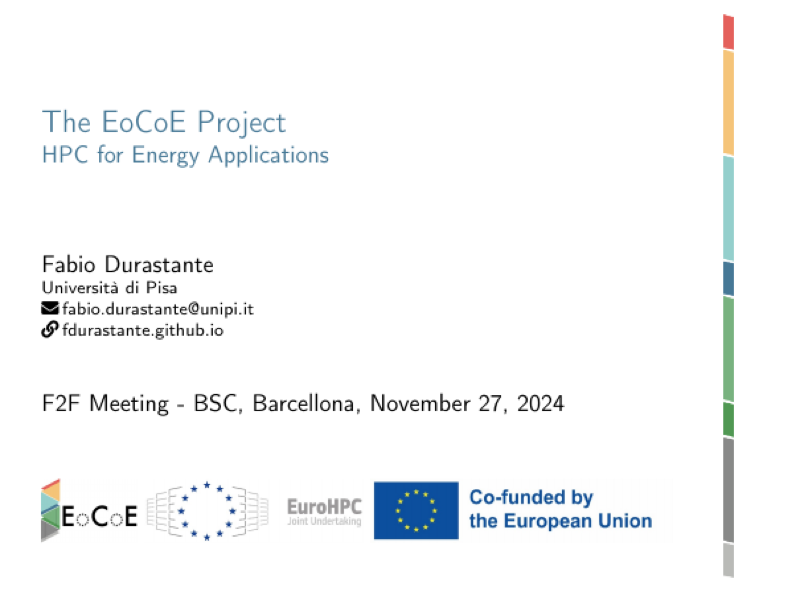
\title{The EoCoE Project}
\subtitle{HPC for Energy Applications}
\date[F2F]{F2F Meeting - BSC, Barcellona, November 27, 2024}
\author[Fabio]{Fabio Durastante}
\institute{Università di Pisa}
\email{fabio.durastante@unipi.it}
\web{fdurastante.github.io}


\begin{document}

	\begin{frame}[plain]
		\titlepage
	\end{frame}

	\section{Titlepage}

	\begin{frame}[fragile]{The EoCoE Beamer theme}{Examples of usage and various commands}

	The information on the title page are inserted with the following commands:
\begin{minted}[fontsize=\footnotesize]{latex}
\title{The EoCoE Project}
\subtitle{HPC for Energy Applications}
\date[F2F]{F2F Meeting - BSC, Barcellona, November 27, 2024}
\author[Fabio]{Fabio Durastante}
\institute{Università di Pisa}
\email{fabio.durastante@unipi.it}
\web{fdurastante.github.io}
\end{minted}

	Then the title slide is inserted with the command:
\begin{minted}[fontsize=\footnotesize]{latex}
\titlepage
\end{minted}
	on a slide that has the \mintinline{latex}|[plain]| option switched on.
	\end{frame}

	\section{Parts of the text}

	\subsection{Blocks}

	\begin{frame}{Blocks}

	\begin{block}{Example of standard block}
	This is a standard block.
	\end{block}

	\begin{alertblock}{Example of an alert block}
	This is an \alert{alert block}.
	\end{alertblock}

	\begin{exampleblock}{This is an example of an example block}
	This is an example block.
	\end{exampleblock}

	\end{frame}

	\subsection{Figure}

	\begin{frame}[fragile]{Figures}
	Figures can be inserted as usual
	\begin{minted}[fontsize=\footnotesize]{latex}
\begin{center}
\includegraphics[width=3cm]{assets/eocoe-logo}
\end{center}
	\end{minted}

	\begin{center}
		\includegraphics[width=3cm]{assets/eocoe-logo}
	\end{center}

	\end{frame}

	\begin{frame}[fragile]{$\ldots$ and tables}

Standard tables that use the commands from the \mintinline{latex}|booktabs| package, i.e., \mintinline{latex}|\toprule|, \mintinline{latex}|\midrule| or \mintinline{latex}|\bottomrule|\only<1>{:

\begin{tabular}{@{}lcccc@{}}
	\toprule
	Rank & System Name & Cores & Rmax (PFlop/s) & Power (kW) \\ \midrule
	1 & Frontier & 8,699,904 & 1,206.00 & 22,786 \\
	2 & Aurora & 9,264,128 & 1,012.00 & 38,698 \\
	3 & Eagle & 2,073,600 & 561.20 & N/A \\
	4 & Fugaku & 7,630,848 & 442.01 & 29,899 \\ \bottomrule
\end{tabular}
}\only<2>{, or with colored rows \mintinline{latex}|\rowcolor{eocoe_yellow}|
\begin{tabular}{@{}lcccc@{}}
	\toprule
	Rank & System Name & Cores & Rmax (PFlop/s) & Power (kW) \\ \midrule
	\rowcolor{eocoe_yellow}
	1 & Frontier & 8,699,904 & 1,206.00 & 22,786 \\
	2 & Aurora & 9,264,128 & 1,012.00 & 38,698 \\
	\rowcolor{eocoe_yellow}
	3 & Eagle & 2,073,600 & 561.20 & N/A \\
	4 & Fugaku & 7,630,848 & 442.01 & 29,899 \\ \bottomrule
\end{tabular}
}\only<3>{, or with colored rows \mintinline{latex}|\rowcolor{eocoe_yellow}| or columns \mintinline{latex}|\newcolumntype{g}{>{\columncolor{eocoe_green}}c}|
\newcolumntype{g}{>{\columncolor{eocoe_green}}c}
\begin{tabular}{@{}lgcgc@{}}
	\toprule
	Rank & System Name & Cores & Rmax (PFlop/s) & Power (kW) \\ \midrule
	1 & Frontier & 8,699,904 & 1,206.00 & 22,786 \\
	2 & Aurora & 9,264,128 & 1,012.00 & 38,698 \\
	3 & Eagle & 2,073,600 & 561.20 & N/A \\
	4 & Fugaku & 7,630,848 & 442.01 & 29,899 \\ \bottomrule
\end{tabular}
}

	\end{frame}

\subsection{Code}

\begin{frame}{Code}
The `minted` package allows you to include source code in your \LaTeX document with syntax highlighting.
\begin{itemize}
	\item Supports a variety of programming languages.
	\item Provides customizable syntax highlighting using Pygments.
	\item Easily integrates with Beamer presentations and other LaTeX documents.
\end{itemize}
\end{frame}

\begin{frame}[fragile]
\frametitle{Basic Usage of Minted}
To use the `minted` package, follow these steps:
\begin{enumerate}
	\item Include the `minted` package in the preamble:
	\begin{verbatim}
		\usepackage{minted}
	\end{verbatim}
	\item Use the \texttt{minted} environment to include code.
	\begin{verbatim}
		\begin{minted}{python}
			print("Hello, world!")
		\end{minted}
	\end{verbatim}
	\item Compile the document with \texttt{--shell-escape} to enable external programs like Pygments.
\end{enumerate}
\end{frame}

\begin{frame}[fragile]
\frametitle{Example of Python Code}
Here is an example of Python code using the `minted` environment:
\begin{minted}{python}
def greet():
   print("Hello, world!")
   greet()
\end{minted}
\end{frame}

\begin{frame}[fragile]
\frametitle{Compiling with Shell Escape}
For the `minted` package to work, you must compile your document with the `--shell-escape` flag enabled. For example:
\begin{verbatim}
pdflatex --shell-escape yourfile.tex
\end{verbatim}
This allows LaTeX to run external programs (like Pygments) for syntax highlighting.
\end{frame}

\begin{frame}[fragile]
\frametitle{Customizing Syntax Highlighting}
You can customize the appearance of the code in several ways:
\begin{itemize}
	\item Change the theme of the syntax highlighting using the \texttt{bg} (background) and \texttt{fg} (foreground) options.
	\item Use \texttt{linenos} to add line numbers to the code.
	\item Specify language-specific options, like `python3` or `java`.
\end{itemize}
Example:
\begin{verbatim}
\begin{minted}[bg=lightgray, linenos]{python}
def add(a, b):
	return a + b
\end{minted}
\end{verbatim}
\end{frame}

\begin{frame}
\frametitle{Conclusion}
The `minted` package provides a powerful and flexible way to include code with syntax highlighting in your LaTeX documents. Remember:
\begin{itemize}
	\item Ensure you use the `--shell-escape` flag during compilation.
	\item Customize the highlighting with various options to match your needs.
	\item Supported languages are extensive thanks to Pygments.
\end{itemize}
\end{frame}


\backmatter


% Written by Bibby AI
\end{document}
Preview

PDF Preview
Create an account to compile and preview