main.texRead-only preview
%%%%%%%%%%%%%%%%%%%%%%%%%%%%%%%%%%%%%%%%%%%%%%%%%%%%%%%%%%%%%%%%%%%%%%
%%  dissertation.tex, to be compiled with latex2e.                   %
%%  16 April 2012                                                    %
%%%%%%%%%%%%%%%%%%%%%%%%%%%%%%%%%%%%%%%%%%%%%%%%%%%%%%%%%%%%%%%%%%%%%%
%%                                                                   %
%%  Writing a Doctoral Dissertation with LaTeX at                    %
%%           Georgia State University                                %
%%                                                                   %
%%  (Running this ``template'' will generate the documentation.)     %
%%                                                                   %
%%%%%%%%%%%%%%%%%%%%%%%%%%%%%%%%%%%%%%%%%%%%%%%%%%%%%%%%%%%%%%%%%%%%%%


%%%%%%%%%%%%%%%%%%%%%%%%%%%%%%%%%%%%%%%%%%%%%%%%%%%%%%%%%%%%%%%%%%%%%%
%                              preamble                              %
%%%%%%%%%%%%%%%%%%%%%%%%%%%%%%%%%%%%%%%%%%%%%%%%%%%%%%%%%%%%%%%%%%%%%%

\listfiles
\documentclass[12pt,gsu,online,openany,singleside,hidelinks]{gsudiss}

% Original 2006 CAS template used the below for 'natbib'
% \usepackage{natbib}  % apacite, betterbibtex (as alternative)
%% \usepackage{subfigure}                % To format bibliographies.
%% \usepackage{aastex}
% \setlength{\bibsep}{0pt}           % Necessary for bib entries to have
                                     % correct line spacing.

\usepackage{lscape}
\usepackage{geometry}

% Below packages are for creating tables
\usepackage{multirow}
\usepackage{array, booktabs}    % booktabs provides \toprule, \midrule, \bottomrule
\usepackage{makecell}           % provides \thead

\usepackage{csquotes}           % For quotes / block quotes
\usepackage{dirtree}            % For file structure tree

\usepackage{tocloft}
\usepackage{float}
\usepackage{siunitx}            % added package for SI units (e.g. micrometers)

% add separator between numbers (check if appropriate for your field)
\sisetup{group-separator = {,}, group-minimum-digits = 4}

\sisetup{       % make siunitx respect surrounding font series commands
text-series-to-math = true ,
propagate-math-font = true
}

% \usepackage{deluxetable}
%\usepackage{aastex_hack}
% Caption packages
\usepackage{xstring}                       % for manipulating strings and substrings
\usepackage{longtable,ltcaption}
% \usepackage[caption = false]{subfig}     % conflicts with subcaption, removing -- CG
\usepackage[compatibility=false]{caption}  % ignore original class, give user control here
\usepackage{subcaption}
                                     % may want to change this cite style
% \usepackage{aas}                   % Some abbreviations for AAS references.
% \citestyle{aa}                     % Astronomy & Astrophysics cite style.

\usepackage{eucal}                   % Euler fonts for equations.
\usepackage{verbatim}                % Allows quoting source with commands.
\usepackage{graphicx}                % For powerful manipulation of figures.
\graphicspath{Plots/}                % Figure subdirectory

\usepackage{amsmath,amsthm,amsfonts,amsopn,amssymb} % Some nice math packages.
\usepackage{ctable}                  % My preference table package.
\usepackage[overlay]{textpos}        % Put stuff anywhere, I mean anywhere ...
\usepackage{afterpage}               % Useful for absolute placement of figures and tables.
\usepackage{pdflscape}               % for 'landscape' environment
\usepackage[inline]{enumitem}

%\input{figures}                     % My defined figures, see the file "figures.tex".

\floatstyle{boxed}
\newfloat{code}{h}{ext}
\floatname{code}{Code}


\usepackage{fancyvrb}


\usepackage{atbeginend}            % Modify space before and after equations. Original author preferences.
\AfterBegin{equation}{\addtolength{\abovedisplayskip}{-0.5\baselineskip}}
\BeforeEnd{equation}{\addtolength{\belowdisplayskip}{-0.5\baselineskip}}
\AfterBegin{equation*}{\addtolength{\abovedisplayskip}{-0.5\baselineskip}}
\BeforeEnd{equation*}{\addtolength{\belowdisplayskip}{-0.5\baselineskip}}


% Added to switch to biblatex
\usepackage[backend=biber,
            natbib=true,
            style=nature,
            maxbibnames=99,
            date=year,
            url=false,
            isbn=false]{biblatex}
\addbibresource{bibliography.bib}   % if using biblatex

% `usercommands.tex` contains a command for sentence case article title formatting

% Now load hyperref (generally should be loaded near the end)
\usepackage[hidelinks]{hyperref}
\hypersetup{
    colorlinks=false,
    pdfborder={0 0 0},
}

\usepackage{cleveref}  % must be loaded after hyperref

% Finally load glossaries packages (after hyperref)
\usepackage[acronym,nogroupskip,hyperfirst]{glossaries}
\usepackage{glossaries-extra}
\RestoreAcronyms

% Glossary setup -- mimick longtable format of CAS specifications
\newglossarystyle{mylong}{%
  \setglossarystyle{long}%
  \renewenvironment{theglossary}%
    {\begin{longtable}[l]{@{}p{7.5em}@{\hspace{2em}}p{0.7\textwidth}}}%
    {\end{longtable}}%
}

% make and printglossary are found in the `usercommands.tex`' file below

% User commands
\input{usercommands}                 % User defined commands go in this file called "usercommands.tex"

\usepackage{subfiles}                % Load subfiles package for modular section compilation last

% Document formatting settings
\renewcommand{\topfraction}{0.85}        % These modify figure placement on the page
\renewcommand{\bottomfraction}{0.85}     % and various other space requirements for figures.
\renewcommand{\textfraction}{0.10}       % These 5 lines are not necessary
\renewcommand{\floatpagefraction}{0.80}  % but I think its better than latex default.
% \renewcommand{\arraystretch}{0.5}
\setlength{\tabcolsep}{3pt}

% shrink column spacing so your tables can be wider (yay Todd Tables)
%\setlength{\LTcapwidth}{\textwidth}     % so your rotated, normal-sized longtable titles won't wrap oddly.

% Prevent awkward paragraph page breaks
% \clubpenalty=1000                        % Make Latex try hard to fix "stray lines" in paragraphs,
%                                          % i.e. paragraph that begin at the last line of a page, or end with
%                                          % the last line on the following page. This looks silly.
% \widowpenalty=1000
% \raggedbottom

% Prevent awkward return hyphenations
\pretolerance=5000
\tolerance=9000
\emergencystretch=0pt
\righthyphenmin=4
\lefthyphenmin=4

% Caption settings
% Configure subcaption refs of subpanels
\captionsetup{subrefformat=parens}              % for parenthetical \subref style
\renewcommand{\thesubfigure}{\Alph{subfigure}}  % change subcaption counters to use capital letters
\renewcommand{\thesubtable}{\Alph{subtable}}

% Specify general caption font size (#1, in pt) and line spacing (#2, in pt)
\DeclareCaptionFont{smallestcaptfont}{\fontsize{10}{10}\selectfont}
\captionsetup{font=smallestcaptfont}

% Position captions: tables above, figures below
\captionsetup[table]{position=top}
\captionsetup[figure]{position=below}

% Make verbatim environments use single spacing (e.g. for code listings)
\makeatletter
\def\verbatim@font{\linespread{1}\normalfont\ttfamily}
\makeatother

% Table of Contents (ToC) settings
\settocname{TABLE OF CONTENTS}           % Default ToC name. You can use "Table of Contents" for example.
\setlofname{LIST OF FIGURES}             % Change other front and backmatter names and ToC entries
\setlotname{LIST OF TABLES}
\newcommand{\bibtocname}{REFERENCES}
\setloaname{LIST OF ABBREVIATIONS}       % 'List of Abbreviations' (LoA). Does nothing if no "abbreviations.tex" file
\setfigname{Figure\ }                    % Set the caption labels for figures.
\settabname{Table\ }                     % Set the caption labels for tables.
\setcapfont{pnc}                         % Set the caption font for both tables and figures.

% Format ToC entries
\renewcommand{\cftfigfont}{Figure\ }
\renewcommand{\cfttabfont}{Table\ }
\renewcommand{\cftchapfont}{\bfseries}
\renewcommand{\cftsecfont}{\bfseries}
\renewcommand{\cftsubsecfont}{\bfseries\itshape}
\renewcommand{\cftsubsubsecfont}{\itshape}
\renewcommand{\cftparafont}{\mdseries}

% Chapter formatting
\chapternumsize{\normalsize}            % These 3 accept any standard latex sizes
\chapterheadsize{\normalsize}
\chaptertitlesize{\normalsize}
\beforechapterheadname{CHAPTER}         % Optional text in front of chapter number.
\afterchapterheadname{}                 % Optional text after chapter number.
                                        % The default looks like this: --1--; can change this to any format, for e.g. $\sim$
\chapterheadpos{center}                 % Accepts 'right', 'left', 'center'.
\chaptertitlepos{center}                % " "
\chapterheadverticalspace{-1em}         % The space between the Chapter head and the top of page.
                                        % This distance is relative to the parameters set by the geometry package
                                        % Adjust to suit your needs.
\chapterbetweentitlespace{-1.em}        % The space between the chapter head and the title head.
\titleheadverticalspace{2em}            % The space between the title head and the text.

% Section formatting
\sectiontitlesize{\normalsize}
\sectiontitlepos{left}
\sectiontitleverticalspace{1em}         % The space between the section head and the text.
\subsectiontitlesize{\normalsize}
\subsectiontitlepos{left}
\subsectiontitleverticalspace{0.5em}
\subsubsectiontitlesize{\normalsize}
\subsubsectiontitlepos{left}
\subsubsectiontitleverticalspace{0.5em}

% Other dissertation settings
\prettify{pnc}
\printdraft{\textcolor{gray}\small DRAFT}    % In order to use this command, you have to enable "drafts" in the option of the gsudiss class otherwise does nothing.
                                             % This prints the word "DRAFT" in gray color in the header of your dissertation.
                                             % You can go wild here if you want. Just make sure you disable the draft option before final printing.

%%%%%%%%%%%%%%%%%%%%%%%%%%%%%%%%%%%%%%%%%%%%%%%%%%%%%%%%%%%%%%%%%%%%%%
%                      Your specific information                     %
%%%%%%%%%%%%%%%%%%%%%%%%%%%%%%%%%%%%%%%%%%%%%%%%%%%%%%%%%%%%%%%%%%%%%%

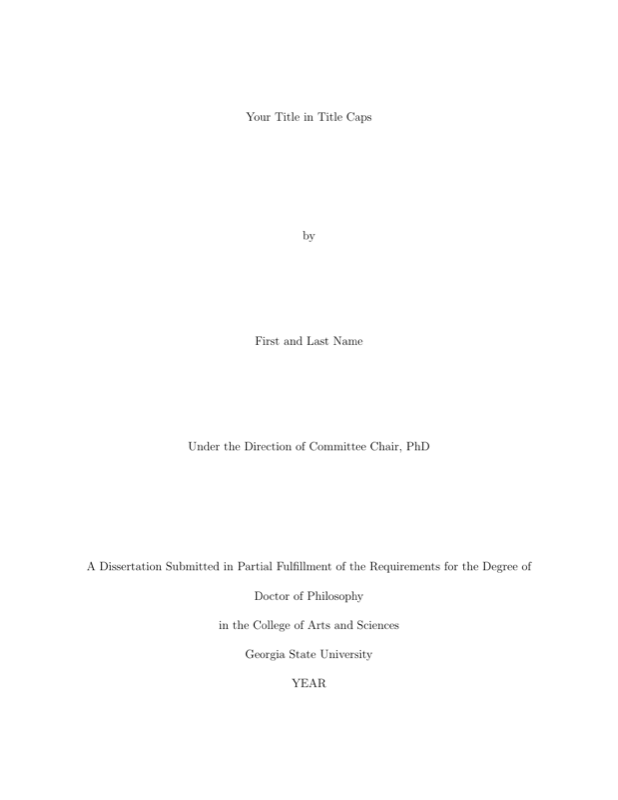
\fulllegalname(Full Legal Name)           % Full legal name, required for copyright pg
\author(First and Last Name)              % Name required.
\title(Your Title in Title Caps)          % Dissertation Title Required, must be in Title Case
\titlesize(12)(12)                        % This is for changing the default font size for your title.
                                          % The first argument is the font size, the second is the line spacing for long titles that wrap to more than one line.
                                          % Default is equivalent to the \LARGE command, which is roughly (22)(22).

% \committee: The first parenthesis must contain your supervisor name.
%             Omit "Dr." or "Ph.D", only put first and last name
%             You can have two supervisors, in which case, the 2nd supervisor goes into the square brackets, next to the first.
%             If you have one like me, then leave the square brackets entry blank.
%             Remaining parentheses contain the rest of your committee members.
%             For <4 regular committee members, delete one pair of parentheses entirely.

\committee(Committee Chair)[Committee Co-Chair]
          (Committee Member)
          (Committee Member)
          (Committee Member)
          (Committee Member)

\department(Department of Neuroscience) % Your Department name. Other departments you can use include
                                                 % \department(School of Arts \& Design) or \department(School of Music), etc...

\departmenttitle(Chair)            % For Arts and Music school students use \departmenttitle{Director}
\graduationyear(YEAR)              % Defaults to the same year you are writing this Dissertation. Do \graduationyear(200x) if you ever need to change it.
\graduationmonth(Month)            % This is the date of the official graduation ceremony. Do \graduationmonth{January} for example. Defaults to "August"
\newcommand\omicron{o}


%%%%%%%%%%%%%%%%%%%%%%%%%%%%%%%%%%%%%%%%%%%%%%%%%%%%%%%%%%%%%%%%%%%%%%
%               The dissertation starts here.                        %
%%%%%%%%%%%%%%%%%%%%%%%%%%%%%%%%%%%%%%%%%%%%%%%%%%%%%%%%%%%%%%%%%%%%%%

\begin{document}

\include{frontmatter}              % See the frontmatter.tex file

\mainmatter                            % Main chapters start here
\pagestyle{main}                       % Includes page numbers on all mainmatter pages

\subfile{./Chapters/ch_01/Chapter_01}  % Use subfile instead of include
\clearpage                             % ensure pagebreak between chapters
\subfile{./Chapters/ch_02/Chapter_02}
\clearpage

\subfile{./Chapters/ch_03/Chapter_03}
\clearpage

\include{backmatter}               % See the backmatter.tex file


%%%%%%%%%%%%%%%%%%%%%%%%%%%%%%%%%%%%%%%%%%%%%%%%%%%%%%%%%%%%%%%%%%%%%%
%               The dissertation ends here.                          %
%%%%%%%%%%%%%%%%%%%%%%%%%%%%%%%%%%%%%%%%%%%%%%%%%%%%%%%%%%%%%%%%%%%%%%

\end{document}
Preview

PDF Preview
Create an account to compile and preview