main.texRead-only preview
\documentclass{homework}

% Title page layout and spacing configuration
% Adjust these values based on your needs
\newcommand{\vspaceone}{0.8cm}
\newcommand{\vspacetwo}{0.8cm}
\newcommand{\vspacethree}{1.5cm}
\newcommand{\vspacefour}{0.5cm}
\newcommand{\vspacefive}{1.0cm}
\newcommand{\vspacesix}{7cm}
\newcommand{\vspaceseven}{0.8cm}

% User commands and theorem styles

% The name of your institution. This command is optional.
% \newcommand{\institutionname}{Time College}

% If this is a group project, you can use the following commands to define the group members
% If this is individual, just add your name to both \authorname and \namelist
\newcommand{\authorname}{Any Student} % Add your group name if it is a group assignment
\newcommand{\namelist}{
    {Any Student}
}
% If you want to add a supervisor, uncomment the following lines
% \newcommand{\supervisorlist}{
%     {Dr. Supervisor,},
%     {Prof. Supervisor}
% }
\newcommand{\coursecode}{COMP0000J}
\newcommand{\paperdate}{\today} % You can comment this line if you don't want to add the date

\newcommand{\HRule}[1]{\rule{\linewidth}{#1}}

\newcommand{\reporttitle}{Intro to Temporal Engineering}
\newcommand{\projecttitle}{Homework: A Simple Time Machine}
% \newcommand{\subsubtitle}{A project to travel through time}

\begin{document}

\makecompacttitle

% Here for demonstration purpose we use example.tex
% You can write your content in questions.tex or add your own tex file
% \input{src/example}
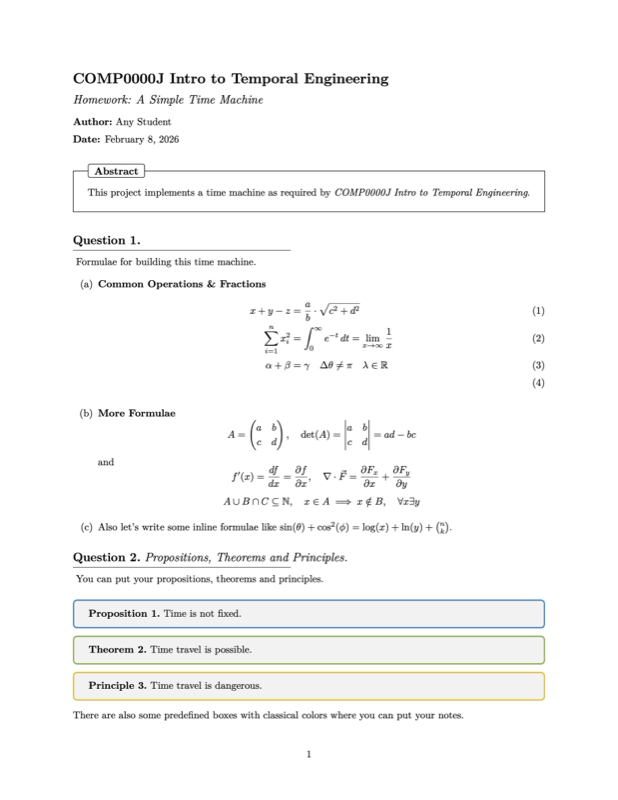
\input{src/questions}

% You can set the section number for the questions
% For example, if you want to set the section number for the questions to 1, uncomment the following line
% \setwrittensection{1}
\end{document}
Preview

PDF Preview
Create an account to compile and preview