Seminar.texRead-only preview
\documentclass{mimore}

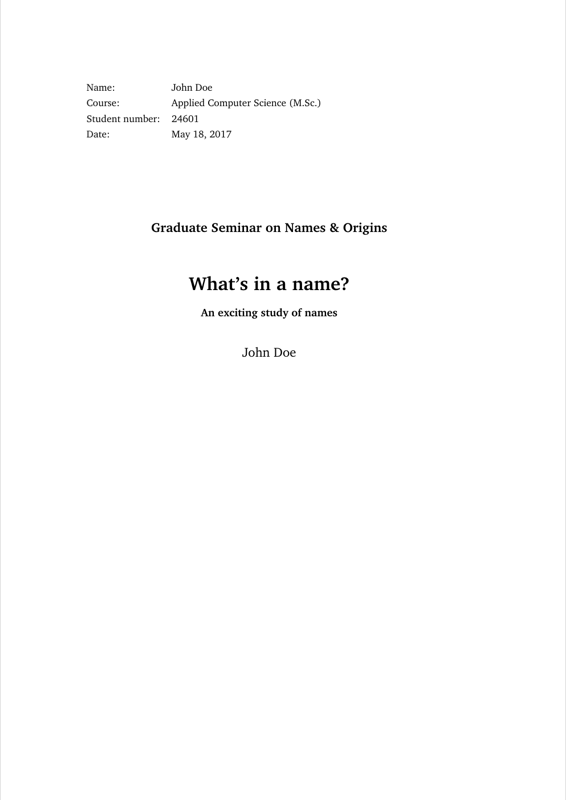
\newcommand{\sAuthor  }{John Doe}
\newcommand{\sTitle   }{What's in a name?}
\newcommand{\sSubtitle}{An exciting study of names}
\newcommand{\sSubject }{Graduate Seminar on Names \& Origins}
\newcommand{\sCourse  }{Applied Computer Science~(M.Sc.)}
\newcommand{\sNumber  }{24601}
\newcommand{\sDate    }{\today}

\bibliography{Seminar}

%%%%%%%%%%%%%%%%%%%%%%%%%%%%%%%%%%%%%%%%%%%%%%%%%%%%%%%%%%%%%%%%%%%%%%%%
% TikZ & pgfplots
%%%%%%%%%%%%%%%%%%%%%%%%%%%%%%%%%%%%%%%%%%%%%%%%%%%%%%%%%%%%%%%%%%%%%%%%

\usepackage{tikz}
\usepackage{pgfplots}
\pgfplotsset{compat=1.12}

% Permits accessing the smallest and largest x value of a plot
\makeatletter
  \newcommand{\pgfplotsxmin}{\pgfplots@xmin}
  \newcommand{\pgfplotsxmax}{\pgfplots@xmax}
\makeatother

% Permits accessing the smallest and largest y value of a plot
\makeatletter
  \newcommand{\pgfplotsymin}{\pgfplots@ymin}
  \newcommand{\pgfplotsymax}{\pgfplots@ymax}
\makeatother

%%%%%%%%%%%%%%%%%%%%%%%%%%%%%%%%%%%%%%%%%%%%%%%%%%%%%%%%%%%%%%%%%%%%%%%%
% Begin of main document
%%%%%%%%%%%%%%%%%%%%%%%%%%%%%%%%%%%%%%%%%%%%%%%%%%%%%%%%%%%%%%%%%%%%%%%%

\begin{document}

  \maketitle

  \tableofcontents
  \bookmarksetup{startatroot}

  %%%%%%%%%%%%%%%%%%%%%%%%%%%%%%%%%%%%%%%%%%%%%%%%%%%%%%%%%%%%%%%%%%%%%%
  % Add your sources here. You may also directly input LaTeX commands
  % here, but the use of `\include` is strongly encouraged.
  %%%%%%%%%%%%%%%%%%%%%%%%%%%%%%%%%%%%%%%%%%%%%%%%%%%%%%%%%%%%%%%%%%%%%%

  \include{Sources/Introduction}
  \include{Sources/Content}

%%%%%%%%%%%%%%%%%%%%%%%%%%%%%%%%%%%%%%%%%%%%%%%%%%%%%%%%%%%%%%%%%%%%%%%%
% Back matter: don't change anything here
%%%%%%%%%%%%%%%%%%%%%%%%%%%%%%%%%%%%%%%%%%%%%%%%%%%%%%%%%%%%%%%%%%%%%%%%

  \bookmarksetup{startatroot}
  \printbibliography

\end{document}
Preview

PDF Preview
Create an account to compile and preview