main.texRead-only preview
% https://github.com/Zeyu-Li/latex-slideshow-template - template
% https://github.com/martinhelso/OsloMet - base template


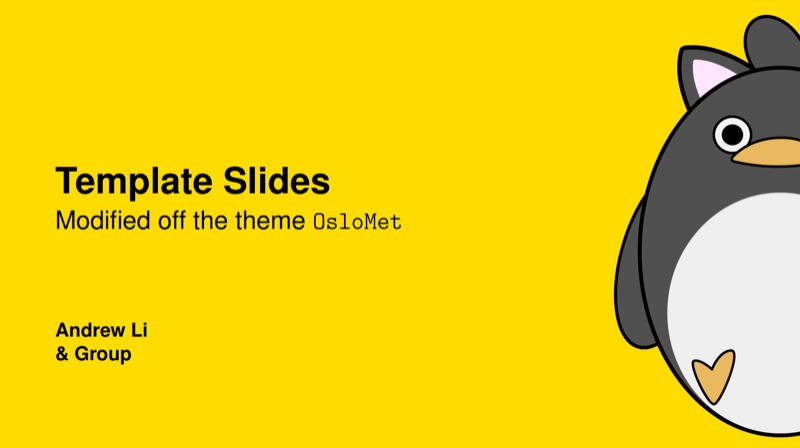
\documentclass[UKenglish, aspectratio = 169]{beamer}


\usetheme{OsloMet}
\usepackage{style}

\author[Andrew Li]
{Andrew Li \texorpdfstring{\\}{} \& Group}
\title{Template Slides}
\subtitle{Modified off the theme \texttt{OsloMet}}


\begin{document}


\section{Overview}
% Use
%
%     \begin{frame}[allowframebreaks]
%
% if the TOC does not fit one frame.
\begin{frame}{Table of contents}
    \tableofcontents
\end{frame}

\section{Mathematics}
\subsection{Theorem}


%% Disable the logo in the lower right corner:
\hidelogo
\begin{frame}{Mathematics}

    \begin{theorem}[Clearly QED]
        p=np
    \end{theorem}

    \begin{proof}
    Case 1:
        \begin{equation*}
            n = 1
        \end{equation*}
        then trivially p = 1 * p = p\\
    Case 2:
        \begin{equation*}
            n \ne 1
        \end{equation*}
    then p must equal 0
    \end{proof}
\end{frame}

%% Enable the logo in the lower right corner:
\showlogo

\subsection{Example}

\begin{frame}{Mathematics}

    \begin{example}
        Given p=np, TSP can be solved rather than approximated however a reduction algorithm is still required. Notice however all the mathematicians will be too full of themselves to solve it.
    \end{example}
\end{frame}

\section{Highlighting}
\SectionPage

\begin{frame}{Highlighting}

    Some times it is useful to \alert{highlight} certain words in the text.

    \begin{alertblock}{Important message}
        If a lot of text should be \alert{highlighted}, it is a good idea to put it in a box.
    \end{alertblock}

    You can also highlight with the \structure{structure} colour.
\end{frame}

\section{Lists}

\begin{frame}{Lists}

    \begin{itemize}
        \item
        Bullet lists are marked with a yellow box.
    \end{itemize}

    \begin{enumerate}
        \item
        \label{enum:item}
        Numbered lists are marked with a black number inside a yellow box.
    \end{enumerate}

    \begin{description}
        \item[Description] highlights important words with blue text.
    \end{description}

    Items in numbered lists like \enumref{enum:item} can be referenced with a yellow box.

    \begin{example}
        \begin{itemize}
            \item
            Lists change colour after the environment.
        \end{itemize}
    \end{example}
\end{frame}

\section{Effects}

\begin{frame}{Effects}
    \begin{columns}[onlytextwidth]
        \begin{column}{0.49\textwidth}
            \begin{enumerate}[<+-|alert@+>]
                \item
                Effects that control

                \item
                when text is displayed

                \item
                are specified with <> and a list of slides.
            \end{enumerate}

            \begin{theorem}<2>
                This theorem is only visible on slide number 2.
            \end{theorem}
        \end{column}
        \begin{column}{0.49\textwidth}
            Use \textbf<2->{textblock} for arbitrary placement of objects.

            \pause
            \medskip

            It creates a box
            with the specified width (here in a percentage of the slide's width)
            and upper left corner at the specified coordinate (x, y)
            (here x is a percentage of width and y a percentage of height).
        \end{column}
    \end{columns}

    \begin{textblock}{0.3}(0.05, 0.45)
        \includegraphics<1, 3>[width = \textwidth]{example-image-a}
    \end{textblock}
\end{frame}

\end{document}
Preview

PDF Preview
Create an account to compile and preview