Templates
CAU LaTeX Templates provides clean, customizable LaTeX templates for theses and Beamer presentations at Christian-Albrechts-Universität zu Kiel. The repository includes reusable style files, title pages, examples, documentation, and automated PDF builds for easy academic writing and presentation preparation.
Category
universityLicense
Free to use (MIT)File
cau_presentation/main.tex
main.texRead-only preview
%------------------------------------------------------------------------------------
%	                   DOCUMENT CONFIGURATIONS
%------------------------------------------------------------------------------------
\documentclass[
	11pt, % Set the default font size, options include: 8pt, 9pt, 10pt, 11pt, 12pt, 14pt, 17pt, 20pt
	%t, % Uncomment to vertically align all slide content to the top of the slide, rather than the default centered
	%aspectratio=169, % Uncomment to set the aspect ratio to a 16:9 ratio which matches the aspect ratio of 1080p and 4K screens and projectors
]{beamer}
%------------------------------------------------------------------------------------
%	                  LOAD .STY FILE
%------------------------------------------------------------------------------------
\usepackage{cau_presentation}
%------------------------------------------------------------------------------------
%	                  THEME COLORS
%------------------------------------------------------------------------------------
\setmaincolor{9b0a7d}
\setfootercolor{B0B0B0}
\setheaderlogoright{wiso_logo.png}
%------------------------------------------------------------------------------------
%	                  REFERENCES
%------------------------------------------------------------------------------------
\addbibresource{references.bib}
%----------------------------------------------------------------------------------------
%					  PRESENTATION INFORMATION
%----------------------------------------------------------------------------------------
\cau_author{Josef Fella}{josef.fella@stu.uni-kiel.de}
\cau_author{Robert Hennings}{robert.hennings@stu.uni-kiel.de}
\github{Public GitHub Repository: }{https://github.com/RobertHennings/Seminar}

\title[Energy Commodities and the EUR/USD]{Identifying (volatility-)regimes in the EUR/USD spot exchange rate using clustering algorithms: \\ An Oil and Gas Perspective on Parity Conditions.} % The part in the [] is the shorttitle displayed in the middle bottom section of every slide
\subtitle{\tiny Seminar in Applied Financial Economics: Applied Econometrics of FX Markets - Prof. Dr. Reitz} % Presentation subtitle, remove this command if a subtitle isn't required

\author[\cauauthornames]{\cauauthornames} % Presenter name(s), the optional parameter can contain a shortened version to appear on the bottom of every slide, while the main parameter will appear on the title slide

\institute[CAU]{Christian-Albrechts-University of Kiel \\ \smallskip \textit{\cauauthoremails} \\ \smallskip \textit{\githublabel}\url{\githublink}} % Your institution, the optional parameter can be used for the institution shorthand and will appear on the bottom of every slide after author names, while the required parameter is used on the title slide and can include your email address or additional information on separate lines

% \date[\today]{International Symposium of Explorers \\ \today} % Presentation date or conference/meeting name, the optional parameter can contain a shortened version to appear on the bottom of every slide, while the required parameter value is output to the title slide
% \date[\today]{\today} % Presentation date or conference/meeting name, the optional parameter can contain a shortened version to appear on the bottom of every slide, while the required parameter value is output to the title slide
\date[\today]{\small Kiel - 14.11.2025}
%------------------------------------------------------------------------------------
%	                   DOCUMENT START
%------------------------------------------------------------------------------------
\begin{document}
\hfuzz=\maxdimen
\vfuzz=\maxdimen
\hbadness=10000
\vbadness=10000
%----------------------------------------------------------------------------------------
%	TITLE SLIDE
%----------------------------------------------------------------------------------------
\input{titlepage}
%----------------------------------------------------------------------------------------
%	TABLE OF CONTENTS SLIDE
%----------------------------------------------------------------------------------------
\caupresentationtableofcontents
%----------------------------------------------------------------------------------------
%	PRESENTATION BODY SLIDES
%----------------------------------------------------------------------------------------

%----------------------------------------------------------------------------------------
%	00 - Intro
%----------------------------------------------------------------------------------------
\input{chapters/chapter-00}
%----------------------------------------------------------------------------------------
%	01 - Modern Commodities Markets - The current state
%----------------------------------------------------------------------------------------
% \section{Modern Energy Commodities Markets - The current state} % Sections are added in order to organize your presentation into discrete blocks, all sections and subsections are automatically output to the table of contents as an overview of the talk but NOT output in the presentation as separate slides
% \input{chapters/chapter-01}
%----------------------------------------------------------------------------------------
%	02 - Research Hypothesis
%----------------------------------------------------------------------------------------
\section{Research Hypothesis} % Sections are added in order to organize your presentation into discrete blocks, all sections and subsections are automatically output to the table of contents as an overview of the talk but NOT output in the presentation as separate slides
\input{chapters/chapter-02}
%----------------------------------------------------------------------------------------
%	03 - Literature Review
%----------------------------------------------------------------------------------------
% \section{Literature Review} % Sections are added in order to organize your presentation into discrete blocks, all sections and subsections are automatically output to the table of contents as an overview of the talk but NOT output in the presentation as separate slides
% \input{chapters/chapter-03}
%----------------------------------------------------------------------------------------
%	04 - Theoretical Framework
%----------------------------------------------------------------------------------------
\section{Theoretical Framework} % Sections are added in order to organize your presentation into discrete blocks, all sections and subsections are automatically output to the table of contents as an overview of the talk but NOT output in the presentation as separate slides
\input{chapters/chapter-04}
%----------------------------------------------------------------------------------------
%	05 - Methodology Overview
%----------------------------------------------------------------------------------------
% \section{Methodology Overview} % Sections are added in order to organize your presentation into discrete blocks, all sections and subsections are automatically output to the table of contents as an overview of the talk but NOT output in the presentation as separate slides
% \input{chapters/chapter-05}
%----------------------------------------------------------------------------------------
%	06 - Data Characteristics and Stylized Facts
%----------------------------------------------------------------------------------------
% \section{Data Characteristics and Stylized Facts} % Sections are added in order to organize your presentation into discrete blocks, all sections and subsections are automatically output to the table of contents as an overview of the talk but NOT output in the presentation as separate slides
% \input{chapters/chapter-06}
%----------------------------------------------------------------------------------------
%	07 - Model Results
%----------------------------------------------------------------------------------------
\section{Model Results} % Sections are added in order to organize your presentation into discrete blocks, all sections and subsections are automatically output to the table of contents as an overview of the talk but NOT output in the presentation as separate slides
\input{chapters/chapter-07}
%----------------------------------------------------------------------------------------
%	08 - Conclusion and Discussion
%----------------------------------------------------------------------------------------
\section{Conclusion and Discussion} % Sections are added in order to organize your presentation into discrete blocks, all sections and subsections are automatically output to the table of contents as an overview of the talk but NOT output in the presentation as separate slides
\input{chapters/chapter-08}
%----------------------------------------------------------------------------------------
%	CLOSING SLIDE
%----------------------------------------------------------------------------------------
\input{chapters/closing}
%----------------------------------------------------------------------------------------
%	DISCUSSION SLIDE
%----------------------------------------------------------------------------------------
\input{chapters/closing-discussion}
%----------------------------------------------------------------------------------------
%	XX - Appendix
%----------------------------------------------------------------------------------------
\section{Appendix} % Sections are added in order to organize your presentation into discrete blocks, all sections and subsections are automatically output to the table of contents as an overview of the talk but NOT output in the presentation as separate slides
\input{chapters/appendix}
%----------------------------------------------------------------------------------------
%	XX - References
%----------------------------------------------------------------------------------------
\section{References} % Sections are added in order to organize your presentation into discrete blocks, all sections and subsections are automatically output to the table of contents as an overview of the talk but NOT output in the presentation as separate slides
\input{chapters/references}
%----------------------------------------------------------------------------------------
%	ACKNOWLEDGMENTS SLIDE
%----------------------------------------------------------------------------------------
% \input{chapters/acknowledgements}
%----------------------------------------------------------------------------------------
%	LIST OF FIGURES
%----------------------------------------------------------------------------------------
\section{List of Figures} % Sections are added in order to organize your presentation into discrete blocks, all sections and subsections are automatically output to the table of contents as an overview of the talk but NOT output in the presentation as separate slides
\input{chapters/list-of-figures}
%----------------------------------------------------------------------------------------
%	LIST OF TABLES
%----------------------------------------------------------------------------------------
\section{List of Tables} % Sections are added in order to organize your presentation into discrete blocks, all sections and subsections are automatically output to the table of contents as an overview of the talk but NOT output in the presentation as separate slides
\input{chapters/list-of-tables}
%----------------------------------------------------------------------------------------
%	BACK UP SLIDES
%----------------------------------------------------------------------------------------
\input{chapters/further-material-questions}
%----------------------------------------------------------------------------------------
%	ADDITIONAL EXAMPLES
%----------------------------------------------------------------------------------------
% \subsection{Paragraphs and Lists}

% \begin{frame}
% 	\frametitle{Paragraphs of Text}

% 	Sed iaculis \alert{dapibus gravida}. Morbi sed tortor erat, nec interdum arcu. Sed id lorem lectus. Quisque viverra augue id sem ornare non aliquam nibh tristique. Aenean in ligula nisl. Nulla sed tellus ipsum. Donec vestibulum ligula non lorem vulputate fermentum accumsan neque mollis.

% 	\bigskip % Vertical whitespace

% 	% Quote example
% 	\begin{quote}
% 		Sed diam enim, sagittis nec condimentum sit amet, ullamcorper sit amet libero. Aliquam vel dui orci, a porta odio.\\
% 		--- Someone, somewhere\ldots
% 	\end{quote}

% 	\bigskip % Vertical whitespace

% 	Nullam id suscipit ipsum. Aenean lobortis commodo sem, ut commodo leo gravida vitae. Pellentesque vehicula ante iaculis arcu pretium rutrum eget sit amet purus. Integer ornare nulla quis neque ultrices lobortis.
% \end{frame}

% %------------------------------------------------

% \begin{frame}
% 	\frametitle{Lists}
% 	\framesubtitle{Bullet Points and Numbered Lists} % Optional subtitle

% 	\begin{itemize}
% 		\item Lorem ipsum dolor sit amet, consectetur adipiscing elit
% 		\item Aliquam blandit faucibus nisi, sit amet dapibus enim tempus
% 		\begin{itemize}
% 			\item Lorem ipsum dolor sit amet, consectetur adipiscing elit
% 			\item Nam cursus est eget velit posuere pellentesque
% 		\end{itemize}
% 		\item Nulla commodo, erat quis gravida posuere, elit lacus lobortis est, quis porttitor odio mauris at libero
% 	\end{itemize}

% 	\bigskip % Vertical whitespace

% 	\begin{enumerate}
% 		\item Nam cursus est eget velit posuere pellentesque
% 		\item Vestibulum faucibus velit a augue condimentum quis convallis nulla gravida
% 	\end{enumerate}
% \end{frame}

% %------------------------------------------------

% \subsection{Blocks}

% \begin{frame}
% 	\frametitle{Blocks of Highlighted Text}

% 	\begin{block}{Block Title}
% 		Lorem ipsum dolor sit amet, consectetur adipiscing elit. Integer lectus nisl, ultricies in feugiat rutrum, porttitor sit amet augue.
% 	\end{block}

% 	\begin{exampleblock}{Example Block Title}
% 		Aliquam ut tortor mauris. Sed volutpat ante purus, quis accumsan.
% 	\end{exampleblock}

% 	\begin{alertblock}{Alert Block Title}
% 		Pellentesque sed tellus purus. Class aptent taciti sociosqu ad litora torquent per conubia nostra, per inceptos himenaeos.
% 	\end{alertblock}

% 	\begin{block}{} % Block without title
% 		Suspendisse tincidunt sagittis gravida. Curabitur condimentum, enim sed venenatis rutrum, ipsum neque consectetur orci.
% 	\end{block}
% \end{frame}

% %------------------------------------------------

% \subsection{Columns}

% \begin{frame}
% 	\frametitle{Multiple Columns}
% 	\framesubtitle{Subtitle} % Optional subtitle

% 	\begin{columns}[c] % The "c" option specifies centered vertical alignment while the "t" option is used for top vertical alignment
% 		\begin{column}{0.45\textwidth} % Left column width
% 			\textbf{Heading}
% 			\begin{enumerate}
% 				\item Statement
% 				\item Explanation
% 				\item Example
% 			\end{enumerate}
% 		\end{column}
% 		\begin{column}{0.5\textwidth} % Right column width
% 			Lorem ipsum dolor sit amet, consectetur adipiscing elit. Integer lectus nisl, ultricies in feugiat rutrum, porttitor sit amet augue. Aliquam ut tortor mauris. Sed volutpat ante purus, quis accumsan dolor.
% 		\end{column}
% 	\end{columns}
% \end{frame}

% %------------------------------------------------

% \section{Table and Figure Examples}

% \subsection{Table}

% \begin{frame}
% 	\frametitle{Table}
% 	\framesubtitle{Subtitle} % Optional subtitle

% 	\begin{table}
% 		\begin{tabular}{l l l}
% 			\toprule
% 			\textbf{Treatments} & \textbf{Response 1} & \textbf{Response 2}\\
% 			\midrule
% 			Treatment 1 & 0.0003262 & 0.562 \\
% 			Treatment 2 & 0.0015681 & 0.910 \\
% 			Treatment 3 & 0.0009271 & 0.296 \\
% 			\bottomrule
% 		\end{tabular}
% 		\caption{Table caption}
% 	\end{table}
% \end{frame}

% %------------------------------------------------

% \subsection{Figure}

% % \begin{frame}
% % 	\frametitle{Figure}

% % 	\begin{figure}
% % 		\includegraphics[width=0.5\linewidth]{problem-01.pdf}
% % 		\caption{Problem - 01.}
% % 	\end{figure}
% % \end{frame}

% %------------------------------------------------

% \section{Mathematics}

% \begin{frame}
% 	\frametitle{Definitions \& Examples}

% 	\begin{definition}
% 		A \alert{prime number} is a number that has exactly two divisors.
% 	\end{definition}

% 	\smallskip % Vertical whitespace

% 	\begin{example}
% 		\begin{itemize}
% 			\item 2 is prime (two divisors: 1 and 2).
% 			\item 3 is prime (two divisors: 1 and 3).
% 			\item 4 is not prime (\alert{three} divisors: 1, 2, and 4).
% 		\end{itemize}
% 	\end{example}

% 	\smallskip % Vertical whitespace

% 	You can also use the \texttt{theorem}, \texttt{lemma}, \texttt{proof} and \texttt{corollary} environments.
% \end{frame}

% %------------------------------------------------

% \begin{frame}
% 	\frametitle{Theorem, Corollary \& Proof}

% 	\begin{theorem}[Mass--energy equivalence]
% 		$E = mc^2$
% 	\end{theorem}

% 	\begin{corollary}
% 		$x + y = y + x$
% 	\end{corollary}

% 	\begin{proof}
% 		$\omega + \phi = \epsilon$
% 	\end{proof}
% \end{frame}

% %------------------------------------------------

% \begin{frame}
% 	\frametitle{Equation}

% 	\begin{equation}
% 		\cos^3 \theta =\frac{1}{4}\cos\theta+\frac{3}{4}\cos 3\theta
% 	\end{equation}
% \end{frame}

% %------------------------------------------------

% \begin{frame}[fragile] % Need to use the fragile option when verbatim is used in the slide
% 	\frametitle{Verbatim}

% 	\begin{example}[Theorem Slide Code]
% 		\begin{verbatim}
% 			\begin{frame}
% 				\frametitle{Theorem}
% 				\begin{theorem}[Mass--energy equivalence]
% 					$E = mc^2$
% 				\end{theorem}
% 		\end{frame}\end{verbatim} % Must be on the same line
% 	\end{example}
% \end{frame}

% %------------------------------------------------

% \begin{frame}
% 	Slide without title.
% \end{frame}

% %------------------------------------------------

% \section{Referencing}

% \begin{frame}
% 	\frametitle{Citing References}

% 	An example of the \texttt{\textbackslash cite} command to cite within the presentation:

% 	\bigskip % Vertical whitespace

% 	This statement requires citation \cite{p1,p2}.
% \end{frame}
%------------------------------------------------------------------------------------
%	                   DOCUMENT END
%------------------------------------------------------------------------------------
\end{document}
Preview
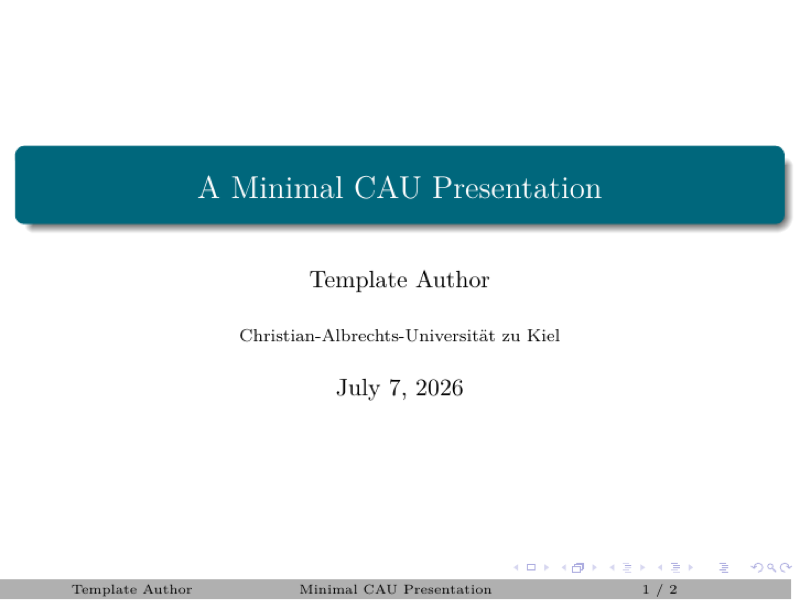

PDF Preview
Create an account to compile and preview