main.texRead-only preview
% Written by Bibby AI
\documentclass[aspectratio=169]{beamer}
% Packages used:
\usepackage{tikz}
\usepackage{pgfplots}
\usepackage{float}
\usepackage{amsmath}
\usepackage[utf8]{inputenc}
\usepackage{listings}
\usepackage{url}
\usepackage{hyperref}
% Misc. settings:
\pgfplotsset{compat=newest}
% lstlistings style:
\lstset{
basicstyle=\ttfamily\small,
numbers=left,
numberstyle=\small\color{base-color-one},
xleftmargin=0pt,
xrightmargin=0pt,
stepnumber=1,
showstringspaces=false,
showtabs=false,
showspaces=false,
columns=fullflexible,
}
% External link icon:
\newcommand{\ExternalLink}{%
\tikz[x=1.2ex, y=1.2ex, baseline=-0.05ex]{%
\begin{scope}[x=1ex, y=1ex]
\clip (-0.1,-0.1)
--++ (-0, 1.2)
--++ (0.6, 0)
--++ (0, -0.6)
--++ (0.6, 0)
--++ (0, -1);
\path[draw,
line width = 0.5,
rounded corners=0.5]
(0,0) rectangle (1,1);
\end{scope}%
\path[draw, line width = 0.5] (0.5, 0.5)
-- (1, 1);
\path[draw, line width = 0.5] (0.6, 1)
-- (1, 1) -- (1, 0.6);
}%
}%
% Specify the theme to use:
\usetheme{NXYZ} % (Default) red theme
% \usetheme[red]{NXYZ} % Red theme
% \usetheme[black]{NXYZ} % Black theme
% \usetheme[blue]{NXYZ} % Blue theme
% \usetheme[green]{NXYZ} % Blue theme
% Doc. settings
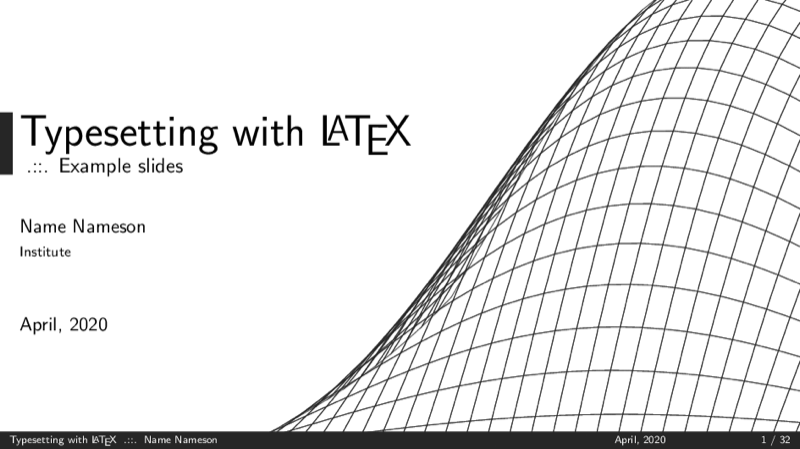
\title{Typesetting with \LaTeX}
\subtitle{Example slides}
\author{Name Nameson}
\institute{Institute}
\date{April, 2020}
% Document start
\begin{document}
% Title page:
\begin{frame}
\titlepage
\end{frame}
% Table of contents
\begin{frame}{Overview}
\tableofcontents
\end{frame}
\section{Creating a Basic Document}
\subsection{A Simple Example}
\begin{frame}[fragile]{Creating a Basic Document}
\framesubtitle{A minimal working example}
Write a \texttt{.tex} file containing:
\begin{lstlisting}
\documentclass[a4paper, 11pt]{article}
% Preamble
\begin{document}
% The body of the document
A simple \LaTeX document.
% Written by Bibby AI
\end{document}
\end{lstlisting}
\end{frame}
\section{Main Components}
\subsection{Declarations, Enviroments \& Other Things}
\begin{frame}{Declarations \& Enviroments}
\begin{block}{Declarations...}
\begin{itemize}
\item Are stated once and take effect until further notice
\item Changes the formatting globally
\end{itemize}
Example: {\small\textbackslash\texttt{documentclass}}
\end{block}
\begin{block}{Enviroments...}
\begin{itemize}
\item Are delimited by matching {\small\textbackslash \texttt{begin}} and {\small\textbackslash\texttt{end}} declarations
\item Changes the formatting locally
\end{itemize}
Example: {\small\textbackslash\texttt{begin\{document\} ...}} {\small\textbackslash\texttt{end\{document\}}}
\end{block}
\end{frame}
\begin{frame}{Arguments}
\begin{block}{Required Arguments}
\begin{itemize}
\item Can not be left out
\item Are contained in curly braces: {\small\texttt{\{ \textit{required argument} \}}}
\end{itemize}
Example: {\small\textbackslash\texttt{documentclass\{article\}}}
\end{block}
\begin{block}{Optional Arguments}
\begin{itemize}
\item Can be left out
\item Are contained in square brackets: {\small\texttt{[ \textit{optional argument} ]}}
\end{itemize}
Example: {\small\textbackslash\texttt{documentclass[a4paper, 11pt]\{article\}}}
\end{block}
\end{frame}
\begin{frame}[fragile]{Special Characters}
\begin{itemize}
\item {\small\texttt{\textbackslash}} ~ backslash precedes all \LaTeX\ commands.
\item {\small\texttt{\{\}}} ~ curly braces group or seperate commands
\item {\small\texttt{\$}} ~ dollor sign begin or end inline math mode
\item {\small\texttt{\^{}}} ~ caret is used in math mode for superscripts
\item {\small\texttt{\_}} ~ underscore is used in math mode for subscripts
\item {\small\texttt{\%}} ~ percentage sign starts a comment
\item {\small\texttt{\~}} ~ tilde defines an unbreakable space
\item {\small\texttt{\&}} ~ ampersand is used to align text in certain enviroments
\end{itemize}
\end{frame}
\begin{frame}[fragile]{Front Page}
A front page with a table of contents, author and date can be created by including the declarations shown below:
\begin{lstlisting}
% Preamble
\title{\LaTeX\ Document Title}
\author{Author}
\date{\today}
\begin{document}
\maketitle
\tableofcontents
% The body of the document
A simple \LaTeX\ document.
\end{document}
\end{lstlisting}
\end{frame}
\begin{frame}{Sectioning}
In a simple document it is usually sufficient to simply use:
\begin{itemize}
\item Level 1: {\small\texttt{\textbackslash section}} ~
\item Level 2: {\small\texttt{\textbackslash subsection}} ~
\end{itemize}
Several other levels of sectioning can be obtained by using:
\begin{itemize}
\item Level 0: {\small\texttt{\textbackslash chapter\{\textit{ chapter name }\}}} ~
\item Level 3: {\small\texttt{\textbackslash subsubsection\{\textit{ subsubsection name }\}}} ~
\item Level 4: {\small\texttt{\textbackslash paragraph\{\textit{ paragraph name }\}}} ~
\item Level 5: {\small\texttt{\textbackslash subparagraph\{\textit{ subpragraph name }\}}}
\end{itemize}
The level of sectioning that is possible usually depend on the documentclass.
\end{frame}
\begin{frame}{Font Faces}
\begin{itemize}
\item {\small\textbackslash\texttt{emph\{Text\}}}~$\rightarrow$~\emph{Text}
\item {\small\textbackslash\texttt{textbf\{Text\}}}~$\rightarrow$~\textbf{Text}
\item {\small\textbackslash\texttt{texttt\{Text\}}}~$\rightarrow$~\texttt{Text}
\item {\small\textbackslash\texttt{textrm\{Text\}}}~$\rightarrow$~\textrm{Text}
\item {\small\textbackslash\texttt{textsf\{Text\}}}~$\rightarrow$~\textsf{Text}
\item {\small\textbackslash\texttt{textsc\{Text\}}}~$\rightarrow$~\textsc{Text}.
\end{itemize}
\end{frame}
\begin{frame}{Font Sizes}
\begin{itemize}
\item {\small\textbackslash\texttt{tiny\{Text\}}}~$\rightarrow$~{\tiny{Text}}
\item {\small\textbackslash\texttt{scriptsize\{Text\}}}~$\rightarrow$~{\scriptsize{Text}}
\item {\small\textbackslash\texttt{footnotesize\{Text\}}}~$\rightarrow$~{\texttt{Text}}
\item {\small\textbackslash\texttt{small\{Text\}}}~$\rightarrow$~{\small{Text}}
\item {\small\textbackslash\texttt{normalsize\{Text\}}}~$\rightarrow$~{\normalsize{Text}}
\item {\small\textbackslash\texttt{large\{Text\}}}~$\rightarrow$~{\large{Text}}
\item {\small\textbackslash\texttt{Large\{Text\}}}~$\rightarrow$~{\Large{Text}}
\item {\small\textbackslash\texttt{LARGE\{Text\}}}~$\rightarrow$~{\LARGE{Text}}
\item {\small\textbackslash\texttt{huge\{Text\}}}~$\rightarrow$~{\huge{Text}}
\item {\small\textbackslash\texttt{Huge\{Text\}}}~$\rightarrow$~{\Huge{Text}}
\end{itemize}
\end{frame}
\begin{frame}[fragile]{Text Alignment}
\begin{columns}
\begin{column}{0.45\textwidth}
\begin{lstlisting}
\begin{flushleft}
Text
\end{flushleft}
\end{lstlisting}
\vspace{0.5cm}
\begin{lstlisting}
\begin{center}
Text
\end{center}
\end{lstlisting}
\vspace{0.5cm}
\begin{lstlisting}
\begin{flushright}
Text
\end{flushright}
\end{lstlisting}
\end{column}
\begin{column}{0.45\textwidth}
\begin{flushleft}
Text
\end{flushleft}
\vspace{1.0cm}
\begin{center}
Text
\end{center}
\vspace{1.0cm}
\begin{flushright}
Text
\end{flushright}
\vspace{0.20cm}
\end{column}
\end{columns}
\end{frame}
\begin{frame}{Spacing}
\begin{block}{Horizontal Spacing $(\leftrightarrow)$}
\begin{itemize}
\item {\small\texttt{\~}} ~ unbreakable space
\item {\small\textbackslash\texttt{hspace\{\}}} ~ user-specifiable spacing
\item {\small\textbackslash\texttt{quad}}
\item {\small\textbackslash\texttt{qquad}}
\item {\small\textbackslash\texttt{,}}
\item {\small\textbackslash\texttt{;}}
\end{itemize}
\end{block}
\begin{block}{Vertical Spacing $(\updownarrow)$}
\begin{itemize}
\item {\small\textbackslash\texttt{vspace\{\}}} ~
\end{itemize}
\end{block}
\end{frame}
\begin{frame}{Line \& Page Breaking }
\begin{itemize}
\item {\small\texttt{\textbackslash\textbackslash}} ~ starts a new paragraph
\item {\small\texttt{\textbackslash\textbackslash$*$}} ~ starts a new line, but not a new paragraph
\item {\small\texttt{\textbackslash cleardoublepage}} ~ flushes all material and start a new page
\item {\small\texttt{\textbackslash clearpage}} ~ flushes all material and starts a new page
\item {\small\texttt{\textbackslash linebreak}} ~ allow linebreaking here
\item {\small\texttt{\textbackslash newline}} ~ requests a new line
\item {\small\texttt{\textbackslash newpage}} ~ requests a new page
\item {\small\texttt{\textbackslash nolinebreak}} ~ no line break should happen here
\item {\small\texttt{\textbackslash nopagebreak}} ~ no page break should happen here
\item {\small\texttt{\textbackslash pagebreak}} ~ encourage page break
\end{itemize}
\end{frame}
\begin{frame}[fragile]{List Enviroments}
\begin{columns}
\begin{column}{0.30\textwidth}
\begin{lstlisting}
\begin{itemize}
\item Text
\item Text
\end{itemize}
\end{lstlisting}\vspace{0.5cm}
\texttt{itemize:}
\begin{itemize}
\item Text
\item Text
\end{itemize}
\end{column}
\begin{column}{0.30\textwidth}
\begin{lstlisting}
\begin{enumerate}
\item Text
\item Text
\end{enumerate}
\end{lstlisting}\vspace{0.5cm}
\texttt{enumerate:}
\begin{enumerate}
\item Text
\item Text
\end{enumerate}
\end{column}
\begin{column}{0.30\textwidth}
\begin{lstlisting}
\begin{description}
\item[P1] Text
\item[P2] Text
\end{description}
\end{lstlisting}\vspace{0.5cm}
\texttt{description:}
\begin{description}[]
\item[P1] Text
\item[P2] Text
\end{description}
\end{column}
\end{columns}
\end{frame}
\begin{frame}{Packages}
\begin{block}{Packages...}
\begin{itemize}
\item extend the default functionality and customizability of \LaTeX.
\item are declared in the premable
\item are imported using the command:\\
\begin{center}
\texttt{\textbackslash usepackage\{\textit{package name}\}}
\end{center}
\end{itemize}
\end{block}
\begin{block}{Some packages:}
{\small\texttt{amsmath}, \texttt{amssymb}, \texttt{amsthm}, \texttt{tikz}, \texttt{pgfplots}, \texttt{lstlistings}, \texttt{url}, \texttt{hyperref}, \texttt{xcolor}, \texttt{float}, \texttt{fancyhdr}, \texttt{epstopdf} and many more.}
\end{block}
\end{frame}
\subsection{Typesetting Mathematics}
\begin{frame}[fragile]{Typesetting Math}
For mathematical typesetting we include the \texttt{amsmath}, \texttt{amssymb}, \texttt{amsthm} packages:
\begin{lstlisting}
% Preamble
\usepackage{amsmath}
\usepackage{amssymb}
\usepackage{amsthm}
\end{lstlisting}
These packages contain various enviroments, symbols and commands, that are useful when typesetting mathematics.
\end{frame}
\begin{frame}{Symbols}
A huge number of symbols are available in \LaTeX. It is thus very convenient to know a number of resources where the commands for these symbols can be found.
\begin{block}{Symbol List \& Detexify}
Having trouble finding a special symbol? Try:
\begin{itemize}
\item Detexify \href{http://detexify.kirelabs.org/classify.html}{\ExternalLink}
\item The comprehensive \LaTeX\ symbol list \href{http://mirror.utexas.edu/ctan/info/symbols/comprehensive/symbols-a4.pdf}{\ExternalLink}
\end{itemize}
\end{block}
\end{frame}
\begin{frame}{Functions}
Some common functions can easily be written in \LaTeX:
\begin{itemize}
\item {\small\textbackslash\texttt{sin}} $\rightarrow$ $\sin$
\item {\small\textbackslash\texttt{cos}} $\rightarrow$ $\cos$
\item {\small\textbackslash\texttt{ln}} $\rightarrow$ $\ln$
\item {\small\textbackslash\texttt{log}} $\rightarrow$ $\log$
\item {\small\textbackslash\texttt{exp}} $\rightarrow$ $\exp$
\item {\small\textbackslash\texttt{mod}} $\rightarrow$ $\mod$
\item {\small\textbackslash\texttt{sqrt\{x\}}} $\rightarrow$ $\sqrt{x}$
\end{itemize}
These functions will already have the desired formatting in the misc. math enviroments.
\end{frame}
\begin{frame}[fragile]{Equation Enviroments}
Several different equation enviroments exist:
\begin{itemize}
\item {\small\texttt{equation}}
\item {\small\texttt{align}}
\item {\small\texttt{gather}}
\item {\small\texttt{multiline}}
\item ... and so on
\end{itemize}
It is usually sufficient to simply stick with one or two of these and use additional enviroments to obtain the desired formatting.
\end{frame}
\begin{frame}[fragile]{Equation Enviroments}
\begin{columns}
\begin{column}{0.45\textwidth}
With numbering:
\begin{lstlisting}
\begin{align}
2x + 3y = 6
\end{align}
\end{lstlisting}\vspace{0.5cm}
\texttt{align:}
\begin{align}
2x + 3y = 6
\end{align}
\end{column}
\begin{column}{0.45\textwidth}
\begin{lstlisting}
\begin{equation}
2x + 3y = 6
\end{equation}
\end{lstlisting}\vspace{0.5cm}
\texttt{equation:}
\begin{equation}
2x + 3y = 6
\end{equation}
\end{column}
\end{columns}
\end{frame}
\begin{frame}[fragile]{Equation Enviroments}
\begin{columns}
\begin{column}{0.45\textwidth}
Without numbering:
\begin{lstlisting}
\begin{align*}
2x + 3y = 6
\end{align*}
\end{lstlisting}\vspace{0.5cm}
\texttt{align:}
\begin{align*}
2x + 3y = 6
\end{align*}
\end{column}
\begin{column}{0.45\textwidth}
\begin{lstlisting}
\begin{equation*}
2x + 3y = 6
\end{equation*}
\end{lstlisting}\vspace{0.5cm}
\texttt{equation:}
\begin{equation*}
2x + 3y = 6
\end{equation*}
\end{column}
\end{columns}
\end{frame}
\begin{frame}[fragile]{Aligning Several Equations}
\begin{columns}
\begin{column}{0.45\textwidth}
The following \LaTeX\ code:
\begin{lstlisting}
\begin{align*}
2x + 3y &= 6 \\
3x + 4y &= 8 \\
4x + 5y &= 9
\end{align*}
\end{lstlisting}\vspace{0.5cm}
Produces:
\begin{align*}
2x + 3y &= 6\\
3x + 4y &= 8\\
4x + 5y &= 9
\end{align*}
\end{column}
\begin{column}{0.45\textwidth}
The following \LaTeX\ code:
\begin{lstlisting}
\begin{align*}
2x + 3y &= 6, & a = 1\\
3x + 4y &= 8, & b = 2\\
4x + 5y &= 9, & c = 3
\end{align*}
\end{lstlisting}\vspace{0.5cm}
Produces:
\begin{align*}
2x + 3y &= 6, & a = 1\\
3x + 4y &= 8, & b = 2\\
4x + 5y &= 9, & c = 3
\end{align*}
\end{column}
\end{columns}
\end{frame}
\begin{frame}[fragile]{Subscripts \& Superscripts}
Caret {\small\texttt{\^{}}} and underscore {\small\texttt{\_}} are used for superscripts and subscripts. Two examples of their use:
\begin{columns}
\begin{column}{0.45\textwidth}
\begin{lstlisting}
\begin{align*}
\prod_{i=1}^{n} i
\end{align*}
\end{lstlisting}\vspace{0.5cm}
Produces:
\begin{align*}
\prod_{i = 1}^{n} i
\end{align*}
\end{column}
\begin{column}{0.45\textwidth}
\begin{lstlisting}
\begin{align*}
\sum_{i = 0}^{\infty} x^i
\end{align*}
\end{lstlisting}\vspace{0.5cm}
Produces:
\begin{align*}
\sum_{i = 0}^{\infty} x^i
\end{align*}
\end{column}
\end{columns}
\end{frame}
\begin{frame}[fragile]{Matrix Enviroments}
\begin{columns}
\begin{column}{0.30\textwidth}
\begin{lstlisting}
\begin{Vmatrix}
a & b \\
c & d
\end{Vmatrix}
\end{lstlisting}\vspace{0.5cm}
\begin{align*}
\texttt{Vmatrix:}&
\begin{Vmatrix}
a & b \\
c & d
\end{Vmatrix}
\end{align*}
\end{column}
\begin{column}{0.30\textwidth}
\begin{lstlisting}
\begin{vmatrix}
a & b \\
c & d
\end{vmatrix}
\end{lstlisting}\vspace{0.5cm}
\begin{align*}
\texttt{vmatrix:}&
\begin{vmatrix}
a & b \\
c & d
\end{vmatrix}
\end{align*}
\end{column}
\begin{column}{0.30\textwidth}
\begin{lstlisting}
\begin{Bmatrix}
a & b \\
c & d
\end{Bmatrix}
\end{lstlisting}\vspace{0.5cm}
\begin{align*}
\texttt{Bmatrix:}&
\begin{Bmatrix}
a & b \\
c & d
\end{Bmatrix}
\end{align*}
\end{column}
\end{columns}
\end{frame}
\begin{frame}[fragile]{Matrix Enviroments}
\begin{columns}
\begin{column}{0.30\textwidth}
\begin{lstlisting}
\begin{Bmatrix}
a & b \\
c & d
\end{Bmatrix}
\end{lstlisting}\vspace{0.5cm}
\begin{align*}
\texttt{bmatrix:}&
\begin{bmatrix}
a & b \\
c & d
\end{bmatrix}
\end{align*}
\end{column}
\begin{column}{0.30\textwidth}
\begin{lstlisting}
\begin{matrix}
a & b \\
c & d
\end{matrix}
\end{lstlisting}\vspace{0.5cm}
\begin{align*}
\hspace{-0.40cm}\texttt{matrix:}\hspace{0.10cm}&
\begin{matrix}
a & b \\
c & d
\end{matrix}
\end{align*}
\end{column}
\begin{column}{0.30\textwidth}
\begin{lstlisting}
\begin{pmatrix}
a & b \\
c & d
\end{pmatrix}
\end{lstlisting}\vspace{0.5cm}
\begin{align*}
\texttt{pmatrix:}&
\begin{pmatrix}
a & b \\
c & d
\end{pmatrix}
\end{align*}
\end{column}
\end{columns}
\end{frame}
\subsection{Definitions, Theorems \& More...}
\begin{frame}[fragile]{Definitions, Theorems \& More...}
... Can be created by including the {\small\texttt{amsthm}} package and defining in the preamble:
\begin{lstlisting}
% Preamble
\newtheorem{theorem}{Theorem}
\end{lstlisting}
A theorem and corresponding proof can then be written:
\begin{lstlisting}
% The body of the document
\begin{theorem}
% Theorem content
\end{theorem}
\begin{proof}
% Proof content
\end{proof}
\end{lstlisting}
\end{frame}
\subsection{Labeling \& Referencing}
\begin{frame}[fragile]{Labeling \& Referencing}
\begin{block}{Labeling}
A label can be assigned to a certain enviroment:
\begin{center}
{\small\textbackslash \texttt{label\{\textit{ label name }\}}}
\end{center}
\end{block}
\begin{block}{Referencing}
The enviroment can then be referenced, by using the label:
\begin{center}
{\small\textbackslash \texttt{ref\{\textit{ label name }\}}}
\end{center}
\end{block}
\end{frame}
\begin{frame}[fragile]{Labeling \& Referencing Example}
The following \LaTeX\ code:
\begin{lstlisting}
\begin{align} \label{eq:SimpleEq}
a_1 = b_1 + c_1
\end{align}
We reference Eqn.~\ref{eq:SimpleEq}.
\end{lstlisting}\vspace{0.5cm}
Produces:
\begin{align} \label{eq:SimpleEq}
a_1 = b_1 + c_1
\end{align}
We reference Eqn.~\ref{eq:SimpleEq}.
\end{frame}
\subsection{Managing a Bibliography}
\begin{frame}[fragile]{Creating a Bibliography}
A simple bibliography entry in the {\small\texttt{thebibliography}} enviroment:
\begin{lstlisting}
\begin{thebibliography}{0}
\bibitem{ItemName}
Author One and Author Two,
\textit{Article Title}.
Journal,
Year,
Vol.,
pp. 0--9999.
\end{thebibliography}
\end{lstlisting}
\end{frame}
\begin{frame}[fragile]{Citations}
After a bibliography has been created the entries can be cited:
\begin{lstlisting}
\cite{ItemName} % Cite article
\cite[p.~9999]{ItemName} % Cite article page
\cite[pp.~0--9999]{ItemName} % Cite article page range
\end{lstlisting}
\end{frame}
\section{Additionl Resources}
\begin{frame}[fragile]{Additional Resources}
Misc. introductory material, useful packages and other things:
\begin{itemize}
\item \LaTeX\ on Wikibooks~\href{https://en.wikibooks.org/wiki/LaTeX}{\ExternalLink}
\item The Not So Short Introduction to \LaTeX~\href{https://www.ctan.org/tex-archive/info/lshort/english/}{\ExternalLink}
\item \LaTeX\ on AoPS~\href{https://artofproblemsolving.com/wiki/index.php/LaTeX:LaTeX_on_AoPS}{\ExternalLink}
\item TikZ (package)~\href{https://www.ctan.org/pkg/pgf}{\ExternalLink}
\item PGFPlots (package)~\href{https://ctan.org/pkg/pgfplots}{\ExternalLink}
\end{itemize}
\end{frame}
\section{Contact Information}
\begin{frame}[fragile]{Contact Information}
\begin{description}
\item[Email] : \href{mailto:username@domain.com}{username@domain.com}
\end{description}
\end{frame}
% Document end...
\end{document}Preview

PDF Preview
Create an account to compile and preview