qu-handout-example.texRead-only preview
% QU-HANDOUT template for LaTeX
% qu-handout-example.tex
% Originally created by Joshua A. Marshall on 11 July 2013

% Set document parameters (font, paper, eqn position, page style)
\documentclass[letterpaper,fleqn,oneside]{qu-handout}

% ---------------------------------------------------------------

% Some handy commands ... add your own!
\newcommand{\norm}[1]{\left\Vert#1\right\Vert}
\newcommand{\abs}[1]{\left\vert#1\right\vert}
\newcommand{\set}[1]{\left\{#1\right\}}
\newcommand{\Real}{\mathbb R}
\newcommand{\Complex}{\mathbb C}
\newcommand{\eps}{\varepsilon}
\newcommand{\To}{\longrightarrow}
\newcommand{\Ker}{\textup{Ker}}
\newcommand{\Img}{\textup{Img}}
\newcommand{\diag}{\textup{diag}}
\newcommand{\circulant}{\textup{circ}}
\newcommand{\mbf}{\mathbf}
\newcommand*\dif{\mathop{}\!\mathrm{d}}

% ---------------------------------------------------------------

% Define some hyphenation ... add whatever you want!
\hyphenation{aero-space}
\hyphenation{auton-omous}

% ---------------------------------------------------------------

\begin{document}

% Set the page style for the document
\pagestyle{plain}

% ---------------------------------------------------------------

% Course information
\renewcommand{\institution}{Queen's University at Kingston, Canada}
\renewcommand{\coursetitle}{ELEC 443 Linear Control Systems}
\renewcommand{\term}{Fall 2019}

% ---------------------------------------------------------------

% Document information
\title{Handout --- Title of the Handout}
\author{Joshua A.~Marshall}
\date{\today}

% ---------------------------------------------------------------

% Make the first page header and footer
\thispagestyle{title}

% Start the document
\begin{bshaded}
  \begin{center}
    \Large\bf\thetitle
  \end{center}
\end{bshaded}

% ---------------------------------------------------------------

% Add a table of contents (comment out if you want to remove)
\tableofcontents

% ---------------------------------------------------------------

% Main body is below
\section{Introduction}

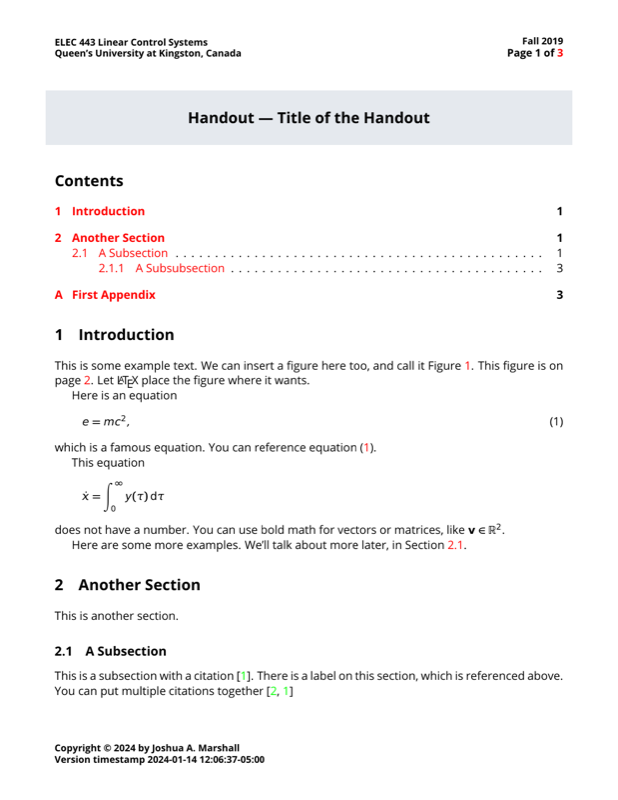
This is some example text.  We can insert a figure here too, and call it Figure \ref{fig:example}.  This figure is on page \pageref{fig:example}.  Let \LaTeX\ place the figure where it wants.

% Insert a figure
\begin{figure}
  \begin{center}
    \includegraphics[width=\textwidth]{figs/qu-logo-vertical-colour.pdf}
    %\includegraphics[width=4in]{figs/qu-logo-vertical-colour.pdf}
    %\includegraphics[height=4in]{figs/qu-logo-vertical-colour.pdf}
    %\includegraphics[width=0.5\textwidth]{figs/qu-logo-vertical-colour.pdf}
    \caption{This is an example figure.}
    \label{fig:example}
  \end{center}
\end{figure}

Here is an equation
\begin{equation}
  \label{eqn:einstein}
  e = mc^2,
\end{equation}
which is a famous equation.  You can reference equation \eqref{eqn:einstein}.

This equation
\begin{equation*}
  \dot{x} = \int_{0}^\infty y(\tau)\dif\tau
\end{equation*}
does not have a number.  You can use bold math for vectors or matrices, like $\mbf{v}\in\Real^2$.

Here are some more examples.  We'll talk about more later, in Section \ref{sec:special}.

\section{Another Section}

This is another section.

\subsection{A Subsection}
\label{sec:special}

This is a subsection with a citation \cite{Ogata:2001aa}.  There is a label on this section, which is referenced above.  You can put multiple citations together \cite{Marshall:2004aa,Ogata:2001aa}

\subsubsection{A Subsubsection}

This is a subsubsection with another citation \cite[p.\ 1964]{Marshall:2004aa}.  You can also make tables, for example see Table \ref{tbl:example}.

\begin{table}
  \caption{This is a table.}
  \begin{center}
    \begin{tabular}{lc}
      \toprule
      \bf First column & \bf Second column \\ \midrule
      (a) Row 1 & 12.3 \\
      (b) Row 2 & 13 \\
      \bottomrule
    \end{tabular}
  \end{center}
  \label{tbl:example}
\end{table}%

You might also want to add URLs, like \url{https://offroad.engineering.queensu.ca} or \href{https://offroad.engineering.queensu.ca}{as a hyperlink}.  Try adding some simple code snippets, like  \mintpy{x_0 = 1.2}, or even a code block:
\begin{minted}{python}
  for i in range(1, 32):
    x[i] = x[i] + 1;
\end{minted}
The above block might be better as a figure.  There are also lots of ``algorithm'' packages for LaTeX, which you might use for writing pseudo-code.  Notice in the previous sentence how we write quotes in \LaTeX.

% ---------------------------------------------------------------

% Generate bibliography with BibTeX file (e.g., bibfilename.bib).
\bibliographystyle{ieeetr}
\bibliography{bib/example}

% ---------------------------------------------------------------

\appendix

\section{First Appendix}
\label{sec:appendix}

You can make appendices too and refer to this appendix as Appendix \ref{sec:appendix}.

% ---------------------------------------------------------------

\end{document}
Preview

PDF Preview
Create an account to compile and preview