example.texRead-only preview
% !TEX program = xelatex
% To show a logo at the top of the cover, add the logo= option, e.g.:
%   \documentclass[titlepage=formal,logo=assets/校徽+中英文校名-上下.pdf]{SUSTechHomework}
% Available logos in assets/:
%   校徽.pdf
%   校徽+中文校名-上下.pdf    校徽+中文校名-左右.pdf
%   校徽+中英文校名-上下.pdf  校徽+中英文校名-左右.pdf
%   火炬+英文校名-上下.pdf    火炬+英文校名-左右.pdf
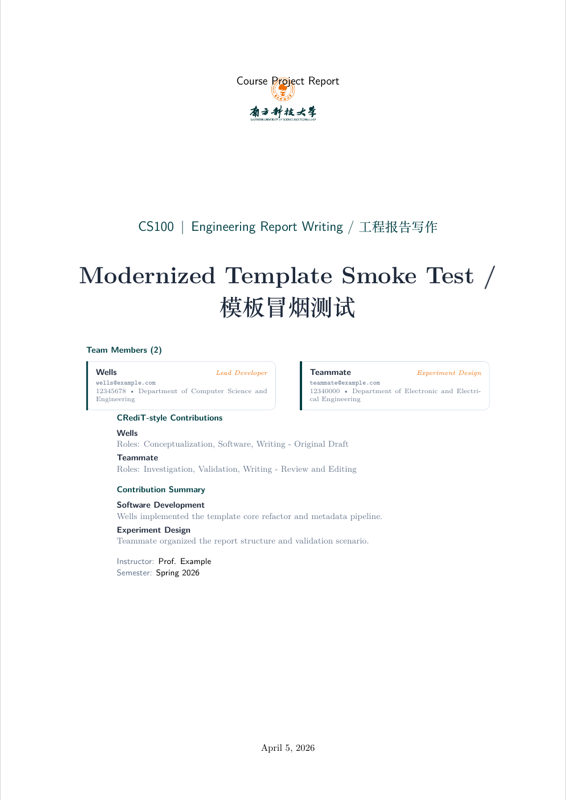
\documentclass[titlepage=formal,logo=assets/校徽+中英文校名-上下.pdf,code=listings]{SUSTechHomework}

\title{Modernized Template Smoke Test / 模板冒烟测试}
\coursecode{CS100}
\coursename{Engineering Report Writing / 工程报告写作}
\semester{Spring 2026}
\instructor{Prof. Example}
\reporttype{Course Project Report}
\date{\today}
\addbibresource{example.bib}
% Optional: show a "Code available at: <url>" line in the page footer.
% Remove or comment out if there is no public code repository.
\codeurl{https://github.com/example/sustech-report-template}

\begin{document}

\clearauthors
\addauthor{Wells}{12345678}{wells@example.com}{Department of Computer Science and Engineering}{Shuren College}{Lead Developer}
\addauthor{Teammate}{12340000}{teammate@example.com}{Department of Electronic and Electrical Engineering}{Zhixin College}{Experiment Design}

\clearcontributions
\addcontribution{Wells}{Conceptualization, Software, Writing - Original Draft}
\addcontribution{Teammate}{Investigation, Validation, Writing - Review and Editing}

\clearcredits
\addcredit{Software Development}{Wells implemented the template core refactor and metadata pipeline.}
\addcredit{Experiment Design}{Teammate organized the report structure and validation scenario.}

\maketitle
\tableofcontents

\section{Introduction}\label{sec:introduction}

This file is a minimal regression example for the class refactor.
It checks metadata rendering, math support, Chinese text, and the default code block API.
It also checks structured citations and bibliography output such as \textcite{lamport1994latex}.

这是一份最小化回归示例,用于验证模板在中英混排场景下的基本可用性。

\begin{sustechnote}[title=Design Note]
The template now provides branded section headings, structured author metadata,
and a lightweight contribution model for team reports.
\end{sustechnote}

\section{Math}\label{sec:math}

The acceleration of gravity is written as
\[
  g = \qty{9.81}{\meter\per\second\squared}.
\]

The template also provides semantic math helpers for vectors, matrices, norms,
absolute values, and differentials:
\begin{align}
  \vect{v}(t) &= \begin{bmatrix} x(t) \\ y(t) \\ z(t) \end{bmatrix}, \\
  \mat{K}\vect{x} &= \vect{b}, \\
  \norm*{\vect{x}}_2 &\le \abs*{\alpha} + \qty{2.5}{\newton}, \\
  I &= \int_{0}^{T} \e^{-t} \sin(\omega t)\,\diff t. \label{eq:response-energy}
\end{align}

In Chinese technical writing, we may also write:
\[
  \mat{A}^{\trans}\vect{x} = \vect{y}, \quad F = m a.
\]

\section{Code}\label{sec:code}

The inline API also supports \code{print("Hello SUSTech")} in running text.

\begin{sustechcode}{Python}
def greet(name: str) -> None:
    print(f"Hello, {name}!")

greet("SUSTech")
\end{sustechcode}

\begin{sustechshell}
$ xelatex example.tex
This is XeTeX...
Output written on example.pdf.
\end{sustechshell}

The structured interface supports formal references such as \sustechcoderef{code:greet-script}.
See also \cref{sec:math,eq:response-energy,tab:status,fig:styled-caption}.
For bibliography-backed citations, see \textcite{shannon1948mathematical} and \parencite{ctan-biblatex}.

\begin{sustechcodeblock}{Python}[Greeting Helper][src/greet.py][Reference implementation for the greeting helper used in this report.][code:greet-script]
def greet(name: str) -> None:
    print(f"Hello, {name}!")


if __name__ == "__main__":
    greet("Engineering Report")
\end{sustechcodeblock}

\begin{sustechshellblock}[Build Log][terminal://xelatex][Typical XeLaTeX build output for a local smoke test.]
$ xelatex example.tex
This is XeTeX, Version 3.141592653...
Output written on example.pdf (7 pages).
\end{sustechshellblock}

\section{Code --- Extended Languages and Advanced Blocks}\label{sec:code-extended}

\subsection{Modern C++}

The template ships a \texttt{[Modern]C++} language definition covering keywords
from C++11 through C++23, including \texttt{auto}, \texttt{nullptr},
\texttt{constexpr}, \texttt{concept}, \texttt{co\_await}, and STL type aliases.

\begin{sustechcode}{moderncpp}
#include <memory>
#include <concepts>
#include <print>

template<typename T>
concept Printable = requires(T x) { std::print("{}", x); };

auto make_greeting(Printable auto const& value) -> std::string {
    return std::format("Hello, {}!", value);
}

int main() {
    auto msg = make_greeting(std::string{"SUSTech"});
    std::println("{}", msg);     // C++23 println
    auto ptr = std::make_unique<std::string>(msg);
    return nullptr != ptr ? 0 : 1;
}
\end{sustechcode}

\subsection{MATLAB}

The \texttt{[SUSTech]MATLAB} definition highlights control-flow keywords,
built-in math functions, and plotting commands as a distinct token class.

\begin{sustechcode}{matlab}
function results = run_experiment(data, alpha)
% Compute filtered statistics and plot
    n = numel(data);
    mu = mean(data);
    sigma = std(data);
    results.snr = mu / sigma;

    filtered = data(abs(data - mu) < alpha * sigma);
    figure;
    plot(filtered, 'b-o');
    xlabel('Sample Index');
    ylabel('Amplitude');
    title('Filtered Signal');
    grid on;
end
\end{sustechcode}

\subsection{Enhanced YAML}

The YAML definition now highlights boolean literals (\texttt{true}/\texttt{false}/\texttt{null}),
anchor~(\texttt{\&}) and alias~(\texttt{*}) markers, and block/flow scalars.

\begin{sustechcode}{yaml}
build: &defaults
  enabled: true
  strict:  false
  timeout: null

production:
  <<: *defaults
  enabled: true
  replicas: 3
  env:
    DATABASE_URL: "postgres://db:5432/prod"
    DEBUG: false
\end{sustechcode}

\subsection{Long Code Block with Pagination}

\texttt{sustechlongcode} and \texttt{sustechlongshell} are breakable variants
that print a ``\textit{(continued)}'' header whenever the block spans a page
boundary.  The following block is intentionally long enough to exercise the
mechanism in a dense document.

\begin{sustechlongcode}{Python}[Signal Processing Pipeline][src/pipeline.py]
"""
Signal processing pipeline for time-series sensor data.
Demonstrates sustechlongcode pagination in the SUSTech report template.
"""
from __future__ import annotations
import numpy as np
from dataclasses import dataclass, field
from typing import Sequence

@dataclass
class PipelineConfig:
    sample_rate: float = 1000.0          # Hz
    window_size: int   = 256
    overlap:     float = 0.5
    bands: list[tuple[float, float]] = field(
        default_factory=lambda: [(1, 10), (10, 50), (50, 200)]
    )

def bandpass(signal: np.ndarray, low: float, high: float,
             fs: float) -> np.ndarray:
    """Apply a simple FFT-based band-pass filter."""
    n    = len(signal)
    freq = np.fft.rfftfreq(n, d=1.0 / fs)
    spec = np.fft.rfft(signal)
    mask = (freq >= low) & (freq <= high)
    spec[~mask] = 0
    return np.fft.irfft(spec, n=n)

def windowed_rms(signal: np.ndarray, cfg: PipelineConfig) -> np.ndarray:
    step    = int(cfg.window_size * (1 - cfg.overlap))
    indices = range(0, len(signal) - cfg.window_size + 1, step)
    return np.array([
        np.sqrt(np.mean(signal[i : i + cfg.window_size] ** 2))
        for i in indices
    ])

def process(raw: Sequence[float], cfg: PipelineConfig | None = None
            ) -> dict[str, np.ndarray]:
    cfg    = cfg or PipelineConfig()
    arr    = np.asarray(raw, dtype=float)
    output = {}
    for low, high in cfg.bands:
        key         = f"band_{int(low)}_{int(high)}Hz"
        filtered    = bandpass(arr, low, high, cfg.sample_rate)
        output[key] = windowed_rms(filtered, cfg)
    return output

if __name__ == "__main__":
    rng  = np.random.default_rng(42)
    data = rng.standard_normal(4096)
    results = process(data)
    for name, rms in results.items():
        print(f"{name}: mean RMS = {rms.mean():.4f}")
\end{sustechlongcode}

\subsection{Diff-Style Code Block}

\texttt{sustechdiff} renders a unified diff inline; \texttt{sustechdiffblock}
wraps it in a formal captioned block.

\begin{sustechdiff}
--- a/src/config.py
+++ b/src/config.py
@@ -1,8 +1,10 @@
 class Config:
-    DEBUG   = False
-    TIMEOUT = 30
+    DEBUG   = False           # unchanged
+    TIMEOUT = 60              # increased from 30
+    MAX_RETRIES = 3           # new field

-    def validate(self):
-        return self.TIMEOUT > 0
+    def validate(self) -> bool:
+        return self.TIMEOUT > 0 and self.MAX_RETRIES >= 1
\end{sustechdiff}

\begin{sustechdiffblock}[Refactor: rename greet to hello][src/greet.py][Rename the public function and update its return type annotation.][code:diff-rename-greet]
--- a/src/greet.py
+++ b/src/greet.py
@@ -1,6 +1,6 @@
-def greet(name: str) -> None:
-    print(f"Hello, {name}!")
+def hello(name: str) -> str:
+    return f"Hello, {name}!"

 if __name__ == "__main__":
-    greet("Engineering Report")
+    print(hello("Engineering Report"))
\end{sustechdiffblock}

\section{Table}\label{sec:table}

\begin{tabular}{ll}
  \sustechheaderrow
  \sustechtableheader{Item} & \sustechtableheader{Status} \\
  Template Core & Stable \\
  Author Metadata & Implemented \\
  Contribution Model & Structured \\
\end{tabular}

\begin{table}[htbp]
  \centering
  \begin{tabular}{ll}
    \sustechheaderrow
    \sustechtableheader{Module} & \sustechtableheader{Priority} \\
    Metadata & High \\
    Visual System & High \\
  \end{tabular}
  \caption{Styled table caption example}
  \label{tab:status}
\end{table}

\section{Figure}\label{sec:figure}

\begin{figure}[htbp]
  \centering
  \fbox{\rule{0pt}{3cm}\rule{0.72\linewidth}{0pt}}
  \caption{Styled figure caption example}
  \label{fig:styled-caption}
\end{figure}

\begin{sustechfiguregroup}
  \begin{sustechsubfigure}[0.48\linewidth][Baseline result]
    \sustechplaceholdergraphic[0.92\linewidth][3cm]
  \end{sustechsubfigure}
  \sustechfloatsep
  \begin{sustechsubfigure}[0.48\linewidth][Improved result]
    \sustechplaceholdergraphic[0.92\linewidth][3cm]
  \end{sustechsubfigure}
  \caption{Two subfigures in one grouped figure}
\end{sustechfiguregroup}

\begin{sustechwidefigure}
  \sustechplaceholdergraphic[0.9\textwidth][2.8cm]
  \caption{Wide figure placeholder for future two-column layouts}
\end{sustechwidefigure}

\begin{figure}[htbp]
  \centering
  \begin{sustechoverpic}[0.72\linewidth]{example-image}
    \sustechannotate{12}{75}{Sensor}
    \sustechannotate{58}{42}{Controller}
    \sustechannotatetext{18}{18}{Signal path}
  \end{sustechoverpic}
  \caption{Annotated figure with branded overlay labels}
\end{figure}

\sustechfigurewithaside
  {\sustechplaceholdergraphic[0.95\linewidth][4cm]}
  {
    \begin{sustechaside}
    \sustechasideheading{Interpretation}
    \small
    The left panel can hold a plot, apparatus photo, or workflow snapshot.
    The right panel is reserved for engineering interpretation, assumptions,
    or key observations that are too dense for a short caption.
    \end{sustechaside}
  }
  {Side-by-side figure with explanatory aside}

\section{List}

\begin{itemize}
  \item SUSTech Green anchors headings, list markers, and header rules (VIS).
  \item Captions and lists are styled to match the template system.
\end{itemize}

\begin{enumerate}
  \item Build the metadata layer.
  \item Build the visual layer.
  \item Validate with a real XeLaTeX compile.
\end{enumerate}

\section{Grouped Tables}

\begin{sustechtablegroup}
  \begin{sustechsubtable}[0.48\linewidth][Experiment A]
    \begin{tabular}{ll}
      \sustechheaderrow
      \sustechtableheader{Metric} & \sustechtableheader{Value} \\
      Accuracy & 91\% \\
      Recall & 88\% \\
    \end{tabular}
  \end{sustechsubtable}
  \sustechfloatsep
  \begin{sustechsubtable}[0.48\linewidth][Experiment B]
    \begin{tabular}{ll}
      \sustechheaderrow
      \sustechtableheader{Metric} & \sustechtableheader{Value} \\
      Accuracy & 94\% \\
      Recall & 90\% \\
    \end{tabular}
  \end{sustechsubtable}
  \caption{Two subtables in one grouped table}
\end{sustechtablegroup}

\sustechtablewithaside
  {
    \begin{tabular}{ll}
      \sustechheaderrow
      \sustechtableheader{Stage} & \sustechtableheader{Owner} \\
      Sampling & Alice \\
      Validation & Bob \\
      Writing & Wells \\
    \end{tabular}
  }
  {
    \begin{sustechaside}
    \sustechasideheading{Reading Guide}
    \small
    This layout is useful when the table itself is compact, but the reader
    still needs a short explanation of column meaning, dataset scope, or
    evaluation conditions.
    \end{sustechaside}
  }
  {Compact table with explanatory aside}

\section{Diagram}

\begin{figure}[htbp]
  \centering
  \begin{sustechdiagram}
    \node[sustech terminator] (start) {Start};
    \node[sustech io, below=of start] (collect) {Collect Data};
    \node[sustech process, below=of collect] (clean) {Clean Samples};
    \node[sustech decision, below=14mm of clean] (check) {Quality OK?};
    \node[sustech process, below left=14mm and 18mm of check] (revise) {Revise Setup};
    \node[sustech process, below right=14mm and 18mm of check] (train) {Train Model};
    \node[sustech datastore, below=of train] (store) {Results};
    \node[sustech terminator, below=of store] (report) {Report};
    \node[sustech note node, right=18mm of clean] (note) {Use the orange arrow system to highlight the main engineering path.};

    \sustechconnect{start}{collect}
    \sustechconnect{collect}{clean}
    \sustechconnectwith{sustech highlight arrow}{clean}{check}
    \sustechconnecttowith{sustech feedback arrow}[bend right=18][No]{check}{revise}
    \sustechconnecttowith{sustech highlight arrow}[bend left=18][Yes]{check}{train}
    \sustechconnect{train}{store}
    \sustechconnect{store}{report}
    \sustechconnecttowith{sustech feedback arrow}[out=180,in=0,looseness=1.05][Retry]{revise}{collect}
    \sustechconnecttowith{sustech callout arrow}[out=0,in=180][Note]{clean}{note}
  \end{sustechdiagram}
  \caption{Branded engineering flowchart example}
\end{figure}

\begin{figure}[htbp]
  \centering
  \begin{sustechsystemdiagram}
    \sustechmodulebox{input}{at={(0,0)}}{Input Signal}
    \sustechmodulebox{controller}{right=of input}{Controller}
    \sustechmodulebox{plant}{right=of controller}{Plant}
    \sustechmodulebox[sustech datastore]{output}{right=of plant}{Output}
    \node[sustech io, below=of plant] (sensor) {Sensor};

    \sustechconnect{input}{controller}
    \sustechconnectwith{sustech highlight arrow}{controller}{plant}
    \sustechconnect{plant}{output}
    \sustechconnectto[out=-90,in=0][Measure]{plant}{sensor}
    \sustechconnecttowith{sustech feedback arrow}[out=180,in=-90][Feedback]{sensor}{controller}
  \end{sustechsystemdiagram}
  \caption{System block diagram template example}
\end{figure}

\begin{figure}[htbp]
  \centering
  \begin{sustechpipelinediagram}
    \sustechphasebox{collectphase}{at={(0,0)}}{Collect}
    \sustechphasebox{cleanphase}{right=of collectphase}{Clean}
    \sustechphasebox{featurephase}{right=of cleanphase}{Extract}
    \sustechphasebox{trainphase}{right=of featurephase}{Train}
    \sustechphasebox{evalphase}{right=of trainphase}{Evaluate}
    \node[sustech datastore, below=of trainphase] (artifact) {Model};

    \sustechconnect{collectphase}{cleanphase}
    \sustechconnect{cleanphase}{featurephase}
    \sustechconnectwith{sustech highlight arrow}{featurephase}{trainphase}
    \sustechconnect{trainphase}{evalphase}
    \sustechconnectto[out=-90,in=90][Save]{trainphase}{artifact}
    \sustechconnecttowith{sustech feedback arrow}[out=180,in=-90][Tune]{evalphase}{featurephase}
  \end{sustechpipelinediagram}
  \caption{Data and experiment pipeline template example}
\end{figure}

\begin{figure}[htbp]
  \centering
  \begin{sustechoverviewtimeline}
    \sustechtimelineaxis{(0,0)}{(4,0)}
    \sustechtimelineevent{kickoff}{(0,0)}{Week 1}{Project kickoff}
    \sustechtimelineevent{prototype}{(2,0)}{Week 4}{Prototype and validation}
    \sustechtimelineevent{delivery}{(4,0)}{Week 8}{Final report delivery}
  \end{sustechoverviewtimeline}
  \caption{Project timeline template example}
\end{figure}

\begin{figure}[htbp]
  \centering
  \begin{sustecharchitecturediagram}
    \sustechmodulerow[sustech io]{inputs}{at={(0,0)}}{{Image\\Input},{Sensor\\Stream},{Context\\Metadata}}
    \sustechmodulerow[sustech layer]{backbone}{below=14mm of inputs-2}{Encoder,Fusion Layer,Decoder}
    \sustechmodulerow[sustech module]{outputs}{below=14mm of backbone-2}{{Detection\\Head},{State\\Estimator},{Report\\Output}}

    \sustechconnect{inputs-1}{backbone-1}
    \sustechconnect{inputs-2}{backbone-2}
    \sustechconnect{inputs-3}{backbone-2}
    \sustechconnect{backbone-1}{backbone-2}
    \sustechconnectwith{sustech highlight arrow}{backbone-2}{backbone-3}
    \sustechconnect{backbone-1}{outputs-1}
    \sustechconnect{backbone-2}{outputs-2}
    \sustechconnect{backbone-3}{outputs-3}
  \end{sustecharchitecturediagram}
  \caption{Method overview and model architecture template example}
\end{figure}

\begin{figure}[htbp]
  \centering
  \begin{sustechchaindiagram}
    \sustechmodulerow[sustech device]{chain}{at={(0,0)}}{Sensor,Signal Conditioning,DAQ,Controller,Actuator}
    \node[sustech datastore, below=13mm of chain-3] (logger) {Logger};
    \node[sustech note node, above=11mm of chain-4] (safety) {Optional safety monitor or supervisor channel.};

    \sustechconnect{chain-1}{chain-2}
    \sustechconnect{chain-2}{chain-3}
    \sustechconnectwith{sustech highlight arrow}{chain-3}{chain-4}
    \sustechconnect{chain-4}{chain-5}
    \sustechconnectto[out=-90,in=90][Store]{chain-3}{logger}
    \sustechconnecttowith{sustech callout arrow}[out=90,in=180][Monitor]{chain-4}{safety}
    \sustechconnecttowith{sustech feedback arrow}[out=180,in=-90][Feedback]{chain-5}{chain-4}
  \end{sustechchaindiagram}
  \caption{Experiment setup and acquisition chain template example}
\end{figure}

\section{Conclusion}

The class should compile with XeLaTeX after the phase-one refactor.
It should also support integrated bibliography output for books, papers, package
pages, and code repositories such as \parencite{pygments-github}.

第一阶段的目标是先完成模板内核重构,而不是一次性完成所有高级功能。

\sustechprintbibliography

\end{document}
Preview

PDF Preview
Create an account to compile and preview