Ta Itb 2026
Template LaTeX untuk menyusun Laporan Tugas Akhir (TA) program sarjana di Institut Teknologi Bandung, mengikuti aturan format ITB. Template ini disusun agar mahasiswa dapat langsung memulai penulisan laporan tanpa perlu mengatur format dari awal: cukup mengganti data diri dan mengisi tiap bab.
Category
OtherLicense
Free to use (MIT)File
main.tex
main.texRead-only preview
%--------------------------------------------------------------------%
%
% Template Laporan Tugas Akhir LaTeX — Format Institut Teknologi Bandung
%
% Cara pakai singkat:
%   1. Isi metadata Tugas Akhir Anda pada blok "\newcommand" di bawah
%      (setelah \begin{document}). Cukup satu tempat.
%   2. Tulis isi bab pada berkas di folder chapters/.
%   3. Tulis halaman muka pada folder frontmatter/.
%   4. Kelola pustaka pada references.bib (lihat README).
%   5. Build dengan  .\build.ps1  (Windows) atau  bash build.sh  (git-bash).
%
% Format mengikuti aturan Tugas Akhir Teknik Informatika ITB; berkas
% konfigurasi ada di folder config/. Detail: lihat README.md.
%
%--------------------------------------------------------------------%

\documentclass[bahasa, 12pt, a4paper, onecolumn, oneside, final]{report}

\input{config/if-itb-thesis.sty}
\input{config/hypenation-id.tex}
\input{config/hypenation-en.tex}

% Direktori penyimpanan gambar (override graphicspath dari if-itb-thesis.sty)
\graphicspath{{figures/}{figures/diagrams/}{figures/plots/}}

% Catatan: gaya sitasi & daftar referensi diatur oleh paket
% citation-style-language (CSL ITB-SPS) yang dimuat pada config/if-itb-thesis.sty.

\makeatletter
\makeatother

%----------------------------------------------------------------%
% Styling judul bab & subbab.
%   - Judul bab : 14pt (\large) bold, terpusat
%   - Subbab    : 12pt (\normalsize) bold, rata kiri, semua level
%----------------------------------------------------------------%
\titleformat{\chapter}[display]
{\large\centering\bfseries}
{\chaptertitlename\ \thechapter}{0pt}
{\large\bfseries\uppercase}

\titlespacing*{\chapter}{0pt}{10pt}{39pt}

\sectionfont{\normalsize\bfseries}
\subsectionfont{\normalsize\bfseries}
\subsubsectionfont{\normalsize\bfseries}

% Penanda sitasi yang BELUM memiliki entri pada references.bib.
% Menghasilkan teks literal apa adanya, tetapi mudah ditemukan untuk dilengkapi:
% cari "\todocite" pada berkas .tex.
\newcommand{\todocite}[1]{#1}

% Penanda gambar placeholder yang berkasnya BELUM tersedia. Jika berkas sudah ada,
% gambar tampil normal; jika belum, ditampilkan kotak penanda. Cari "\todofigure".
% Argumen: [caption-pendek]{path-berkas}{lebar}{caption}{label}
\newcommand{\todofigure}[5][]{%
	\begin{figure}[H]
		\centering
		\IfFileExists{figures/#2}{\includegraphics[width=#3]{#2}}{%
			\fbox{\parbox[c][3cm][c]{#3}{\centering \textbf{[GAMBAR BELUM TERSEDIA]}\\[2pt] \texttt{\detokenize{#2}}}}}%
		\ifblank{#1}{\caption{#4}}{\caption[#1]{#4}}%
		\label{#5}
	\end{figure}}

% Daftar pustaka (entri pada references.bib)
\addbibresource{references.bib}

\begin{document}

%================================================================%
% ====== ISI DATA TUGAS AKHIR ANDA DI SINI (cukup di sini) ======
%================================================================%
\newcommand{\judulTA}{Judul Tugas Akhir Anda di Sini}
\newcommand{\namaPenulis}{Nama Lengkap Anda}
\newcommand{\nimPenulis}{NIM Anda}
\newcommand{\programStudi}{Teknik Informatika}
\newcommand{\namaFakultas}{Sekolah Teknik Elektro dan Informatika}
\newcommand{\pembimbingSatu}{Nama Pembimbing I, gelar}
\newcommand{\nipSatu}{NIP Pembimbing I}
\newcommand{\pembimbingDua}{Nama Pembimbing II, gelar}
\newcommand{\nipDua}{NIP Pembimbing II}
\newcommand{\bulanTahun}{Bulan Tahun}          % mis. "Juli 2026" (untuk sampul)
\newcommand{\tanggalpengesahan}{Tanggal Pengesahan}  % mis. "2 Juli 2026"
%================================================================%

\title{\judulTA}
\date{}
\author{
	\namaPenulis \\
	NIM : \nimPenulis
}

\pagenumbering{roman}
\pagestyle{empty}

%----------------------------------------------------------------%
% Halaman muka (front matter)
% Cover TIDAK dihitung dan tanpa nomor. Penomoran romawi mulai dari Lembar
% Pengesahan (= i), Pernyataan (= ii), Abstrak (= iii), dst. (format ITB).
%----------------------------------------------------------------%
\input{frontmatter/cover}

\pagestyle{plain}
\setcounter{page}{1}

\input{frontmatter/approval}
\input{frontmatter/statement}

\input{frontmatter/abstract}
% \input{frontmatter/abstract-en} % Abstrak Bahasa Inggris jika diperlukan

\input{frontmatter/preface}

\titleformat*{\section}{\centering\bfseries\Large\MakeUppercase}

% Judul daftar isi, daftar gambar, daftar tabel, daftar pustaka
\renewcommand{\contentsname}{DAFTAR ISI}
\renewcommand{\listfigurename}{DAFTAR GAMBAR}
\renewcommand{\listtablename}{DAFTAR TABEL}
\renewcommand{\bibname}{DAFTAR REFERENSI}

% Daftar isi, lampiran, gambar, tabel
\tableofcontents
\listofappendices
\listoffigures
\listoftables

\newpage

\pagenumbering{arabic}

%----------------------------------------------------------------%
% Konfigurasi Bab
%----------------------------------------------------------------%
\setcounter{page}{1}
\renewcommand{\chaptername}{BAB}
\renewcommand{\thechapter}{\Roman{chapter}}
%----------------------------------------------------------------%

%----------------------------------------------------------------%
% Daftar Bab
%----------------------------------------------------------------%
\input{chapters/01_introduction}
\input{chapters/02_literature_review}
\input{chapters/03_methodology}
\input{chapters/04_results}
\input{chapters/05_conclusion}
%----------------------------------------------------------------%

% Daftar referensi (gaya ITB-SPS via citation-style-language), masuk ke TOC.
\cleardoublepage
\printbibliography[heading=bibintoc, title={DAFTAR REFERENSI}]

% Pengaturan judul lampiran
\titlespacing*{\chapter}{0pt}{0pt}{0pt}
\titlespacing*{\section}{0pt}{0pt}{*1}
\titleformat*{\section}{\bfseries}

\input{chapters/99_appendix}

\end{document}
Preview
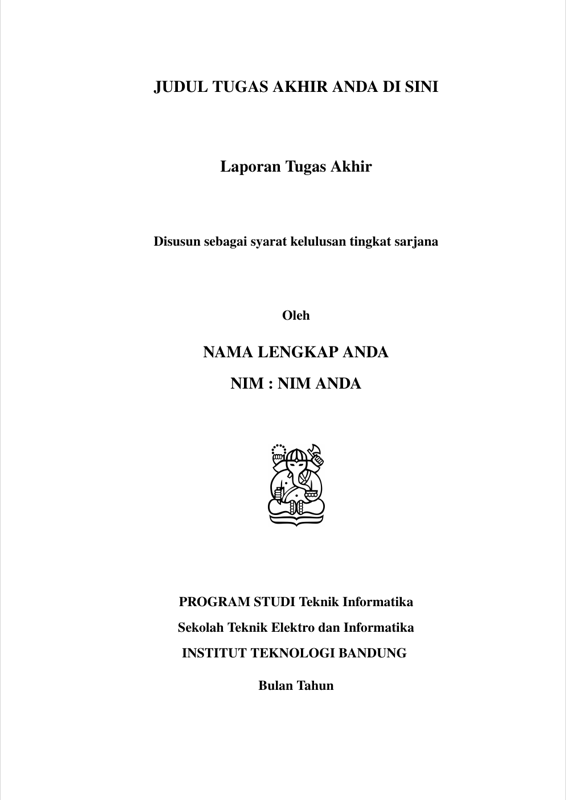

PDF Preview
Create an account to compile and preview