main.texRead-only preview
\documentclass[12pt,twoside, openright]{report} % For double sided reports - book style
%\documentclass[12pt]{report} % For single sided reports

\input{preamble.tex}

%%%--------------------------------------------------------------------------%%%
%%%------------------------ USER SPECIFIC DEFINITIONS -----------------------%%%
%%%--------------------------------------------------------------------------%%%
% Differentiation notation
\makeatletter
\providecommand*{\diff}%
    {\@ifnextchar^{\DIfF}{\DIfF^{}}}
\def\DIfF^#1{%
    \mathop{\mathrm{\mathstrut d}}%
        \nolimits^{#1}\gobblespace}
\def\gobblespace{%
    \futurelet\diffarg\opspace}
\def\opspace{%
    \let\DiffSpace\!%
    \ifx\diffarg(%
        \let\DiffSpace\relax
    \else
        \ifx\diffarg[%
            \let\DiffSpace\relax
    \else
        \ifx\diffarg\{%
            \let\DiffSpace\relax
        \fi\fi\fi\DiffSpace}

\providecommand*{\deriv}[3][]{%                   % \deriv[]{u}{x}
    \frac{\diff^{#1}}{\diff #3^{#1}}#2}
\providecommand*{\pderiv}[3][]{%                  % \pderiv[2]{\psi}{x}
\frac{\partial^{#1}#2}%
{\partial #3^{#1}}}

\renewcommand{\citedash}{--}
\providecommand{\bigO}[1]{\ensuremath{\mathop{}\mathopen{}\mathcal{O}\mathopen{}\left(#1\right)}}
% Tables
\providecommand{\otoprule}{\midrule[\heavyrulewidth]}


%%%--------------------------------------------------------------------------%%%
%%%------------------- MAIN DEFINITIONS FOR TITLEPAGE, ETC ------------------%%%
%%%--------------------------------------------------------------------------%%%

%%%%%%%%%%%%%%%%%%%%%%%%%%%%%%%%%%%%%%%%%%%%%%%%%%%%%%%%%%%%%%%%%%%%%%%%
%%                                                                    %%
%%                   ***   I M P O R T A N T   ***                    %%
%%                                                                    %%
%%  Fill in the following fields with the required information:       %%
%%   - \degree{...}       name of the degree obtained                 %%
%%   - \department{...}   name of the graduate department             %%
%%   - \gradyear{...}     year of graduation                          %%
%%   - \author{...}       name of the author                          %%
%%   - \title{...}        title of the thesis                         %%
%%%%%%%%%%%%%%%%%%%%%%%%%%%%%%%%%%%%%%%%%%%%%%%%%%%%%%%%%%%%%%%%%%%%%%%%

%% *** Change this example to appropriate values. ***

\usepackage{blindtext} % Used for debugging of text inclusion


\begin{document}
% Set up the page style with roman page numbers for the initial pages of the thesis
\begin{preliminary}
%%%--------------------------------------------------------------------------%%%
% The titlepage
%%%--------------------------------------------------------------------------%%%
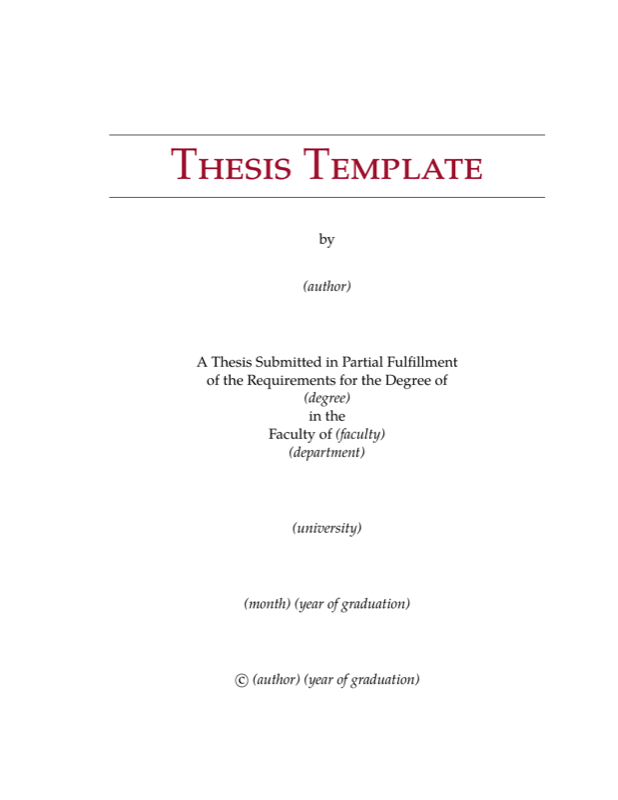
\maketitle

%% The University of Ontario Institute of Technology requires the
%% Certificate of Approvale (CoA) to be included as page (ii) of
%% the PRINTED version. If this is required at your institution,
%% uncomment the next 3 lines.

% \cleardoublepage
% \addcontentsline{toc}{chapter}{Certificate of Approval}
% \includepdf[pages=-,pagecommand={},width=1.2\textwidth]{CoA.pdf}


\cleardoublepage
%%%--------------------------------------------------------------------------%%%
% The abstract
%%%--------------------------------------------------------------------------%%%
\addcontentsline{toc}{chapter}{Abstract}
\begin{abstract}
%% *** Put your Abstract here. ***
\blindtext
\end{abstract}

%% Anything placed between the abstract and table of contents will
%% appear on a separate page since the abstract ends with \newpage and
%% the table of contents starts with \clearpage.  Use \cleardoublepage
%% for anything that you want to appear on a right-hand page.

%%%--------------------------------------------------------------------------%%%
% The declaration -- UNCOMMENT IF NEEDED
%%%--------------------------------------------------------------------------%%%
% \chapter*{Author's Declaration}
% \addcontentsline{toc}{chapter}{Author's Declaration}
% % D E C L A R A T I O N   P A G E
% % -------------------------------
% % Creates the page with the author's declaration
% \begin{center}
% \begin{minipage}{4in}
% \parindent=0pt I declare that this work
% was carried out in accordance with the regulations of
% the {\University}. The
% work is original except where indicated by special reference
% in the text and no part of this document has been
% submitted for any other degree.  Any views expressed in
% the dissertation are those of the author and in no way
% represent those of the {\University}.  This document has not been presented to
% any other University for examination either in Canada
% or overseas.

% \vspace{1in}

% \hbox to 4in{\hfil\shortstack{\vrule width 3in height
% 0.4pt\\
% \sc{\Author}
% }}
% \vspace{1in}
% \parindent=1in Date:
% September 4, 2017   %%%%%%%%%%%%% REPLACE SUBMISSION DATE
% \par
% \end{minipage}%
% \end{center}%

~\vfill
\cleardoublepage % Ensure deisplay on the right hand side of the page

%% This generates a "dedication" section, if needed -- just a paragraph
%% formatted flush right (uncomment to have it appear in the document).
%\begin{dedication}
%% *** Put your Dedication here. ***
%\end{dedication}

%%%--------------------------------------------------------------------------%%%
% Table of Contents on a separate page
\addcontentsline{toc}{chapter}{Contents}
\tableofcontents

%% This generates the List of Tables (on a separate page), if needed
%% (uncomment to have it appear in the document).
\listoftables

%% This generates the List of Figures (on a separate page), if needed
%% (uncomment to have it appear in the document).
\listoffigures
%%%--------------------------------------------------------------------------%%%
%% End of the preliminary sections: reset page style and numbering.
\end{preliminary}

\doublespacing

%%%%%%%%%%%%%%%%%%%%%%%%%%%%%%%%%%%%%%%%%%%%%%%%%%%%%%%%%%%%%%%%%%%%%%%%
%%  Put your Chapters here; the easiest way to do this is to keep     %%
%%  each chapter in a separate file and `\include' all the files.     %%
%%  Each chapter file should start with "\chapter{ChapterName}".      %%
%%  Note that using `\include' instead of `\input' will make each     %%
%%  chapter start on a new page, and allow you to format only parts   %%
%%  of your thesis at a time by using `\includeonly'.                 %%
%%%%%%%%%%%%%%%%%%%%%%%%%%%%%%%%%%%%%%%%%%%%%%%%%%%%%%%%%%%%%%%%%%%%%%%%

\input{chap1}
\input{chap2}
%\input{chap3}
%\input{chap4}


%% This adds a line for the Bibliography in the Table of Contents.
\addcontentsline{toc}{chapter}{Bibliography}
%% *** comment to remove citation for all references in bibtex file
%\nocite{*}
%% *** Set the bibliography style. ***
%% (change according to your preference/requirements)
\bibliographystyle{IEEEtran}
%% *** Set the bibliography file. ***
%% ("thesis.bib" by default; change as needed)
\bibliography{thesis}

%% *** NOTE ***
%% If you don't use bibliography files, comment out the previous line
%% and use \begin{thebibliography}...\end{thebibliography}.  (In that
%% case, you should probably put the bibliography in a separate file and
%% `\include' or `\input' it here).

\input{appendices}

\end{document}
Preview

PDF Preview
Create an account to compile and preview