main.texRead-only preview
%!TeX program = xelatex
\documentclass[12pt,hyperref,a4paper,UTF8]{ctexart}
\usepackage{TongjiReport}

%%-------------------------------正文开始---------------------------%%
\begin{document}

%%-----------------------封面--------------------%%
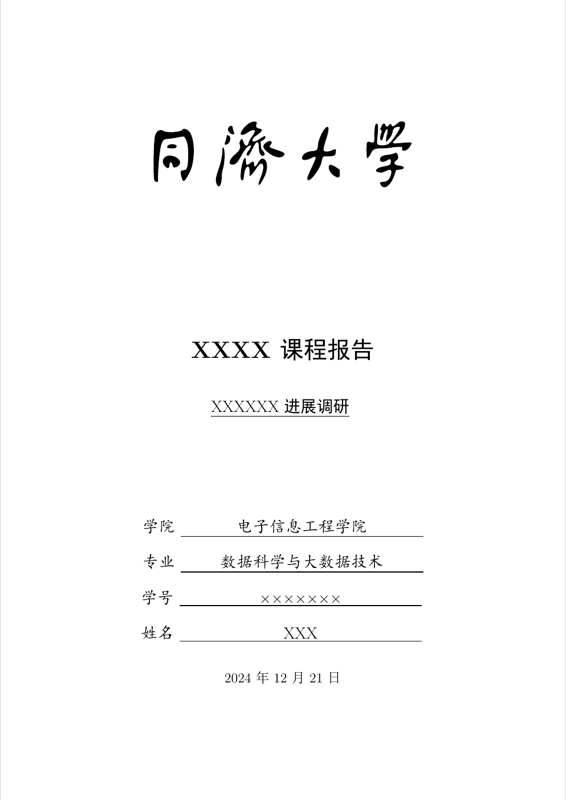
\cover

%%------------------摘要-------------%%
%\begin{abstract}
%
%在此填写摘要内容
%
%\end{abstract}

\thispagestyle{empty} % 首页不显示页码

%%--------------------------目录页------------------------%%
\newpage
\tableofcontents

%%------------------------正文页从这里开始-------------------%
\newpage

%%可选择这里也放一个标题
%\begin{center}
%    \title{ \Huge \textbf{{标题}}}
%\end{center}

\section{模板说明}
本模板主要适用于一些课程的平时论文以及期末论文,默认页边距为2.5cm,中文宋体,英文Times New Roman,字号为12pt(小四)。

编译方式:\verb|xelatex -> bibtex -> xelatex*2|


默认模板文件由以下四部分组成:
\begin{itemize}
    \item \texttt{main.tex} 主文件
    \item \texttt{reference.bib} 参考文献,使用bibtex
    \item \texttt{TongjiReport.sty} 文档格式控制,包括一些基础的设置,如页眉、标题、学院、学号、姓名等
    \item \texttt{figures} 放置图片的文件夹
\end{itemize}

第一次使用时需前往\texttt{TongjiReport.sty} 对标题、姓名、学号、院所、页眉等进行设置,设置完后即可一劳永逸,封面LOGO亦可替换。

默认带有封面页以及目录页,页码从目录页开始。

\section{一些插入功能}
\subsection{插入公式}
行内公式$v-\varepsilon+\phi=2$。

插入行间公式如\autoref{Euler}:
\begin{equation}
    v-\varepsilon+\phi=2
    \label{Euler}
\end{equation}

\subsection{插入图片}
Tongji校徽如\autoref{Tongji}所示,注意这里使用了\verb|~\autoref{}|命令,也就是会自动生成“图”“式”等前缀,无需手动输入。

此外,模版同时提供了校徽,如\autoref{Tongji_notitle}所示,请根据实际需求使用。

\begin{figure}[!htbp]
    \centering
    \includegraphics[width =.5\textwidth]{figures/tongji_logo.pdf}
    \caption{同济大学}
    \label{Tongji}
\end{figure}

\begin{figure}[!htbp]
    \centering
    \begin{subfigure}[b]{0.47\textwidth}
        \includegraphics[width =\textwidth]{figures/tongji_logo_notitle.pdf}
        \caption{左子图}
        \label{left}
    \end{subfigure}
    \begin{subfigure}[b]{0.47\textwidth}
        \includegraphics[width =\textwidth]{figures/tongji_logo_notitle.pdf}
        \caption{右子图}
        \label{right}
    \end{subfigure}
    \caption{校徽}
    \label{Tongji_notitle}
\end{figure}


插入上面图片的代码:

\begin{verbatim}
    \begin{figure}[!htbp]
        \centering
        \includegraphics[width =.4\textwidth]{figures/tongji_logo.pdf}
        \caption{同济大学}
        \label{Tongji}
    \end{figure}
\end{verbatim}

\subsection{插入文本框}
本模板定义了一个圆角灰底的文本框,使用简化命令\verb|\tbox{}|即可,如果你不喜欢,可以前往 \texttt{TongjiReport.sty}对其进行修改。

\tbox{
    这是一个圆角灰底的文本框
}

\subsection{插入表格}
本模板文件如\autoref{doc}所示。
\begin{table}[!htbp]
    \centering
    \begin{tabular}{l  | l}
    \hline
        文件名 & 说明 \\
        \hline
        \texttt{main.tex}  & 主文件 \\
        \texttt{reference.bib} & 参考文献 \\
        \texttt{TongjiReport.sty}  & 文档格式控制\\
        \texttt{figures}  & 图片文件夹 \\
        \hline
    \end{tabular}
    \caption{本模板文件组成}
    \label{doc}
\end{table}

\subsection{插入代码}
本模板有一种较为粗糙的代码高亮方式,使用\verb|\begin{lstlisting}|模块来使用,以C++为例,一下程序显示模块的参数,选择语言language为C++,使用caption来指定代码块标题,具体为\verb|[language=C++, caption=My Code, label=lst:code]|,C++代码简单高亮如下:
    \begin{lstlisting}[language=C++, caption=My Code, label=lst:code]
        #include<iostream>
        using namespace std;

        // This is a sample struct
        struct node
        {
            int x;
            int y;
        };
        int main()
        {
            struct node p;
            cout << "Enter x and y: ";
            cin >> p.x >> p.y;
            return 0;
        }
    \end{lstlisting}

\subsection{定理环境}

本模板提供了一些较常见的定理环境,如\autoref{Theorem}、\autoref{Lemma}、\autoref{Corollary}、\autoref{Proposition}、\autoref{Definition}、\autoref{Example}、\autoref{proof}等。使用方法为\verb|\begin{Theorem}|、\verb|\begin{Lemma}|、\verb|\begin{Corollary}|、\verb|\begin{Proposition}|、\verb|\begin{Definition}|、\verb|\begin{Example}|、\verb|\begin{proof}|。

\begin{Theorem}
    Test
    \label{Theorem}
\end{Theorem}

\begin{Lemma}
    Test
    \label{Lemma}
\end{Lemma}

\begin{Corollary}
    Test
    \label{Corollary}
\end{Corollary}

\begin{Proposition}
    Test
    \label{Proposition}
\end{Proposition}

\begin{Definition}
    Test
    \label{Definition}
\end{Definition}

\begin{Example}
    Test
    \label{Example}
\end{Example}

\begin{proof}
    Test
    \label{proof}
\end{proof}

\subsection{插入伪代码}

本模板还提供伪代码的插入,使用\verb|\begin{algorithm}|和\verb|\end{algorithm}|模块,具体使用方法请参考\href{https://en.wikibooks.org/wiki/LaTeX/Algorithms}{LaTeX/Algorithms},以下是Dijkstra算法的伪代码\ref{alg:dijkstra}:

\begin{algorithm}
    \caption{Dijkstra's Algorithm}
    \label{alg:dijkstra}
    \begin{algorithmic}[1]
        \Require Graph $G=(V,E)$ with non-negative weights, source vertex $s$
        \Ensure Shortest path distances $d[v]$ from source $s$ to each vertex $v \in V$
        \State Initialize distance array $d[]$, for each vertex $v \in V$, set $d[v] = \infty$
        \State Set $d[s] = 0$
        \State Initialize priority queue $Q$, insert all vertices with their distances
        \While{$Q$ is not empty}
            \State Extract vertex $v$ with minimum distance from $Q$
            \For{each neighbor $u$ of $v$}
                \State Calculate alternative path distance $\text{alt} = d[v] + \text{weight}(v, u)$
                \If{$\text{alt} < d[u]$}
                    \State Update $d[u] = \text{alt}$
                    \State Decrease key of $u$ in $Q$ to $\text{alt}$
                \EndIf
            \EndFor
        \EndWhile
    \end{algorithmic}
\end{algorithm}


\subsection{插入参考文献}
直接使用\verb|\cite{}|即可。

例如:


   \textit{ 此处引用了文献\cite{OFDMAbackscatter}。此处引用了文献\cite{DigiScatter}}


引用过的文献\cite{Wang2023}会自动出现在参考文献中\cite{Fan2022}。

\section{写在最后}
\subsection{主要参考}
\begin{itemize}
    \item Github: \url{https://github.com/Jiazhen-Lei/SJTU_Course_Template_Latex}
    \item Overleaf:  \url{https://www.overleaf.com/latex/}
\end{itemize}

%%----------- 参考文献 -------------------%%
%在reference.bib文件中填写参考文献,此处自动生成

\reference


\end{document}
Preview

PDF Preview
Create an account to compile and preview