diss.texRead-only preview
%%%%%%%%%%%%%%%%%%%%%%%%%%%%%%%%%%%%%%%%%%%%%%%%%%%%%%%%%%%%%%%%%%%%%%
% Template for a UBC-compliant dissertation
% At the minimum, you will need to change the information found
% after the "Document meta-data"
%
%!TEX TS-program = pdflatex
%!TEX encoding = UTF-8 Unicode

%% The ubcdiss class provides several options:
%%   gpscopy (aka fogscopy)
%%       set parameters to exactly how GPS specifies
%%         * single-sided
%%         * page-numbering starts from title page
%%         * the lists of figures and tables have each entry prefixed
%%           with 'Figure' or 'Table'
%%       This can be tested by `\ifgpscopy ... \else ... \fi'
%%   10pt, 11pt, 12pt
%%       set default font size
%%   oneside, twoside
%%       whether to format for single-sided or double-sided printing
%%   balanced
%%       when double-sided, ensure page content is centred
%%       rather than slightly offset (the default)
%%   singlespacing, onehalfspacing, doublespacing
%%       set default inter-line text spacing; the ubcdiss class
%%       provides \textspacing to revert to this configured spacing
%%   draft
%%       disable more intensive processing, such as including
%%       graphics, etc.
%%

% For submission to GPS
\documentclass[gpscopy,onehalfspacing,11pt]{ubcdiss}

% For your own copies (looks nicer)
% \documentclass[balanced,twoside,11pt]{ubcdiss}

%%%%%%%%%%%%%%%%%%%%%%%%%%%%%%%%%%%%%%%%%%%%%%%%%%%%%%%%%%%%%%%%%%%%%%
%%%%%%%%%%%%%%%%%%%%%%%%%%%%%%%%%%%%%%%%%%%%%%%%%%%%%%%%%%%%%%%%%%%%%%
%%
%% FONTS:
%%
%% The defaults below configures Times Roman for the serif font,
%% Helvetica for the sans serif font, and Courier for the
%% typewriter-style font.  Configuring fonts can be time
%% consuming; we recommend skipping to END FONTS!
%%
%% If you're feeling brave, have lots of time, and wish to use one
%% your platform's native fonts, see the commented out bits below for
%% XeTeX/XeLaTeX.  This is not for the faint at heart.
%% (And shouldn't you be writing? :-)
%%

%% NFSS font specification (New Font Selection Scheme)
\usepackage{times,mathptmx,courier}
\usepackage[scaled=.92]{helvet}

%% Math or theory people may want to include the handy AMS macros
%\usepackage{amssymb}
%\usepackage{amsmath}
%\usepackage{amsfonts}

%% The pifont package provides access to the elements in the dingbat font.
%% Use \ding{##} for a particular dingbat (see p7 of psnfss2e.pdf)
%%   Useful:
%%     51,52 different forms of a checkmark
%%     54,55,56 different forms of a cross (saltyre)
%%     172-181 are 1-10 in open circle (serif)
%%     182-191 are 1-10 black circle (serif)
%%     192-201 are 1-10 in open circle (sans serif)
%%     202-211 are 1-10 in black circle (sans serif)
%% \begin{dinglist}{##}\item... or dingautolist (which auto-increments)
%% to create a bullet list with the provided character.
\usepackage{pifont}

%%%%%%%%%%%%%%%%%%%%%%%%%%%%%%%%%%%%%%%%%%%%%%%%%%%%%%%%%%%%%%%%%%%%%%
%% Configure fonts for XeTeX / XeLaTeX using the fontspec package.
%% Be sure to check out the fontspec documentation.
%\usepackage{fontspec,xltxtra,xunicode}	% required
%\defaultfontfeatures{Mapping=tex-text}	% recommended
%% Minion Pro and Myriad Pro are shipped with some versions of
%% Adobe Reader.  Adobe representatives have commented that these
%% fonts can be used outside of Adobe Reader.
%\setromanfont[Numbers=OldStyle]{Minion Pro}
%\setsansfont[Numbers=OldStyle,Scale=MatchLowercase]{Myriad Pro}
%\setmonofont[Scale=MatchLowercase]{Andale Mono}

%% Other alternatives:
%\setromanfont[Mapping=tex-text]{Adobe Caslon}
%\setsansfont[Scale=MatchLowercase]{Gill Sans}
%\setsansfont[Scale=MatchLowercase,Mapping=tex-text]{Futura}
%\setmonofont[Scale=MatchLowercase]{Andale Mono}
%\newfontfamily{\SYM}[Scale=0.9]{Zapf Dingbats}
%% END FONTS
%%%%%%%%%%%%%%%%%%%%%%%%%%%%%%%%%%%%%%%%%%%%%%%%%%%%%%%%%%%%%%%%%%%%%%
%%%%%%%%%%%%%%%%%%%%%%%%%%%%%%%%%%%%%%%%%%%%%%%%%%%%%%%%%%%%%%%%%%%%%%


%%%%%%%%%%%%%%%%%%%%%%%%%%%%%%%%%%%%%%%%%%%%%%%%%%%%%%%%%%%%%%%%%%%%%%
%%%%%%%%%%%%%%%%%%%%%%%%%%%%%%%%%%%%%%%%%%%%%%%%%%%%%%%%%%%%%%%%%%%%%%
%%
%% Recommended packages
%%
\usepackage{checkend}	% better error messages on left-open environments
\usepackage{graphicx}	% for incorporating external images

%% booktabs: provides some special commands for typesetting tables as used
%% in excellent journals.  Ignore the examples in the Lamport book!
\usepackage{booktabs}

%% listings: useful support for including source code listings, with
%% optional special keyword formatting.  The \lstset{} causes
%% the text to be typeset in a smaller sans serif font, with
%% proportional spacing.
\usepackage{listings}
\lstset{basicstyle=\sffamily\scriptsize,showstringspaces=false,fontadjust}

%% The acronym package provides support for defining acronyms, providing
%% their expansion when first used, and building glossaries.  See the
%% example in glossary.tex and the example usage throughout the example
%% document.
%% NOTE: to use \MakeTextLowercase in the \acsfont command below,
%%   we *must* use the `nohyperlinks' option -- it causes errors with
%%   hyperref otherwise.  See Section 5.2 in the ``LaTeX 2e for Class
%%   and Package Writers Guide'' (clsguide.pdf) for details.
\usepackage[printonlyused,nohyperlinks]{acronym}
%% The ubcdiss.cls loads the `textcase' package which provides commands
%% for upper-casing and lower-casing text.  The following causes
%% the acronym package to typeset acronyms in small-caps
%% as recommended by Bringhurst.
\renewcommand{\acsfont}[1]{{\scshape \MakeTextLowercase{#1}}}

%% color: add support for expressing colour models.  Grey can be used
%% to great effect to emphasize other parts of a graphic or text.
%% For an excellent set of examples, see Tufte's "Visual Display of
%% Quantitative Information" or "Envisioning Information".
\usepackage{color}
\definecolor{greytext}{gray}{0.5}

%% comment: provides a new {comment} environment: all text inside the
%% environment is ignored.
%%   \begin{comment} ignored text ... \end{comment}
\usepackage{comment}

%% The natbib package provides more sophisticated citing commands
%% such as \citeauthor{} to provide the author names of a work,
%% \citet{} to produce an author-and-reference citation,
%% \citep{} to produce a parenthetical citation.
%% We use \citeeg{} to provide examples
\usepackage[numbers,sort&compress]{natbib}
\newcommand{\citeeg}[1]{\citep[e.g.,][]{#1}}

%% The titlesec package provides commands to vary how chapter and
%% section titles are typeset.  The following uses more compact
%% spacings above and below the title.  The titleformat that follow
%% ensure chapter/section titles are set in singlespace.
\usepackage[compact]{titlesec}
\titleformat*{\section}{\singlespacing\raggedright\bfseries\Large}
\titleformat*{\subsection}{\singlespacing\raggedright\bfseries\large}
\titleformat*{\subsubsection}{\singlespacing\raggedright\bfseries}
\titleformat*{\paragraph}{\singlespacing\raggedright\itshape}

%% The caption package provides support for varying how table and
%% figure captions are typeset.
\usepackage[format=hang,indention=-1cm,labelfont={bf},margin=1em]{caption}

%% url: for typesetting URLs and smart(er) hyphenation.
%% \url{http://...}
\usepackage{url}
\urlstyle{sf}	% typeset urls in sans-serif


%%%%%%%%%%%%%%%%%%%%%%%%%%%%%%%%%%%%%%%%%%%%%%%%%%%%%%%%%%%%%%%%%%%%%%
%%%%%%%%%%%%%%%%%%%%%%%%%%%%%%%%%%%%%%%%%%%%%%%%%%%%%%%%%%%%%%%%%%%%%%
%%
%% Possibly useful packages: you may need to explicitly install
%% these from CTAN if they aren't part of your distribution;
%% teTeX seems to ship with a smaller base than MikTeX and MacTeX.
%%
%\usepackage{pdfpages}	% insert pages from other PDF files
%\usepackage{longtable}	% provide tables spanning multiple pages
%\usepackage{chngpage}	% support changing the page widths on demand
%\usepackage{tabularx}	% an enhanced tabular environment

%% enumitem: support pausing and resuming enumerate environments.
%\usepackage{enumitem}

%% rotating: provides two environments, sidewaystable and sidewaysfigure,
%% for typesetting tables and figures in landscape mode.
%\usepackage{rotating}

%% subfig: provides for including subfigures within a figure,
%% and includes being able to separately reference the subfigures.
%\usepackage{subfig}

%% ragged2e: provides several new new commands \Centering, \RaggedLeft,
%% \RaggedRight and \justifying and new environments Center, FlushLeft,
%% FlushRight and justify, which set ragged text and are easily
%% configurable to allow hyphenation.
%\usepackage{ragged2e}

%% The ulem package provides a \sout{} for striking out text and
%% \xout for crossing out text.  The normalem and normalbf are
%% necessary as the package messes with the emphasis and bold fonts
%% otherwise.
%\usepackage[normalem,normalbf]{ulem}    % for \sout

%%%%%%%%%%%%%%%%%%%%%%%%%%%%%%%%%%%%%%%%%%%%%%%%%%%%%%%%%%%%%%%%%%%%%%
%% HYPERREF:
%% The hyperref package provides for embedding hyperlinks into your
%% document.  By default the table of contents, references, citations,
%% and footnotes are hyperlinked.
%%
%% Hyperref provides a very handy command for doing cross-references:
%% \autoref{}.  This is similar to \ref{} and \pageref{} except that
%% it automagically puts in the *type* of reference.  For example,
%% referencing a figure's label will put the text `Figure 3.4'.
%% And the text will be hyperlinked to the appropriate place in the
%% document.
%%
%% Generally hyperref should appear after most other packages

%% The `pagebackref' causes the references in the bibliography to have
%% back-references to the citing page; `backref' puts the citing section
%% number.  See further below for other examples of using hyperref.
%% 2009/12/09: now use `linktocpage' (Jacek Kisynski): GPS now prefers
%%   that the ToC, LoF, LoT place the hyperlink on the page number,
%%   rather than the entry text.
\ifgpscopy
  % GPS requires that weblinks should be dark blue, which looks a bit
  % odd in printed form.
  % https://www.grad.ubc.ca/current-students/dissertation-thesis-preparation/fonts-print
  \usepackage[bookmarks,bookmarksnumbered,%
     pagebackref,linktocpage,%
     colorlinks=true,%
     linkcolor=black,%
     urlcolor=blue,%
     citecolor=black%
     ]{hyperref}
\else
  %% The following puts hyperlinks in very faint grey boxes (in pdf only).
  \usepackage[bookmarks,bookmarksnumbered,%
    pagebackref,linktocpage,%
    allbordercolors={0.8 0.8 0.8},%
    ]{hyperref}
\fi
%% The following change how the the back-references text is typeset in a
%% bibliography when `backref' or `pagebackref' are used
%%
%% Change \nocitations if you'd like some text shown where there
%% are no citations found (e.g., pulled in with \nocite{xxx})
\newcommand{\nocitations}{\relax}
%%\newcommand{\nocitations}{No citations}
%%
%\renewcommand*{\backref}[1]{}% necessary for backref < 1.33
\renewcommand*{\backrefsep}{,~}%
\renewcommand*{\backreftwosep}{,~}% ', and~'
\renewcommand*{\backreflastsep}{,~}% ' and~'
\renewcommand*{\backrefalt}[4]{%
\textcolor{greytext}{\ifcase #1%
\nocitations%
\or
\(\rightarrow\) page #2%
\else
\(\rightarrow\) pages #2%
\fi}}


%% The following uses most defaults, which causes hyperlinks to be
%% surrounded by colourful boxes; the colours are only visible in
%% PDFs and don't show up when printed:
%\usepackage[bookmarks,bookmarksnumbered]{hyperref}

%% The following disables the colourful boxes around hyperlinks.
%\usepackage[bookmarks,bookmarksnumbered,pdfborder={0 0 0}]{hyperref}

%% The following disables all hyperlinking, but still enabled use of
%% \autoref{}
%\usepackage[draft]{hyperref}

%% The following commands causes chapter and section references to
%% uppercase the part name.
\renewcommand{\chapterautorefname}{Chapter}
\renewcommand{\sectionautorefname}{Section}
\renewcommand{\subsectionautorefname}{Section}
\renewcommand{\subsubsectionautorefname}{Section}

%% If you have long page numbers (e.g., roman numbers in the
%% preliminary pages for page 28 = xxviii), you might need to
%% uncomment the following and tweak the \@pnumwidth length
%% (default: 1.55em).  See the tocloft documentation at
%% http://www.ctan.org/tex-archive/macros/latex/contrib/tocloft/
% \makeatletter
% \renewcommand{\@pnumwidth}{3em}
% \makeatother

%%%%%%%%%%%%%%%%%%%%%%%%%%%%%%%%%%%%%%%%%%%%%%%%%%%%%%%%%%%%%%%%%%%%%%
%%%%%%%%%%%%%%%%%%%%%%%%%%%%%%%%%%%%%%%%%%%%%%%%%%%%%%%%%%%%%%%%%%%%%%
%%
%% Some special settings that controls how text is typeset
%%
% \raggedbottom		% pages don't have to line up nicely on the last line
% \sloppy		% be a bit more relaxed in inter-word spacing
% \clubpenalty=10000	% try harder to avoid orphans
% \widowpenalty=10000	% try harder to avoid widows
% \tolerance=1000

%% And include some of our own useful macros
\input{macros}

%%%%%%%%%%%%%%%%%%%%%%%%%%%%%%%%%%%%%%%%%%%%%%%%%%%%%%%%%%%%%%%%%%%%%%
%%%%%%%%%%%%%%%%%%%%%%%%%%%%%%%%%%%%%%%%%%%%%%%%%%%%%%%%%%%%%%%%%%%%%%
%%
%% Document meta-data: be sure to also change the \hypersetup information
%%

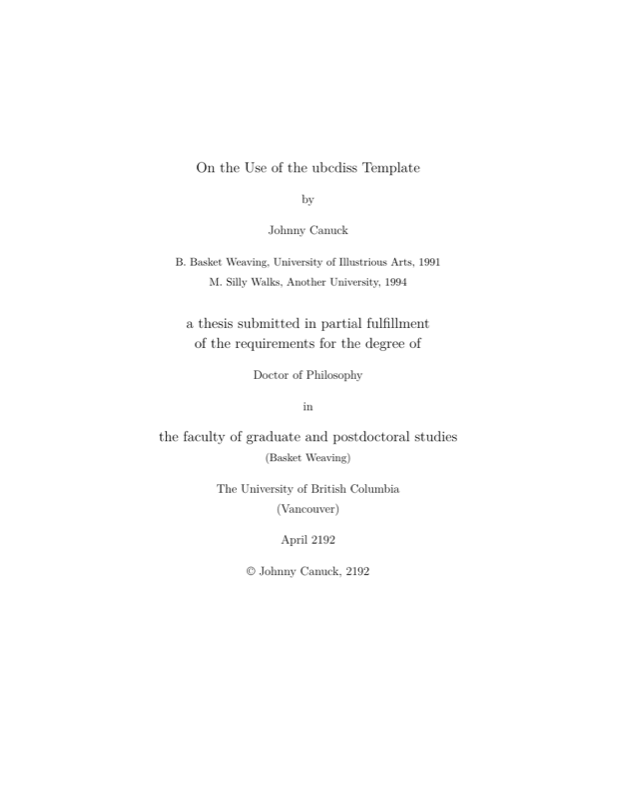
\title{On the Use of the \texttt{ubcdiss} Template}
%\subtitle{If you want a subtitle}

\author{Johnny Canuck}
\previousdegree{B. Basket Weaving, University of Illustrious Arts, 1991}
\previousdegree{M. Silly Walks, Another University, 1994}

% What is this dissertation for?
\degreetitle{Doctor of Philosophy}

\institution{The University of British Columbia}
\campus{Vancouver}

\faculty{The Faculty of Graduate and Postdoctoral Studies}
\department{Basket Weaving}
\submissionmonth{April}
\submissionyear{2192}

% details of your examining committee
\examiningcommittee{John Smith, Professor, Materials Engineering, \textsc{UBC}}{Supervisor}
\examiningcommittee{Mary Maker, Professor, Materials Engineering, \textsc{UBC}}%
    {Supervisory Committee Member}
\examiningcommittee{Nebulous Name, Position, Department, Institution}{Supervisory Committee Member}
\examiningcommittee{Magnus Monolith, Position, Other Department, Institution}{Additional Examiner}

% details of your supervisory committee
\supervisorycommittee{Ira Crater, Professor, Materials Engineering, \textsc{UBC}}%
    {Supervisory Committee Member}
\supervisorycommittee{Adeline Long, \textsc{CEO} of Aerial Machine
    Transportation, Inc.}{Supervisory Committee Member}

%% hyperref package provides support for embedding meta-data in .PDF
%% files
\hypersetup{
  pdftitle={Change this title!  (DRAFT: \today)},
  pdfauthor={Johnny Canuck},
  pdfkeywords={Your keywords here}
}

%%%%%%%%%%%%%%%%%%%%%%%%%%%%%%%%%%%%%%%%%%%%%%%%%%%%%%%%%%%%%%%%%%%%%%
%%%%%%%%%%%%%%%%%%%%%%%%%%%%%%%%%%%%%%%%%%%%%%%%%%%%%%%%%%%%%%%%%%%%%%
%%
%% The document content
%%

%% LaTeX's \includeonly commands causes any uses of \include{} to only
%% include files that are in the list.  This is helpful to produce
%% subsets of your thesis (e.g., for committee members who want to see
%% the dissertation chapter by chapter).  It also saves time by
%% avoiding reprocessing the entire file.
%\includeonly{intro,conclusions}
%\includeonly{discussion}

\begin{document}

%%%%%%%%%%%%%%%%%%%%%%%%%%%%%%%%%%%%%%%%%%%%%%%%%%
%% From Thesis Components: Tradtional Thesis
%% <http://www.grad.ubc.ca/current-students/dissertation-thesis-preparation/order-components>

% Preliminary Pages (numbered in lower case Roman numerals)
%    1. Title page (mandatory)
\maketitle

%    2. Committee page (mandatory): lists supervisory committee and,
%    if applicable, the examining committee
\makecommitteepage

%    3. Abstract (mandatory - maximum 350 words)
\include{abstract}
\cleardoublepage

%    4. Lay Summary (Effective May 2017, mandatory - maximum 150 words)
\include{laysummary}
\cleardoublepage

%    5. Preface
\include{preface}
\cleardoublepage

%    6. Table of contents (mandatory - list all items in the preliminary pages
%    starting with the abstract, followed by chapter headings and
%    subheadings, bibliographies and appendices)
\tableofcontents
\cleardoublepage	% required by tocloft package

%    7. List of tables (mandatory if thesis has tables)
\listoftables
\cleardoublepage	% required by tocloft package

%    8. List of figures (mandatory if thesis has figures)
\listoffigures
\cleardoublepage	% required by tocloft package

%    9. List of illustrations (mandatory if thesis has illustrations)
%   10. Lists of symbols, abbreviations or other (optional)

%   11. Glossary (optional)
\input{glossary}	% always input, since other macros may rely on it

\textspacing		% begin one-half or double spacing

%   12. Acknowledgements (optional)
\include{ack}

%   13. Dedication (optional)

% Body of Thesis (not all sections may apply)
\mainmatter

\acresetall	% reset all acronyms used so far

%    1. Introduction
\include{intro}

%    2. Main body
% Generally recommended to put each chapter into a separate file
%\include{relatedwork}
%\include{model}
%\include{impl}
%\include{discussion}
%\include{conclusions}

%    3. Notes
%    4. Footnotes

%    5. Bibliography
\begin{singlespace}
\raggedright
\bibliographystyle{abbrvnat}
\bibliography{biblio}
\end{singlespace}

\appendix
%    6. Appendices (including copies of all required UBC Research
%       Ethics Board's Certificates of Approval)
%\include{reb-coa}	% pdfpages is useful here
\include{appendix}

\backmatter
%    7. Index
% See the makeindex package: the following page provides a quick overview
% <http://www.image.ufl.edu/help/latex/latex_indexes.shtml>


\end{document}
Preview

PDF Preview
Create an account to compile and preview