main.texRead-only preview
% Written by Bibby AI
% Load preamble
\input{frame/preamble}

% Load the defined acronyms
\input{frame/acronyms}

\begin{document}

% Optional To-Do notes list
\ifdefined\toDosActive

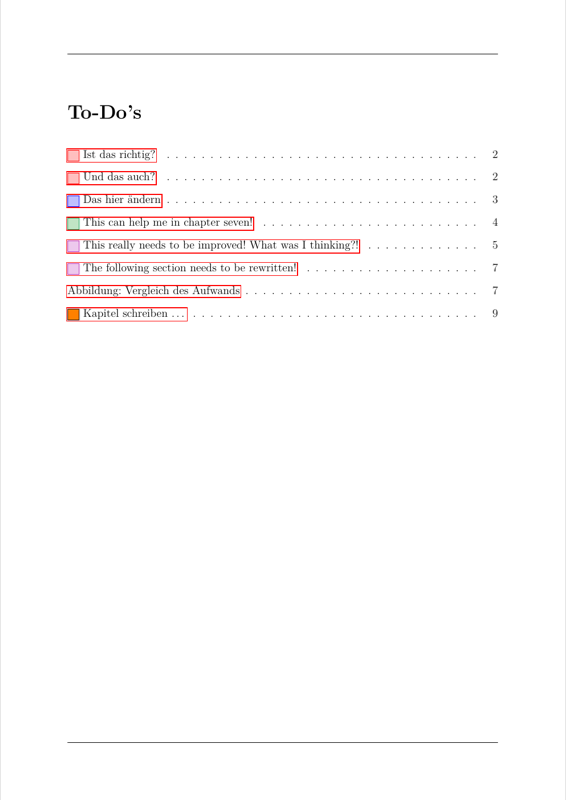
  \listoftodos[\toDosName]
\fi

% Disable page numbering
\pagenumbering{gobble}

\input{frame/frontpage}

% Optional restriction notice if needed
\ifdefined\restrictedActive

  \include{frame/restrictionNotice}
\fi

\include{frame/declarationOfAuthenticity}

\include{content/abstract}

\ifdefined\fullCompile

  % Table of contents
  \newpage
  \pdfbookmark{\contentsname}{toc}
  \pagestyle{plain}
  \pagenumbering{Roman}
  \ifdefined\restrictedActive

    \setcounter{page}{5}
  \else

    \setcounter{page}{4}
  \fi
  \tableofcontents

  \ifdefined\listofunitsVisible

    % Table of units
    \input{frame/units}

    \newpage
    \phantomsection
  \fi

  \ifdefined\listofacronymsVisible

    % Add table of acronyms to the table of content
    \addcontentsline{toc}{chapter}{\tableOfAcronymsName}

    % Table of acronyms
    \printacronyms[include=abbrev,name=\tableOfAcronymsName,template=longtable]
    \markboth{\tableOfAcronymsName}{\tableOfAcronymsName}

    \newpage
    \phantomsection
  \fi

  \ifdefined\listoffiguresVisible%

    % Add list of figures to the table of content
    \addcontentsline{toc}{chapter}{\listfigurename}

    \listoffigures

    \newpage
    \phantomsection
  \fi

  \ifdefined\listoftablesVisible

    % Add list of tables to the table of content
    \addcontentsline{toc}{chapter}{\listtablename}

    \listoftables

    \newpage
    \phantomsection
  \fi

  \ifdefined\listoflistedEquationsVisible

    % Add list of equations to the table of content
    \addcontentsline{toc}{chapter}{\listOfEquationsName}

    \listoflistedEquations

    \newpage
    \phantomsection
  \fi

  \ifdefined\listoflistingsVisible

    % Add list of code blocks to the table of content
    \addcontentsline{toc}{chapter}{\lstlistlistingname}

    % List of code blocks
    \lstlistoflistings

    \newpage
    \phantomsection
  \fi

  \ifdefined\listofuserFramesVisible

    % Add list of frames to the table of content
    \addcontentsline{toc}{chapter}{\listOfUserFramesName}

    % List of frames
    \listofuserFrames

    \newpage
    \phantomsection
  \fi

  \newpage
\fi

% Set page numbering style back to arabic
\pagenumbering{arabic}
\setcounter{page}{1}

% Load content (automatically generated import file)
\input{content/AUTOGEN_contentCollection}

\ifdefined\fullCompile

  % List of Citations
  % Standard bibliography
  \renewcommand{\bibname}{\bibliographyName}

  % Standard bibliography
  \printbibliography[heading=bibintoc] % keep the `heading=bibintoc` option for a correct table of contens and in pdf bookmark entry

  %% Bibliography filtered by print and web media
  % \printbibheading
  %% Add the bibliography to the table of content
  %\addcontentsline{toc}{chapter}{\bibname}
  % \printbibliography[filter=printMediaFilter,heading=subbibliography,title={\printMediaTitle}]
  % \newpage
  % \printbibliography[filter=webMediaFilter,heading=subbibliography,title={\webMediaTitle}]
\fi

% Load appendix (automatically generated import file)
\input{appendix/AUTOGEN_appendixCollection}

% Written by Bibby AI
\end{document}
Preview

PDF Preview
Create an account to compile and preview