template.texRead-only preview
% Written by Bibby AI
%==============================================================
% A template for the Chalmers Beamer theme <<<
%
% Author: Christian Häger
% Email : christan.haeger@chalmers.se
% Date  : 2026-May-11
% >>>
%==============================================================
% document class and theme <<<
%==============================================================
\documentclass[
	%serif,						% uses the standard LaTeX font (not recommended)
	9pt,							% font size
	mathserif, 				% uses the standard LaTeX font for math
	%draft, 					% consider using this for speed
	%handout, 				% remove the overlays
	%aspectratio=43
	aspectratio=169		% 16:9 aspect ratio
]{beamer}

\usetheme[%
	noboldtitle,      		% set the frametitle / subtitle with bold font
	footline=authortitle, % include the author and title in the footline
	shadow=true 					% include a visual shadow effect for the boxes
]{Chalmers}	% dictates how everything should look

\setbeamertemplate{navigation symbols}{} % off by default

% This line can be used to speed up compilation for longer
% presentations: Beamer allows each frame to have one or more
% labels, and compilation can be done for frames with certain
% labels only.
%
%\includeonlyframes{label1, label2}
%
% >>>
%==============================================================
%	packages <<<
%==============================================================
% packages that are already loaded by the theme
% 	- xcolor
% 	- graphicx
% 	- tikz
% 	- pgf
% 	- textpos
%
% whatever is needed
\usepackage{lmodern} % latin modern font as opposed to computer modern
\usepackage[english]{babel}
%\usepackage[latin1]{inputenc}
\usepackage{amsmath}
\usepackage{listings}

\lstset{
language=C++,
basicstyle=\small\sffamily,
numbers=left,
numberstyle=\tiny,
frame=tb,
columns=fullflexible,
showstringspaces=false
}
% >>>
%==============================================================
%	title, author, etc. <<<
%==============================================================
% The names in square brackets are used in the footlines
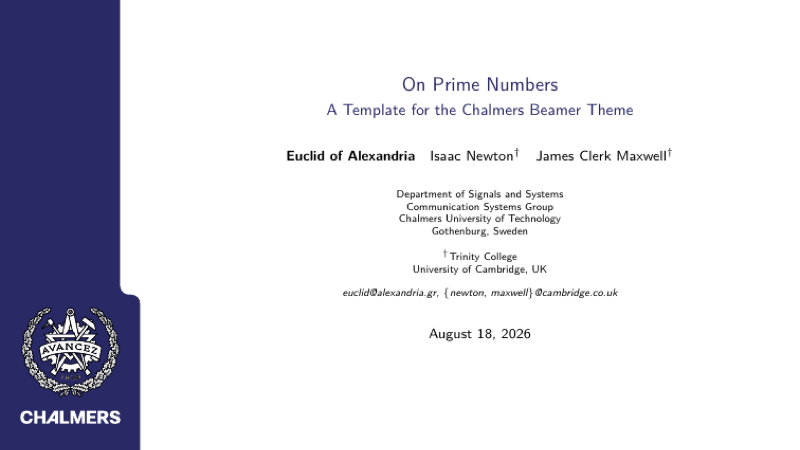
\title[On Prime Numbers]{On Prime Numbers}

\subtitle{A Template for the Chalmers Beamer Theme}

\author[Euclid \emph{et.\ al.\ }]{%
	\textbf{Euclid of Alexandria}%
	\and Isaac Newton$^{\dagger}$%
	\and James Clerk Maxwell$^{\dagger}$%
}%

\institute[Chalmers]{%
	Department of Signals and Systems\\
	Communication Systems Group\\
	Chalmers University of Technology\\
	Gothenburg, Sweden
	\and
	$^{\dagger}$Trinity College\\
	University of Cambridge, UK
	\and
	\emph{euclid@alexandria.gr, \{newton, maxwell\}@cambridge.co.uk}
}

\date{\today}

%\titlegraphic{%
%	\includegraphics[height=2cm]{logo}%
%}
% >>>
%==============================================================
%includes <<<
%==============================================================
% Set the path to the folder where figures are placed
%\graphicspath{%
%}

% >>>
%==============================================================
% presentation <<<
%==============================================================
\begin{document}

\begin{frame}[plain] % plain to suppress footers and headers
	\titlepage
\end{frame}

\begin{frame}
	\frametitle{Outline}
	\tableofcontents[%
 		%currentsection, % causes all sections but the current to be shown in a semi-transparent way.
%  		currentsubsection, % causes all subsections but the current subsection in the current section to ...
  		hideallsubsections, % causes all subsections to be hidden.
% 		hideothersubsections, % causes the subsections of sections other than the current one to be hidden.
%  		part=1, % part number causes the table of contents of part part number to be shown
 		pausesections, % causes a \pause command to be issued before each section. This is useful if you
%  		pausesubsections, %  causes a \pause command to be issued before each subsection.
%  		sections={ overlay specification },
 	]
\end{frame}

\section[Introduction]{Introduction}
\subsection*{Slides}

\begin{frame}
	\frametitle{Outline}
	\tableofcontents[%
 		currentsection,
  	hideallsubsections, % causes all subsections to be hidden.
 	]
\end{frame}

\begin{frame}
  \frametitle{What Are Prime Numbers?}
  A prime number is a number that has exactly two divisors.
\end{frame}

\begin{frame}
  \frametitle{What Are Prime Numbers?}
  \begin{definition}
    A \alert{prime number} is a number that has exactly two divisors
  \end{definition}
  \begin{example}
    \begin{itemize}
    \item 2 is prime (two divisors: 1 and 2).
    \item 3 is prime (two divisors: 1 and 3).
    \item 4 is not prime (\alert{three} divisors: 1, 2, and 4).
    \end{itemize}
  \end{example}
\end{frame}

\section[Theorem]{A Theorem About Prime Numbers}
\subsection*{Theorem}

\begin{frame}
  \frametitle{There Is No Largest Prime Number}
  \framesubtitle{The proof uses \textit{reductio ad absurdum}.}
  \begin{theorem}
    There is no largest prime number.
  \end{theorem}
  \begin{proof}
    \begin{enumerate}
    \item<1-| alert@1> Suppose $p$ were the largest prime number.
    \item<2-> Let $q$ be the product of the first $p$ numbers.
    \item<3-> Then $q+1$ is not divisible by any of them.
    \item<4-> But $q + 1$ is greater than $1$, thus divisible by some prime
      number not in the first $p$ numbers.\qedhere
    \end{enumerate}
  \end{proof}
\end{frame}

\begin{frame}
  \frametitle{What's Still To Do?}
  \begin{itemize}
  \item Answered Questions
    \begin{itemize}
    \item How many primes are there?
    \end{itemize}
  \item Open Questions
    \begin{itemize}
    \item Is every even number the sum of two primes?
    \end{itemize}
  \end{itemize}
\end{frame}

\begin{frame}
  \frametitle{What's Still To Do?}
  \begin{columns}
    \column{.5\textwidth}
      \begin{block}{Answered Questions}
        How many primes are there?
      \end{block}
    \column{.5\textwidth}
      \begin{block}{Open Questions}
        Is every even number the sum of two primes?
        \cite{Goldbach1742}
      \end{block}
  \end{columns}
\end{frame}

\begin{frame}
	\frametitle{Itemization and Enumerations}

	\begin{itemize}
		\item
			This is the first level of nesting.

		\item
			This is a bullet point that needs further structering

			\begin{itemize}
				\item
					Two levels of nesting should be used with caution.

				\item
					Never use the third level of nesting.
			\end{itemize}

		\item
			Last bullet point
	\end{itemize}

	\begin{enumerate}
		\item First item

		\item Second item

			\begin{enumerate}
				\item First subitem

				\item second subitem
			\end{enumerate}

		\item Third item
	\end{enumerate}

	\begin{example}
	\begin{enumerate}
		\item First item

		\item Second item

			\begin{enumerate}
				\item First subitem

				\item second subitem
			\end{enumerate}

		\item Third item
	\end{enumerate}

	\end{example}

\end{frame}

\begin{frame}
	\frametitle{Structure with blocks}

	\begin{block}{Answered Questions}
		How many prime numbers are there?
	\end{block}

	\begin{block}{Open Questions}
		Is every even number the sum of two primes?
	\end{block}

	\begin{exampleblock}{}
		This is an example block.
	\end{exampleblock}

\end{frame}

\section[Algorithm]{An Algorithm For Finding Prime Numbers}
\subsection*{Algorithm}

% directly putting the lstlisting into the frame causes the tabs to
% get lost
\defverbatim[colored]\Lst{%
\begin{lstlisting}[caption=Algorithm, tabsize=2]
int main (void) {
	std::vector<bool> is_prime (100, true);
	for (int i = 2; i < 100; i++)
		if (is_prime[i])
			{
				std::cout << i << " ";
				for (int j = i; j < 100;
						is_prime [j] = false, j+=i);
			}
	return 0;
}
\end{lstlisting}}

\begin{frame}[fragile]
  \frametitle{An Algorithm For Finding Primes Numbers.}
	\Lst
\end{frame}

\section[Conclusion]{Conclusion}
\subsection*{Slides}

\begin{frame}
	\frametitle{Conclusion}

	\begin{itemize}
		\item
			You now know a little bit about primes.

		\item
			For other interesting topics see
			\cite{Shannon} or \cite{Einstein}.

	\end{itemize}

\end{frame}

\appendix

\begin{frame}
	% Thank you frame
	\begin{center}
		\Huge Thank you!
	\end{center}
\end{frame}

\begin{frame}
	\frametitle{References}

	\begin{thebibliography}{Shannon}
		\bibitem[Shannon '48]{Shannon}
			Claude Shannon
			\newblock{A Mathematical Theory of Communication}
			\newblock{\em 1948, Bell Labs Journal}
		\bibitem[Einstein-Feynman '50]{Einstein}
			Albert Einstein and Richard Feynman
			\newblock{A General Theory About Everything}
			\newblock{\em 1950, Proc. of Conference about Everything}
	\end{thebibliography}

	\bibliographystyle{apalike}

\end{frame}

% Written by Bibby AI
\end{document}
% >>>
%==============================================================
Preview

PDF Preview
Create an account to compile and preview