Quick Summary: One Click Citations streamlines research referencing by allowing users to quickly find and insert citations directly into LaTeX documents, saving time and reducing errors. It works best for researchers who frequently write in LaTeX and need fast, accurate citations during drafting. The tool is most valuable when speed and focus are priorities, but less so for those who need comprehensive library management.
If you keep jumping from paper search to BibTeX export to your draft, this review is for you. One Click Citations aims to turn that slow loop into one action. The real problem is not finding papers. It is breaking focus while you cite them. I review how this fits real LaTeX workflows, where Research Citation Tools, AI Citation Software, and Research Reference Management either save time or cause errors. You will see where Research Citation Tools help, where Research Citation Tools fail, and what to expect.
Table of Contents
- How the one-click workflow actually saves time
- Citation accuracy and reference management quality
- Is One Click Citations worth it for your workflow?
- Frequently Asked Questions
- Conclusion
How the one-click workflow actually saves time
The real gain is simple: you stop hopping between Google Scholar, DOI lookups, and your BibTeX file. Bibby AI cuts the slowest part of citing - finding the exact paper, checking metadata, and inserting it where you are writing.
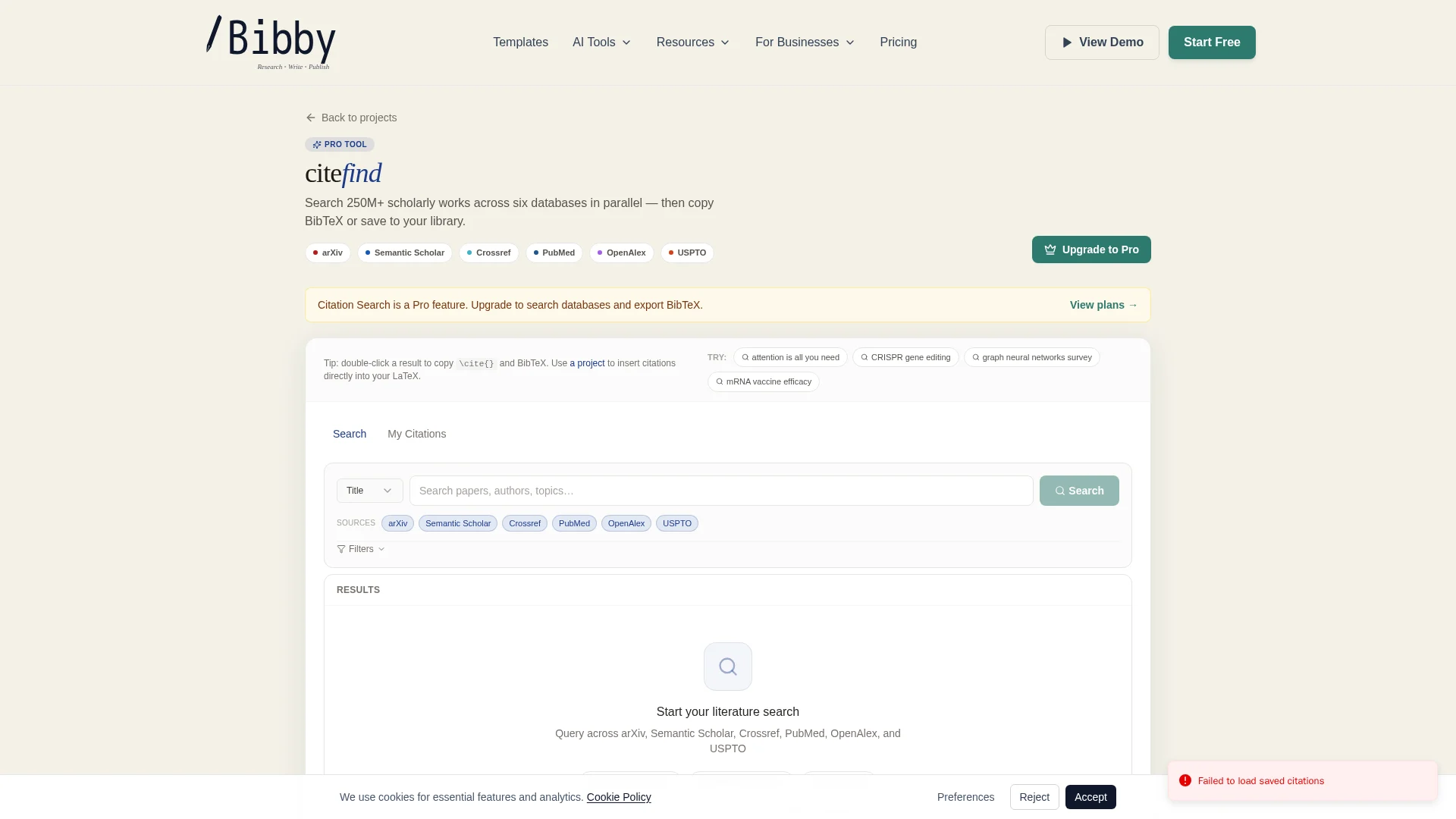
Search, filter, and find the right paper faster
Good citation tools save time at the search step first. NCBI's My Bibliography highlights built-in ways to search PubMed, upload RIS files, and sort or filter citations in one place within its reference workflow. Bibby AI follows the same useful idea, but keeps it inside a LaTeX writing flow.
- Search by title, author, or topic
- Filter out near-match noise faster
- Spot the right paper before opening extra tabs
From result to citation in one action
This is where the click matters. Instead of copying title data, exporting a file, then checking formatting, you move from result to inserted citation at once. That removes several tiny tasks that pile up. Citation managers are valuable because they help researchers find, cite, and store references more easily, as noted in this NCBI review of citation software.
One saved minute repeated 30 times in a paper becomes real writing time.
Where the time savings are real and where they are not
The speed boost is strongest when:
- You already know the paper you want
- You need clean insertion during drafting
- You cite often in long LaTeX documents
It helps less when metadata is messy, preprints have weak records, or you still need to verify the source manually. One-click saves admin time, not judgment time.
Also Read: 20 Common LaTeX Errors and How to Fix Them (2026 Guide)
Citation accuracy and reference management quality
Citation accuracy starts with source coverage. If a citation tool misses a paper, you end up fixing entries by hand. Crossref says its database held 180,034,490 metadata records in March 2026, with journal articles making up most of them, which shows why broad indexing matters for academic work according to Crossref. For LaTeX users, better coverage means fewer broken BibTeX imports and fewer last-minute edits.

Good reference management is not just about finding papers fast. It is also about keeping the bibliography clean. Watch for:
- duplicate records
- missing author, year, volume, or DOI fields
- wrong journal titles
- unmatched preprints and final versions
Crossref notes that duplicate DOIs can split citation counts and confuse matching systems in its conflict and duplicate guidance.
Fast insertion is useful only if you still verify the final entry before submission.
For researchers and labs, Bibby AI fits best when you:
- build papers in LaTeX every week
- share
.bibfiles across coauthors - need quick inserts without losing metadata quality
Also Read: 10 Best LaTeX Equation Editor Tools (2026)
Is One Click Citations worth it for your workflow?
If you write in LaTeX, citation speed matters because reference tools help you cite correctly and avoid plagiarism, as noted by NCBI's overview of citation management software.
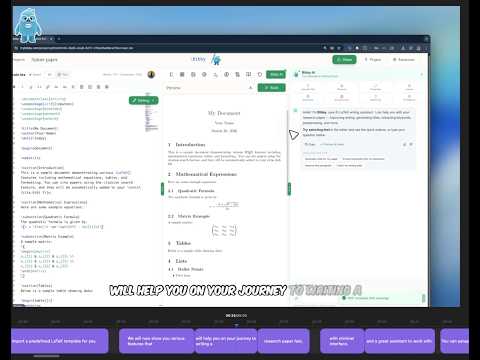
Choose it if you want speed inside your manuscript
- Pick One Click Citations if your main pain is breaking focus.
- Bibby AI fits writers who want to search, insert, and keep drafting in one place.
- That matters in LaTeX, where UW-Madison's BibTeX guide notes references usually flow through
.bibfiles and citation keys.
Best fit: active drafting, fast revisions, deadline-heavy papers.
Skip it if you need a full standalone reference manager first
- Skip it if your first need is deep library building, bulk tagging, or long-term archive control.
- A dedicated manager may still do that better.
Bottom-line recommendation
- Worth it for manuscript-first researchers.
- Less worth it for library-first users.
- If writing speed is your bottleneck, yes.
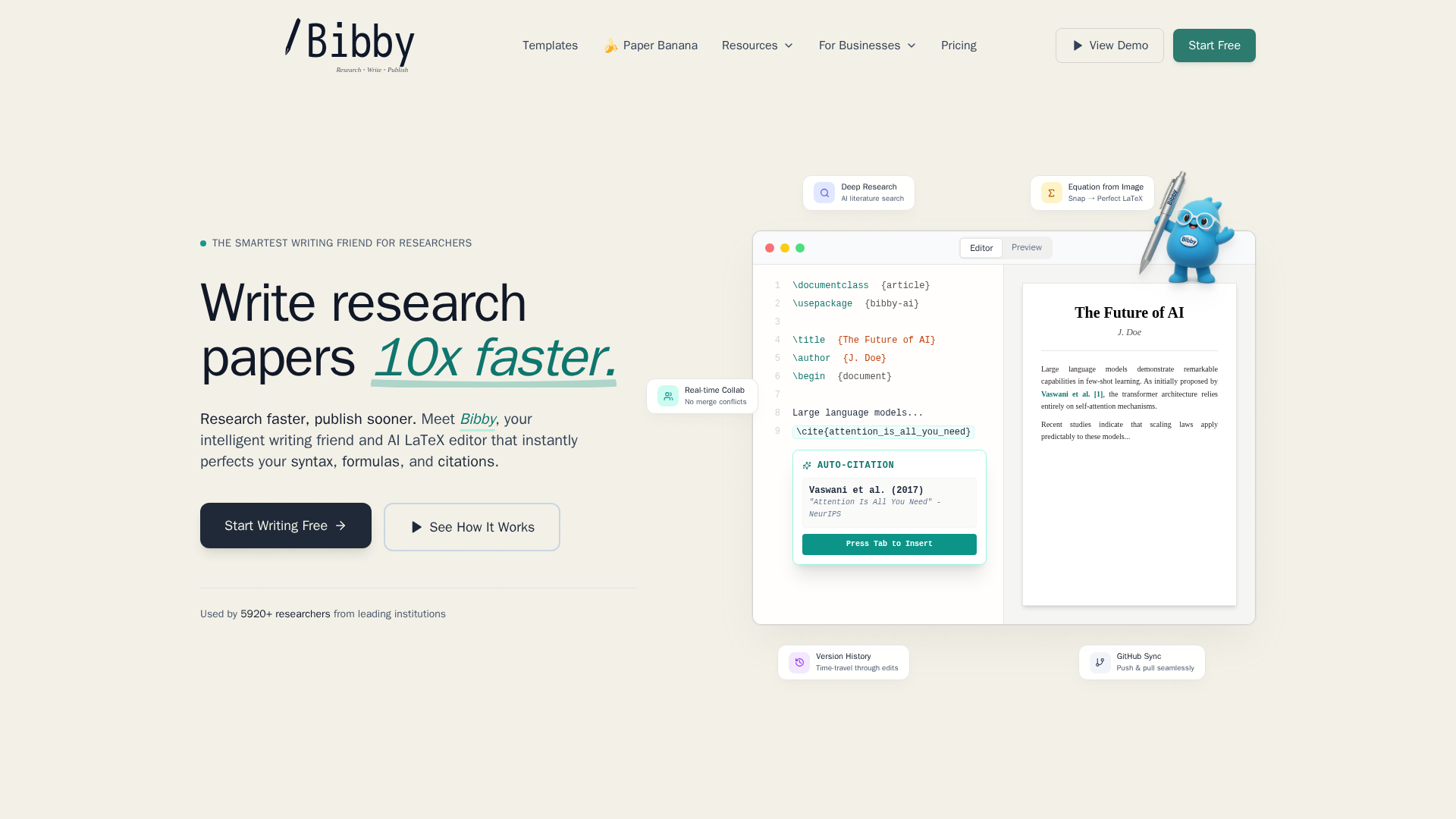
Ready to stop wasting time on references? Try Bibby AI to search, insert, and manage citations in LaTeX faster, with fewer formatting headaches.
Frequently Asked Questions
Q1: How does One Click Citations streamline the research referencing process?
It cuts out manual lookup, copy-paste, and formatting checks. You find a source, insert it fast, and keep references consistent. That matters most when writing in LaTeX and switching between many papers.
Q2: What are the key benefits of using Bibby AI's One Click Citations for academic research?
Bibby AI saves time, reduces citation mistakes, and keeps your bibliography clean. It also fits research writing better than generic AI tools because it supports citation-heavy academic workflows.
Q3: How does Bibby AI integrate with LaTeX, Word, and Google Docs to speed up citations?
It helps you insert and manage citations across common writing setups, so you spend less time reformatting references. The biggest gain comes in LaTeX, where citation speed and clean bibliography control matter most.
Conclusion
Bibby AI looks most useful when you write in LaTeX often and care about speed without losing control. That fits a live ecosystem where LaTeX remains a standard for scientific documents and BibTeX stays widely supported.